Last updated: August 21, 2026 at 1:31 PM
⚠️This article was originally published by senris.com. Please be careful of unauthorized reproduction and fake sites!
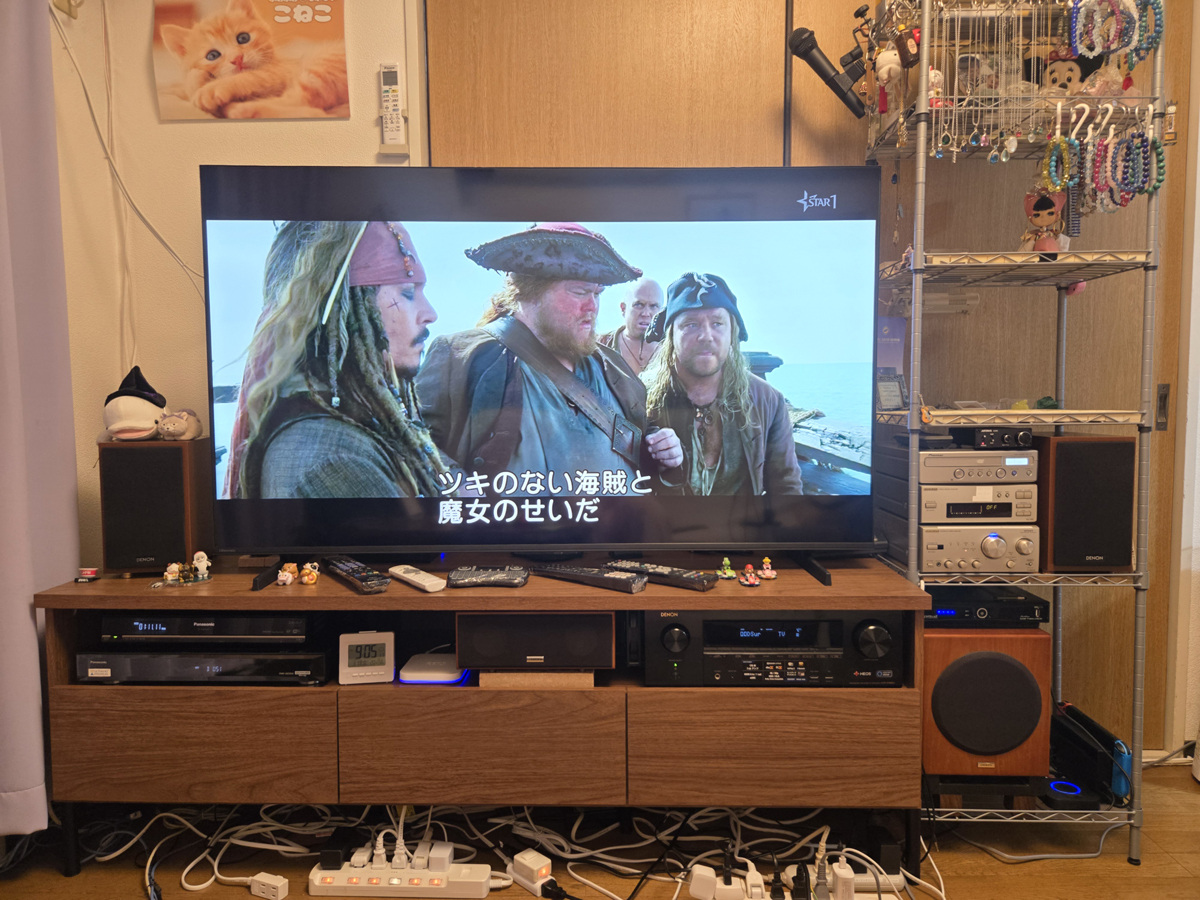
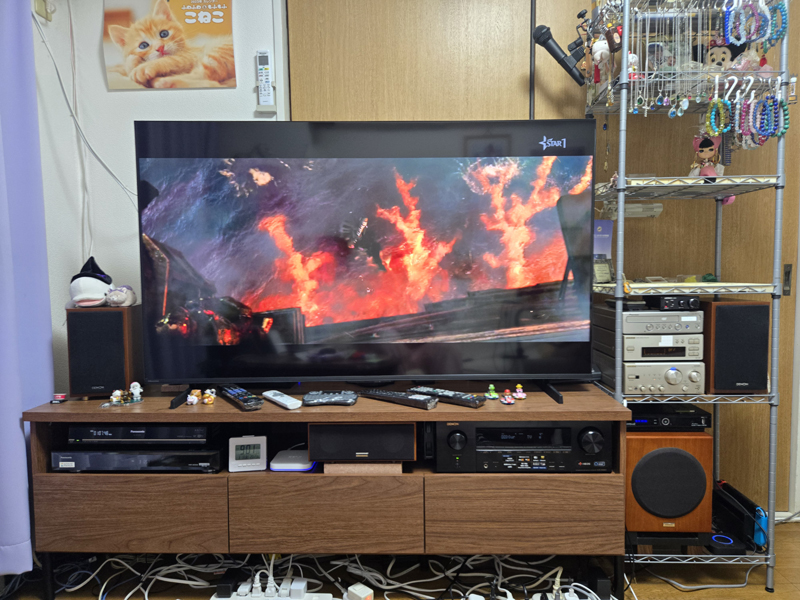
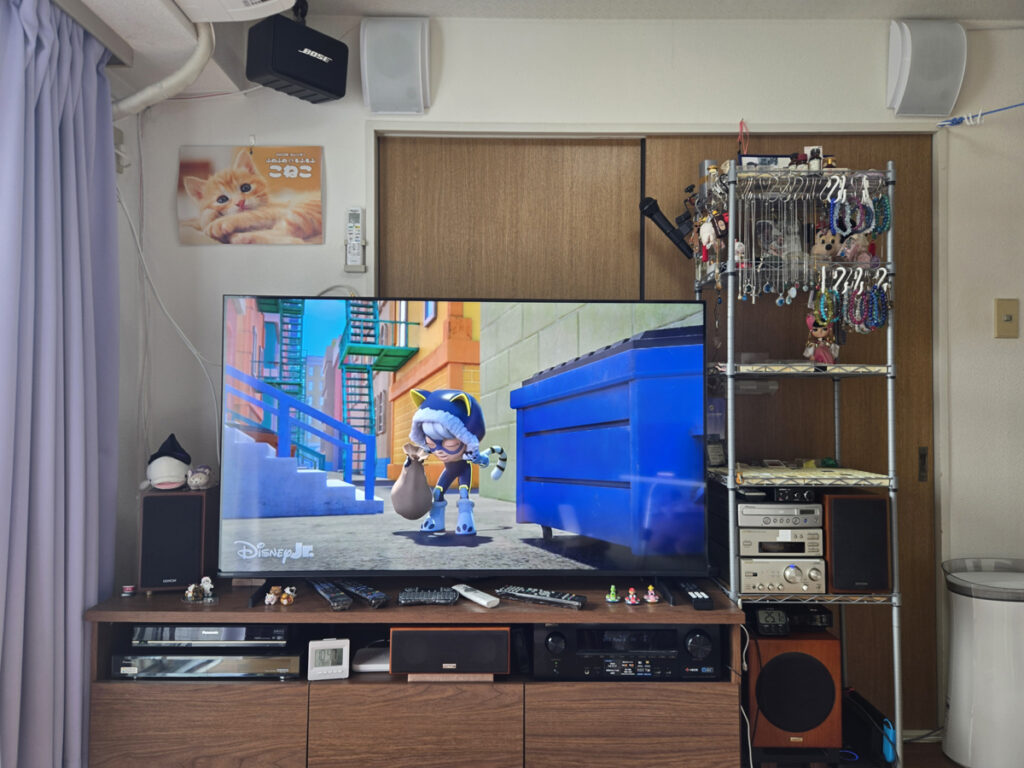
I installed it in the living room of my apartment. 5.1ch home theater system We have completely renewed the 7.1ch home theater system based on Hisense's 4K compatible Mini LED LCD 55-inch TV "55U7R" and Denon AV amplifier "AVR-X1600H".
With this renewal, with the exception of some equipment such as the vintage DVD player (DV-U7/released in June 2002), we have replaced equipment that does not support 4K with equipment that supports 4K as much as possible, and replaced TV stands with ones that support 55 inches or larger.
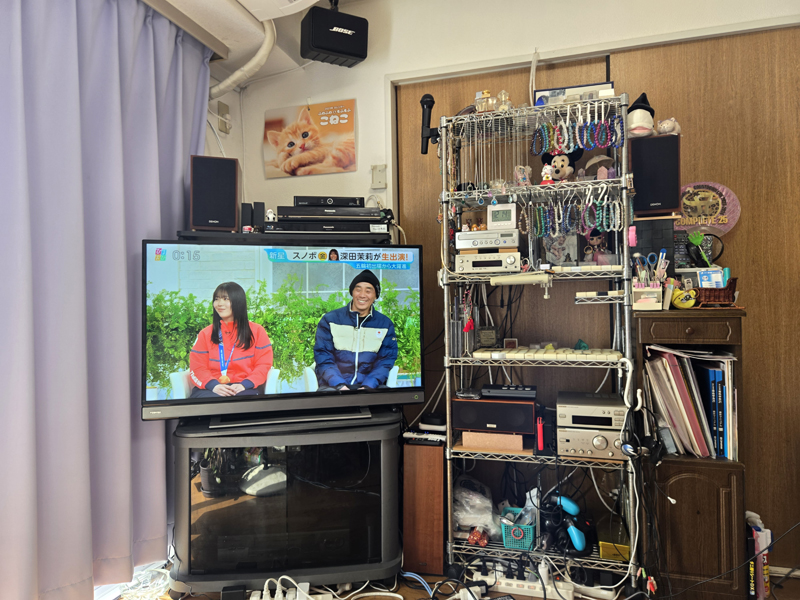
Before and after home theater system
Previously, I had built a 5.1ch home theater system based on a REGZA 40-inch full HD LCD TV, but as you can see before, the layout was a mess.
With this renovation, we were able to store all the equipment and exhibits (jewelry) in the newly purchased TV stand rack, cabinet, and steel rack, resulting in a cleaner layout and cleaner appearance.
Purchased equipment and diverted equipment
In order to build a 7.1ch home theater system, we decided to use existing equipment as much as possible, and while consulting with AI about the required specifications and budget, we arranged for new equipment (new and used) to be purchased.
In addition, when selecting equipment, the AI (Google Gemini / Microsoft Copilot / ChatGPT) was friendly, yet very smart and helpful. However, when I asked them about the specs of an old subwoofer that was supposed to be a passive SP, they sometimes gave incorrect answers, such as that it had a built-in amplifier, so when using AI, I think it is necessary to check the authenticity of the information yourself, rather than just relying on the AI's answers.
Below is a list of newly purchased equipment and existing equipment that was reused for this renewal. In the summary column, we have listed the name of the equipment, where it was purchased, and its price, but details such as the installation method and specifications of each equipment will be described later.
Purchased equipment

Diverted equipment
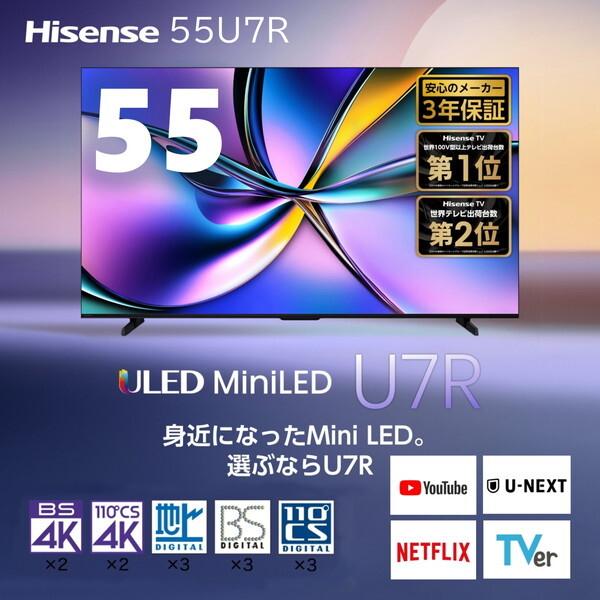
Hisense 55U7R
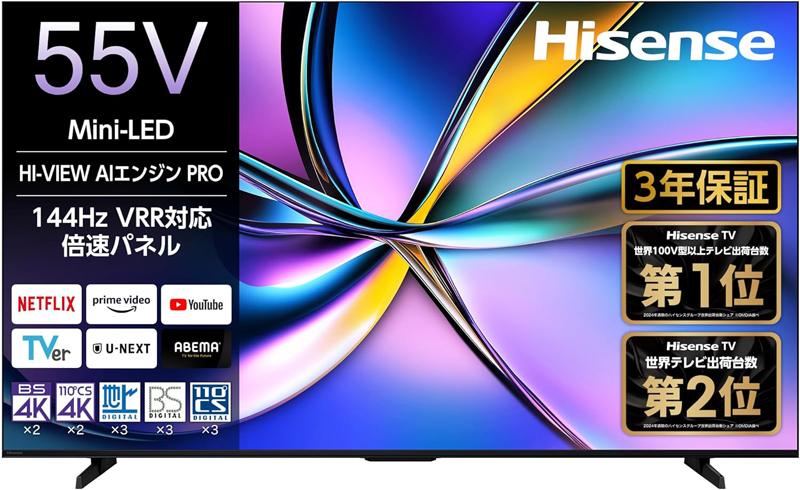
Considering the size of the living room (approximately 6 tatami mats) in my apartment and its cost performance, I selected the 55U7R as a model optimized for watching movies.
The retail price of this model (released in March 2025) was over 150,000 yen, but since it was before the release of the new model, I was able to purchase it at a super low price (65,551 yen with a 12,000 yen trade-in) on Yamada Webcom.
Please note that this device weighs 14.2 kg, has a width of 123 cm, and is made with an extremely narrow bezel (2 mm). If you force yourself to lift it by yourself and grab it in the wrong position, you may damage the LCD around the bezel. Therefore, it is recommended that two people install and move it. Therefore, when purchasing a large TV with a voltage of 55V or higher, we recommend going to a home electronics retail store (including mail order) that offers unpacking and installation services.
The features of 55U7R are as follows.
Hisense 55U7R is a high cost performance 4K LCD TV released in 2025 equipped with Mini LED and quantum dot technology. With the 144Hz high-speed panel and "Game Mode PRO", you can enjoy the latest games smoothly and with low delay. HI-VIEW AI Engine PRO automatically optimizes video and sound quality, and the 2.1ch speaker delivers powerful sound.
Main features:
- High contrast images:The combination of mini LEDs and quantum dots reproduces bright, vivid images and deep blacks.
- 144Hz driving game mode:Achieves high speed and low latency (approximately 0.83ms) perfect for PS5 and the latest PC games.
- AI Engine PRO:Image quality, sound quality, and energy saving are integrated and always displayed at optimal image quality.
- 2.1ch deep bass sound:Equipped with a subwoofer, the sound is more realistic than a standard TV.
- Latest smart OS:Equipped with "VIDAA OS", you can comfortably access major video distribution services.
Suitable for:
- People who want to purchase a high-quality, highly functional, large-screen TV on a budget.
- People who mainly want to enjoy fast-moving games such as FPS on PS5 or PC.
- People who want to enjoy vivid image quality regardless of the content, such as movies or terrestrial digital broadcasts.
- People who mainly view from the front and use it in a room where they can control the lighting.
The 55U7R is a mid-range 55-inch LCD TV with excellent cost performance and video and game functions that rival those of higher-end models.
Additionally, the 55U7R is not equipped with the ``Wide Viewing Angle Panel PRO'' (an ADS panel with the same specs as an IPS panel) that reduces color changes depending on the viewing angle in addition to the low-reflection film that suppresses reflections, which is installed in the 55U8R, so I don't think it is very suitable for viewing in a bright room or with a family.
The gallery below is a POP image of each feature of the 55U7R.
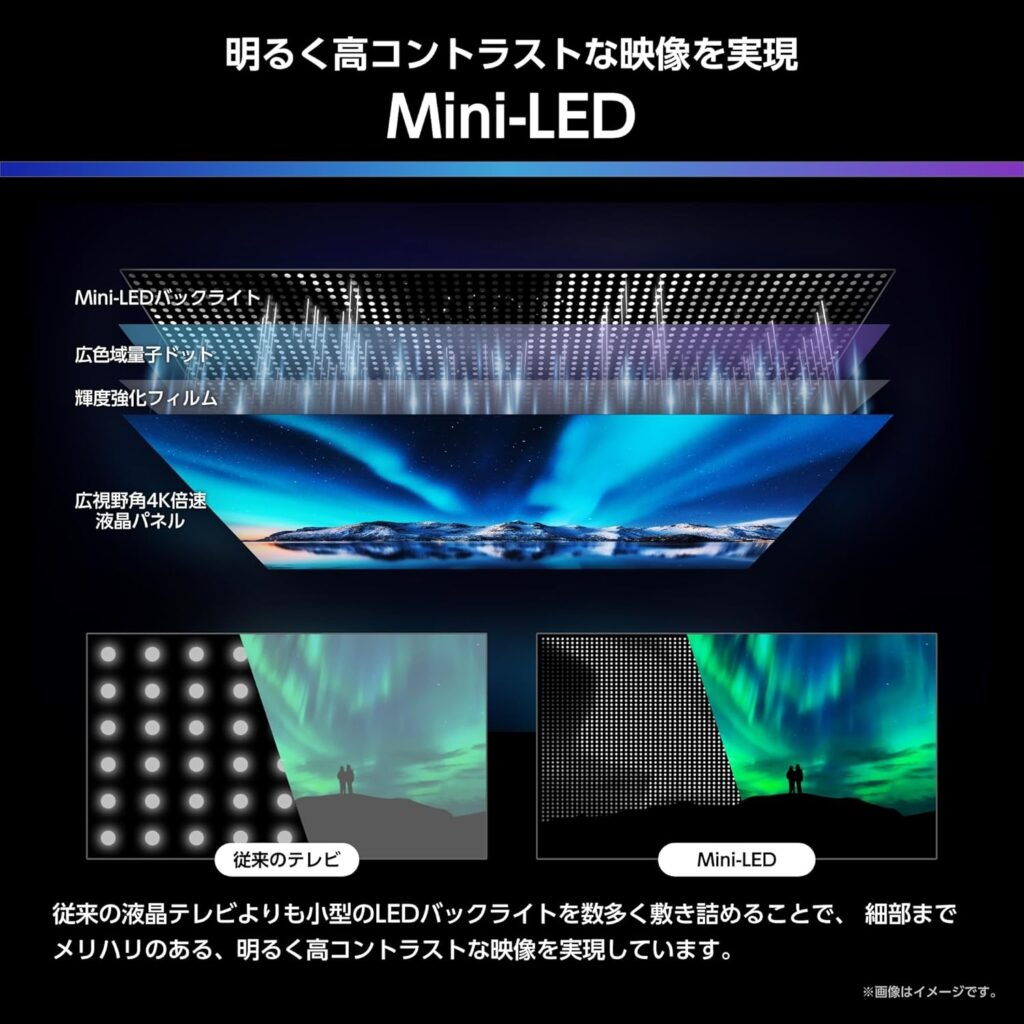
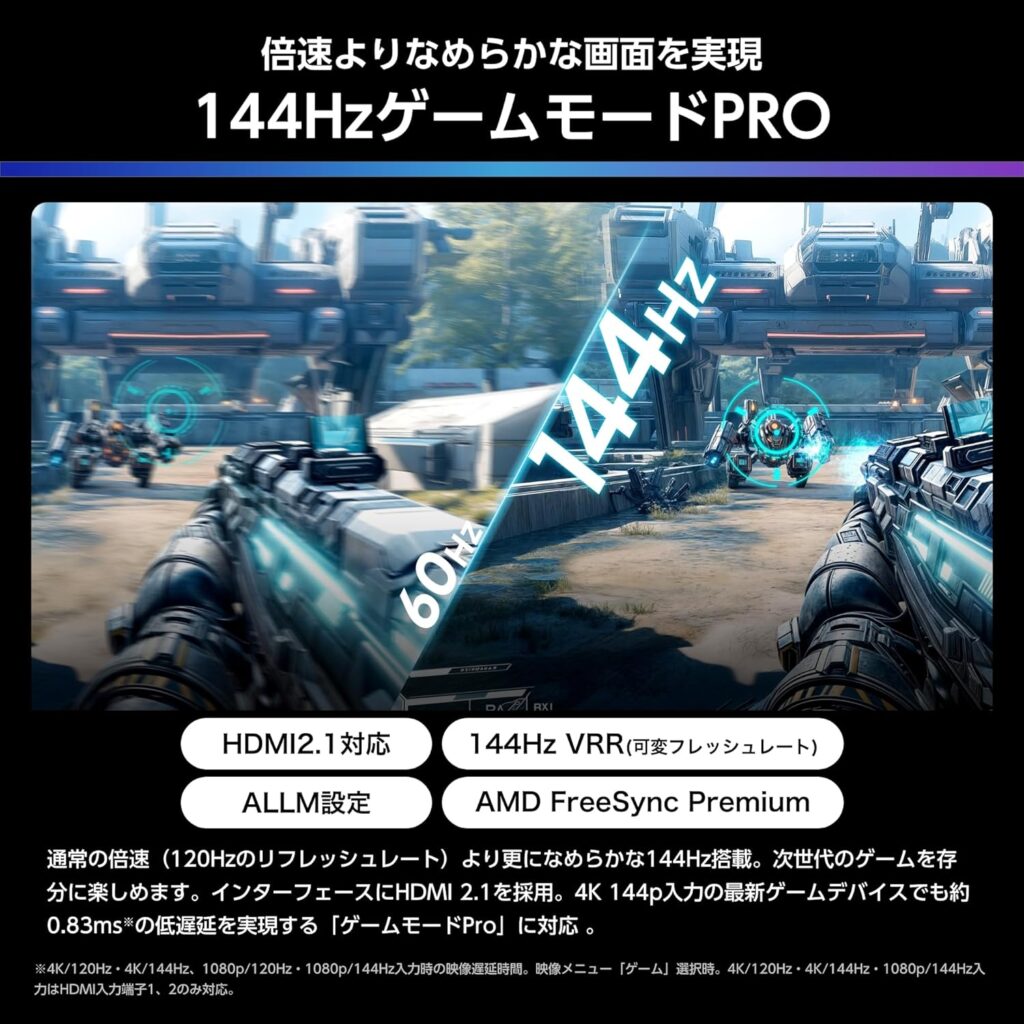
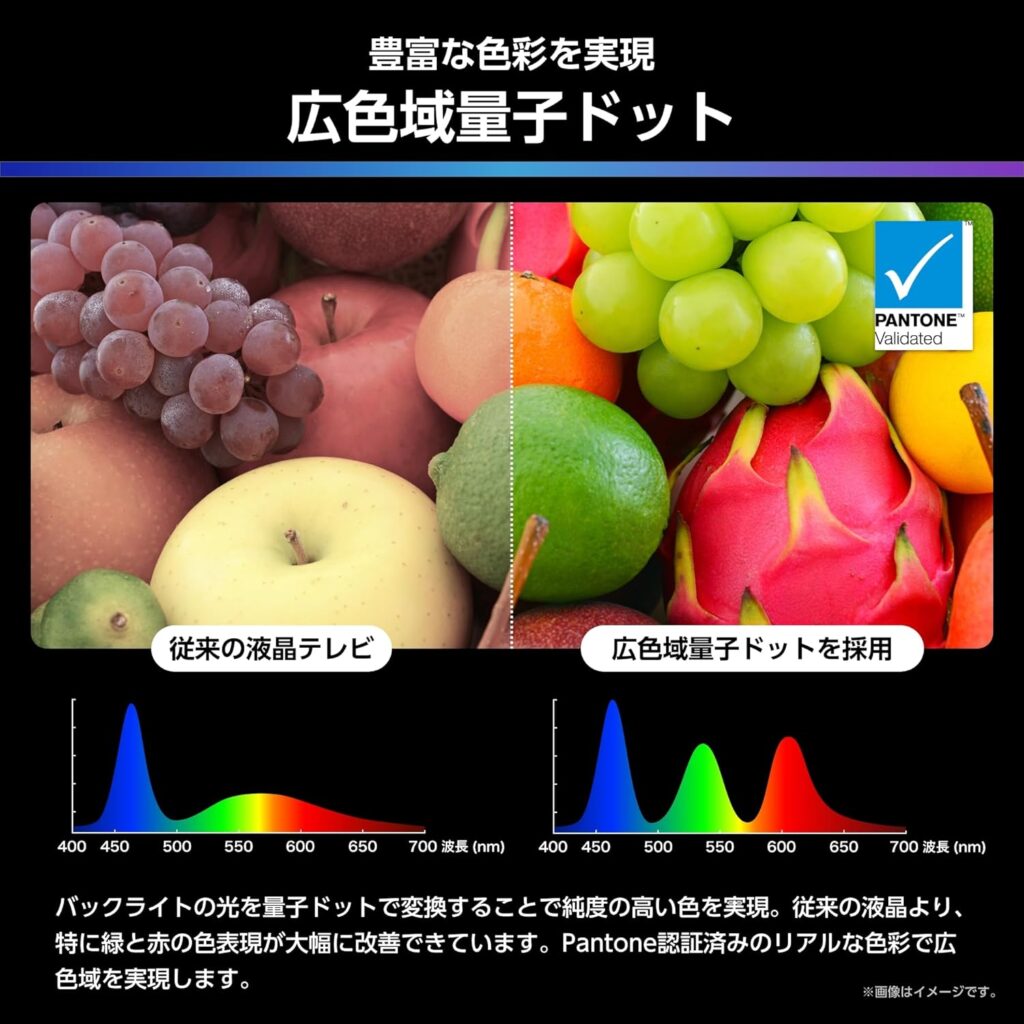
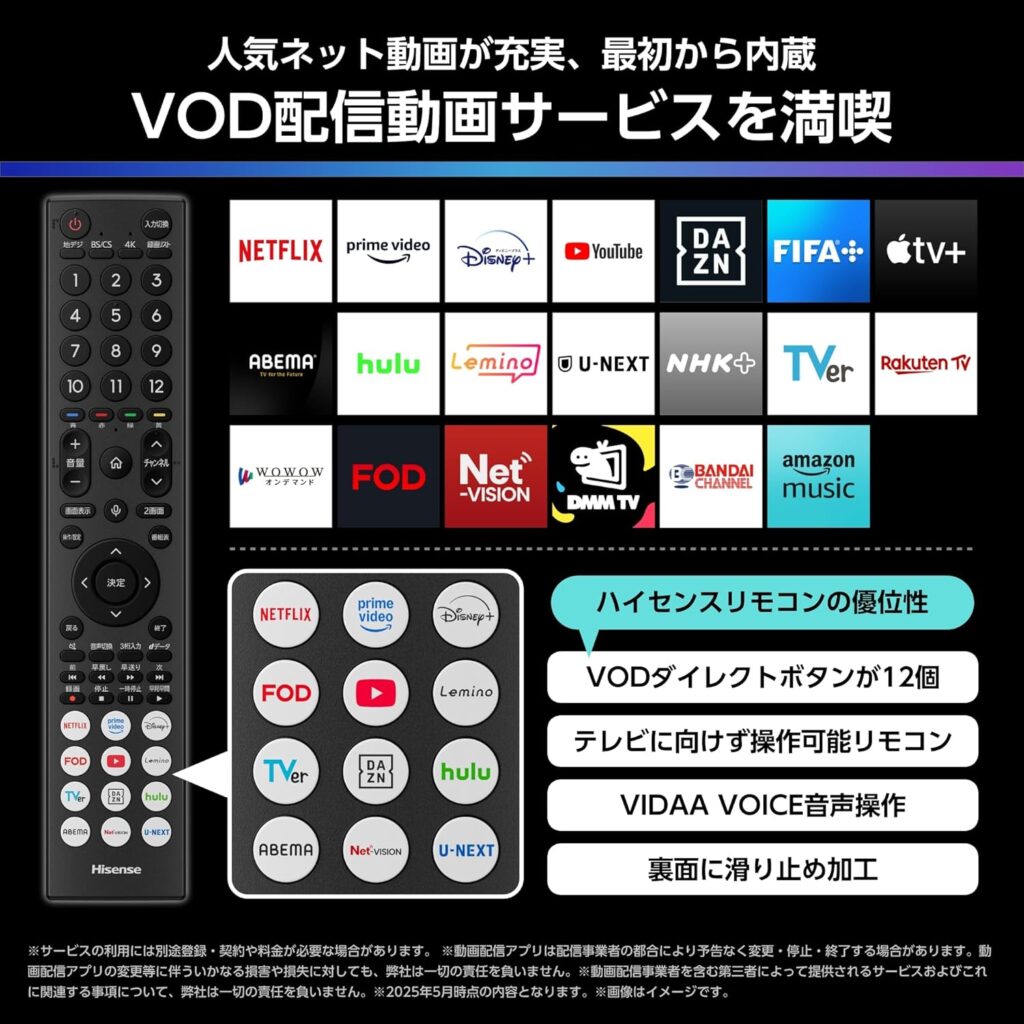

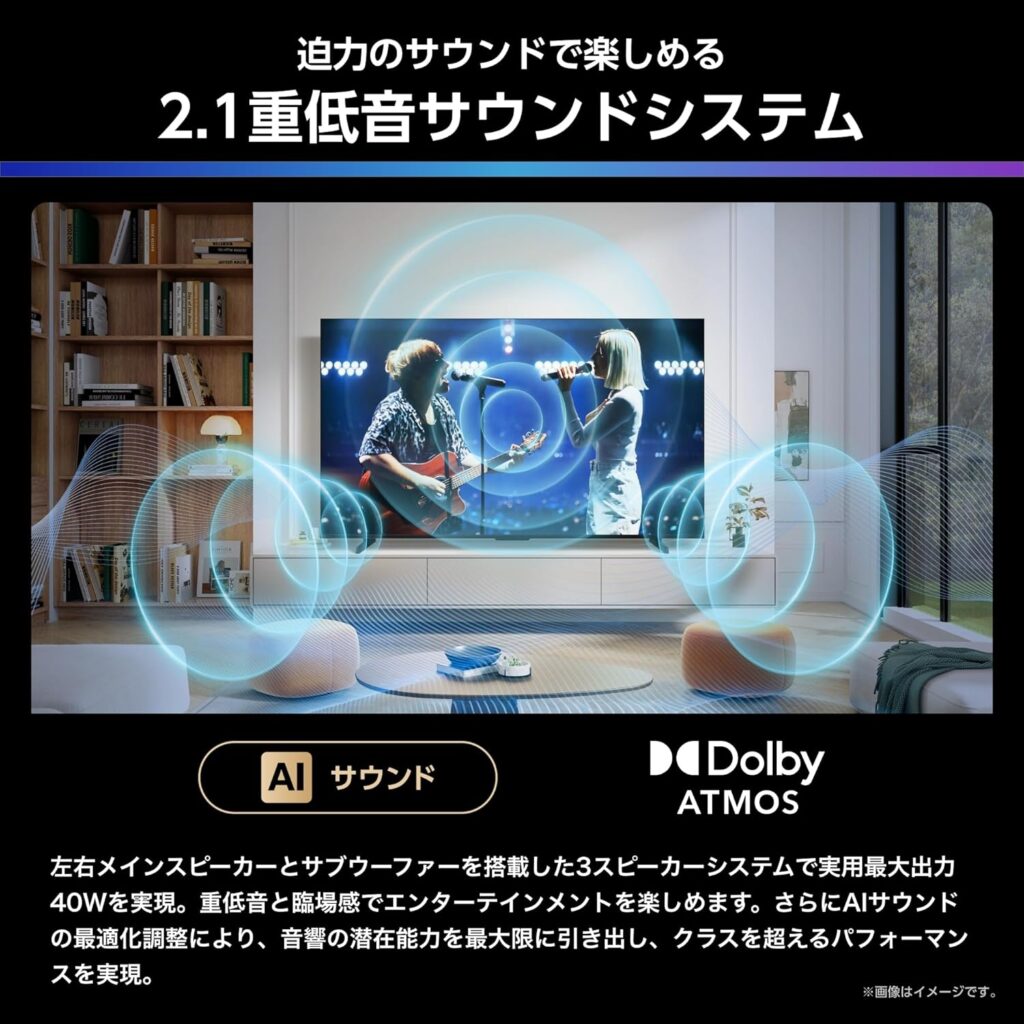

The 55U7R is equipped with the latest engine "AI Engine PRO" jointly developed with TVS REGZA, and is equipped with four AI functions: AI picture, AI scenario, AI sound, and AI energy. According to the settings, the 55U7R automatically determines the brightness of the room and the type of content, and adjusts to the optimal image quality settings.
The LCD of this model uses a VA panel with a wide viewing angle of 178° both vertically and horizontally, according to the specifications announced by the manufacturer.
Experts and users have pointed out that with VA panels, color changes and whitishness tend to become noticeable when the angle from the front exceeds about 25 degrees on one side.However, this unit is equipped with correction functions such as ``Wide Viewing Angle Panel Pro'' and ``STW correction processing'' that suppresses light leakage from an angle, and has been devised to improve blacks and color reproducibility when viewed from an angle compared to conventional VA panels.
When choosing between VA panels and IPS panels, VA panels are recommended for watching movies because of their high reproducibility of dark scenes. The high contrast ratio makes the blacks look sharper, giving you a deep sense of immersion. On the other hand, if you value viewing in a bright room, vivid colors, and viewing by multiple people, an IPS panel with a wide viewing angle is suitable.
Finally, we asked Copilot to compile the specifications of the 55U7R as shown below.
In addition to Dolby Vision, the latest "HDR10+" is supported, so you can watch Amazon Prime Video in high quality by viewing from the TV's built-in app.
Below We have summarized the specifications of Hisense 55U7R in an easy-to-understand manner.
This is a “complete version” based on official specifications and detailed specifications from Kakaku.com.
(Source: Hisense official, Kakaku.com)👉 Hisense 55U7R - Summary of main specifications (2025 model)
👉 Basic information
- screen size:55V type
- resolution:3840×2160(4K)
- Panel method:VA panel (55 type only)
- backlight:Mini LED
- quantum dot: Compatible (wide color gamut quantum dots)
- video engine:HI-VIEW AI Engine PRO
👉 Image quality performance
- HDR compatible:HDR10 / HDR10+ / HDR10+ Adaptive / HLG / Dolby Vision / Dolby Vision IQ
- double speed:120Hz double speed
- In game mode:144Hz VRR compatible
- Afterimage reduction:AI Clear Motion PRO
- viewing angle: 178°/178° (However, since the 55-inch model is VA, oblique viewing tends to look whitish)
👉 game performance
- HDMI 2.1 ×2(4K120Hz / 4K144Hz / VRR / ALLM / eARC compatible)
- AMD FreeSync Premium compatible
- Game mode PROmounted
👉 Audio
- speaker configuration:2.1ch (full range x 2 + subwoofer)
- maximum output:40W
- Compatible audio:Dolby Atmos
- acoustic treatment:eilex PRISM, audio calibration
👉 Tuner
- BS/CS 4K ×2
- Terrestrial digital ×3
- BS/CS digital ×3
👉 Recording function
- External HDD recording compatible
- Supports simultaneous recording of 2 programs
- Play function:Fast forward, slow, frame forward, chase play, etc.
👉 smart features
- OS:VIDAA
- Compatible apps:Netflix / Prime Video / Disney+ / YouTube / DAZN / U-NEXT / TVer and many others
- Smartphone cooperation:Anyview Cast / AirPlay2
- smart home: Alexa / Apple Home compatible
- Wireless LAN:Wi-Fi 6(IEEE802.11ax)
👉 Terminal type
- HDMI 4(2.1×2、2.0×2)
- USB 2(USB2.0×1、USB3.0×1)
- Optical digital audio output x1
- LAN ×1
- Headphone terminal x1
👉 Size/weight (55U7R)
- Body size (including stand):122.6 × 74.8 × 29.8 cm
- Weight (including stand):14.2 kg
- VESA:400 × 200
👉 Power consumption
- Fixed consumption power:182W
- Annual power consumption: 139kWh (approx. 3,753 yen/year)
👉 General review (for Senri)
55U7R is Mini LED + Quantum Dot + 144Hz + HDMI2.1×2 This is a 4K LCD with the "best value for money" class.
Especially Strong gaming performance and HDR performance It is characterized by the fact that it can be purchased for less than half the price of domestic products with the same specs.Only the 55-inch model has a VA panel, soBest if you want to view from the front, but be careful if you often view from an angle.Just keep that in mind.
2026.04.30 Added
We have confirmed that Amazon Prime Video cannot be selected using voice search using the "Prime Video" app installed on this device.
Regarding this matter, I checked the specifications with Hisense support and found that"As you may be aware, voice search on YouTube is possible, but voice search within the app is not supported for other apps."There was an official answer.
Therefore, Yahoo! From shopping 9,980 yen (using points)8,048 yen) newly purchased 4K Ultra HD compatible “Amazon Fire TV Stick 4K Max” is attached to HDMI4 to support voice search.
Purchasing HDD for TV recording
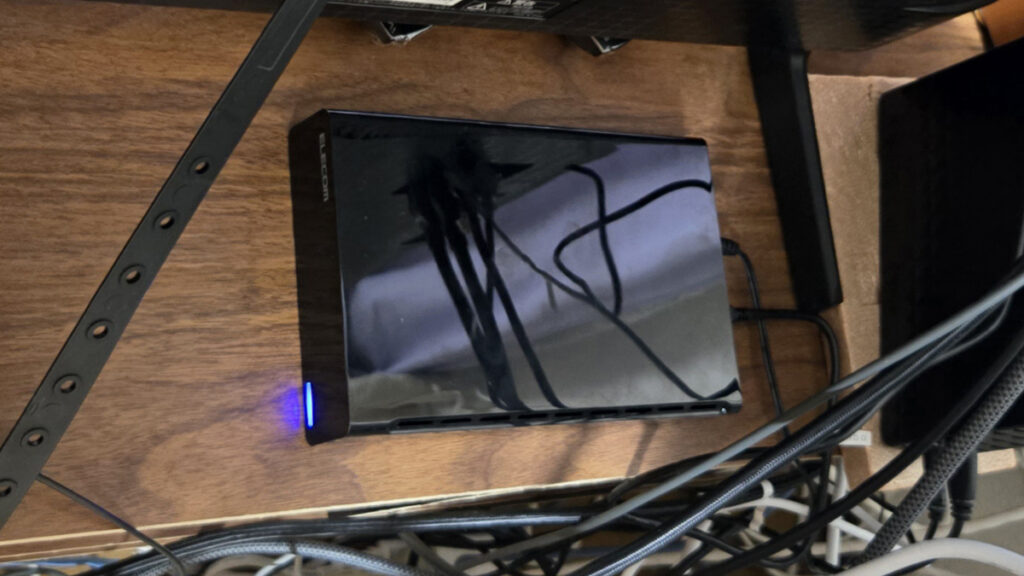
The optimal specs required for a TV recording HDD are USB 3.0 or higher compatible, 3.5-inch stationary type, and 4TB or higher (4K compatible). Highly durable models that can operate 24 hours a day and fanless (quiet) designs are recommended.
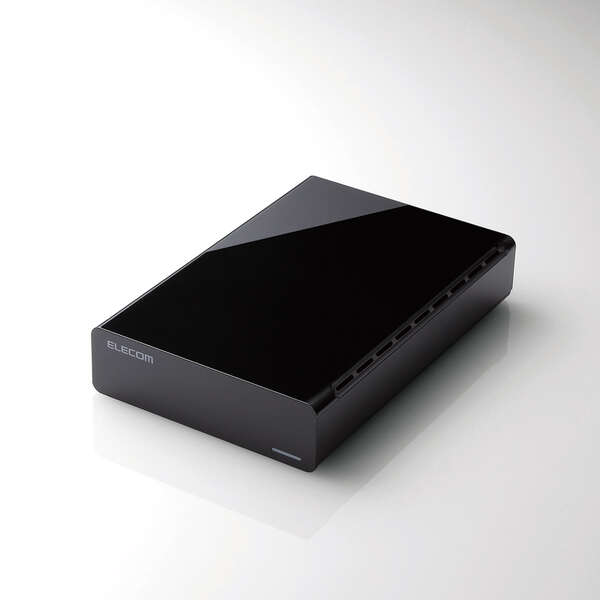
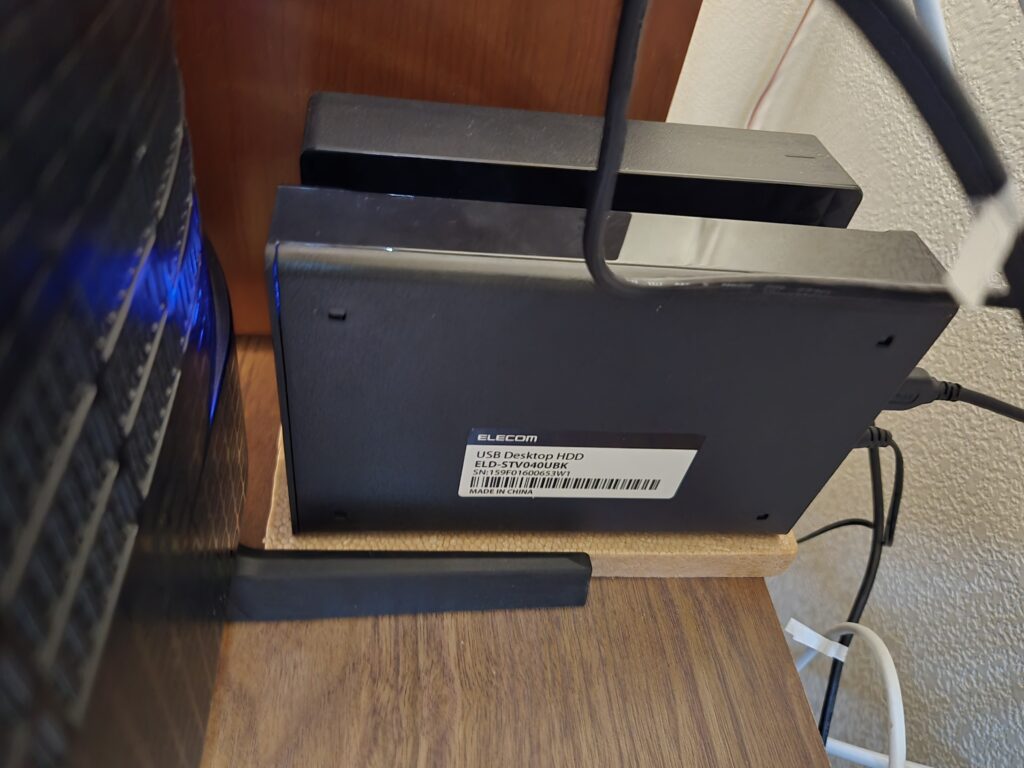
It is also essential to check whether the TV is compatible (manufacturer list of HDDs that support recording), but this time we selected "ELECOM 4TB External HDD for TV Recording ELD-STV040UBK" after consulting with Gemini.
Compared to a while ago, the price of HDDs has skyrocketed, so this model was barely affordable (17,980 yen).
Purchasing a 4K compatible HDMI cable
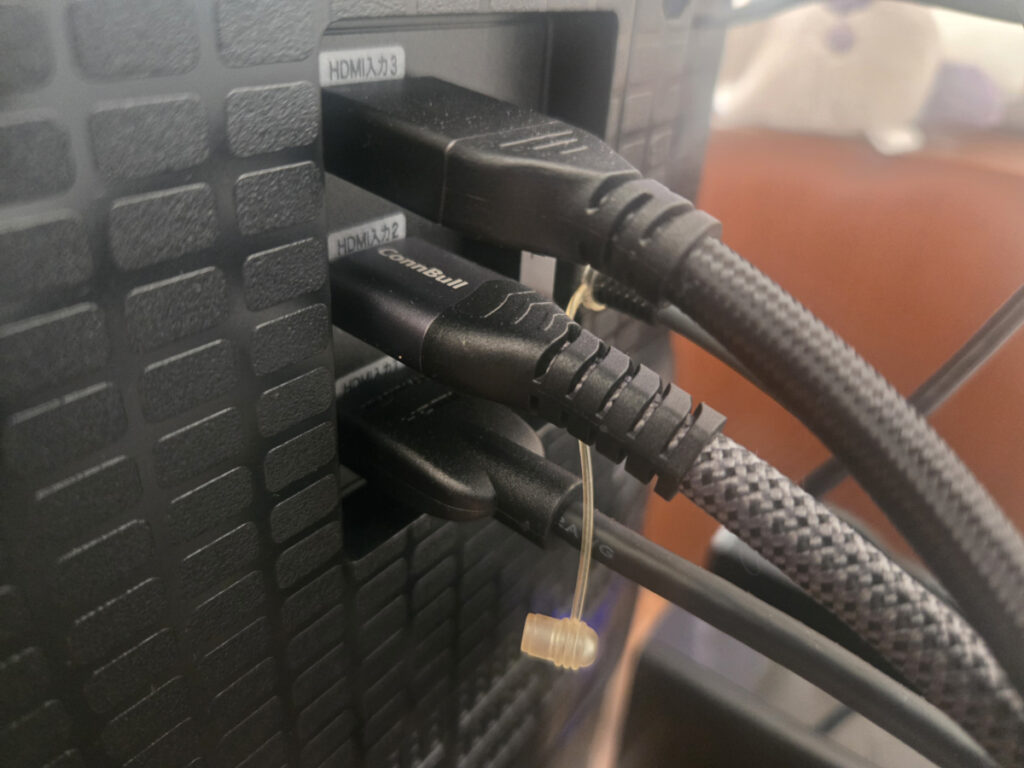
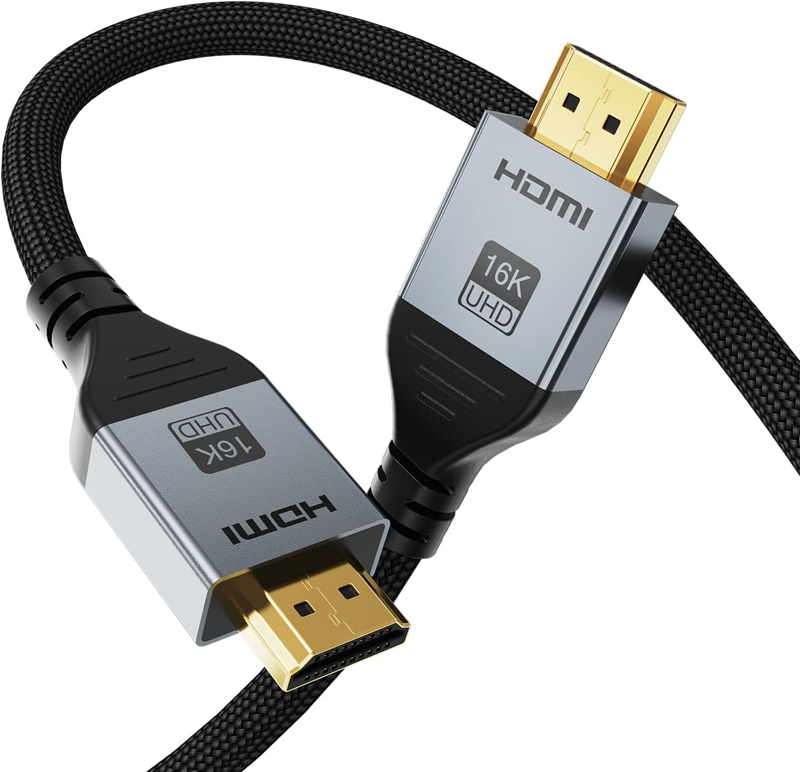
This unit has an HDMI 2.1 port that supports eARC, so I purchased a 2m 16K HDMI 2.2 cable (compatible with HDCP 2.3 & HDR10) to connect it to other 4K compatible devices.
In order to play 4K Ultra HD Blu-ray (UHD BD) with the newly purchased Panasonic Blu-ray recorder DMR-UBZ2020, HDCP 2.2 compatibility is required, so we recommend connecting it with an Ultra High Speed HDMI (HDMI 2.1 standard) cable. Additionally, the AV amplifier AVR-X1600H supports HDCP 2.3.
This time, although it was a bit expensive due to over-spec, I think it was a good choice to choose the 16K HDMI 2.2 cable, which is an upwardly compatible HDCP 2.3 cable and has a transmission speed of up to 96Gbps that supports the next generation video standard and can be used stably into the future.
Purchase a simple remote control
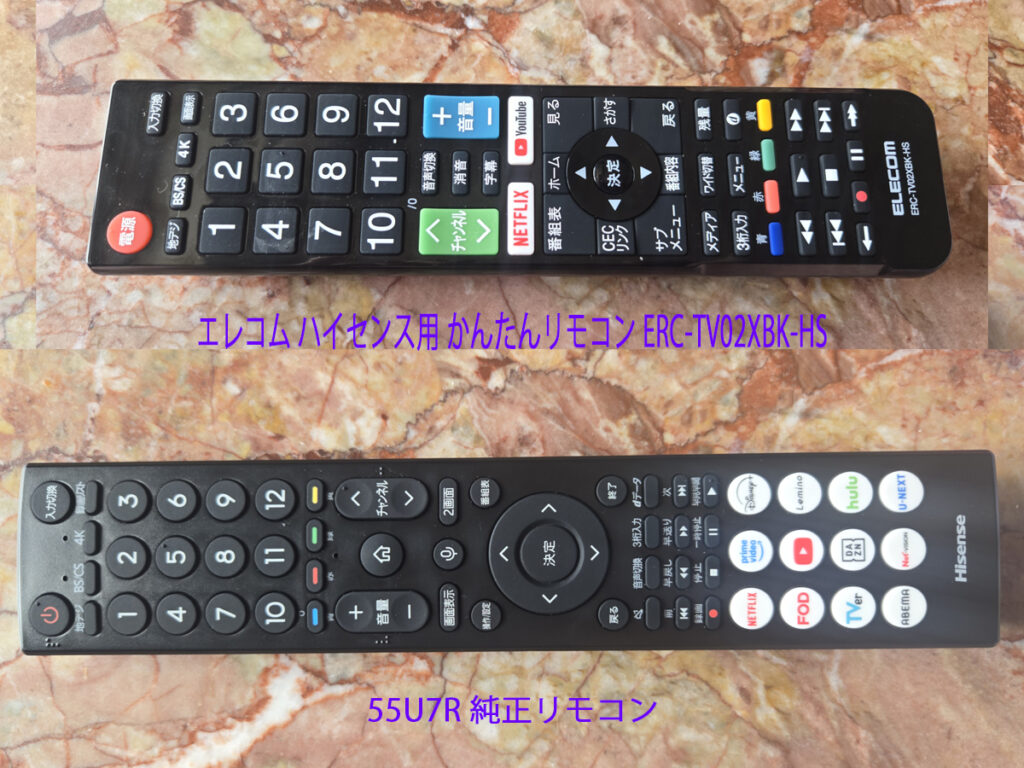
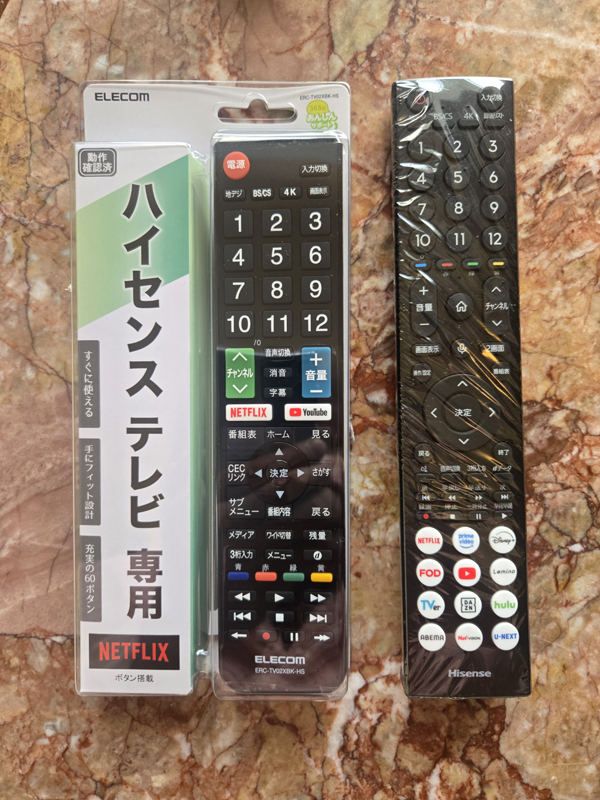
Regarding the genuine remote control for the 55U7R, the buttons were too small and difficult to use for everyday use, so I also purchased ELECOM's "Easy Remote Control for Hisense ERC-TV02XBK-HS" shown at the top of the eye-catching image.
The genuine remote control at the bottom has a built-in microphone, which is very convenient when performing voice searches on video apps such as YouTube and Netflix, so I use it in conjunction with the easy remote control.
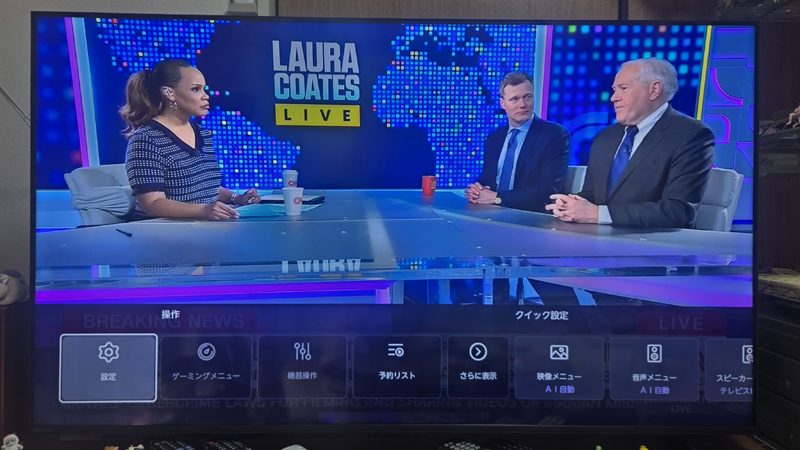
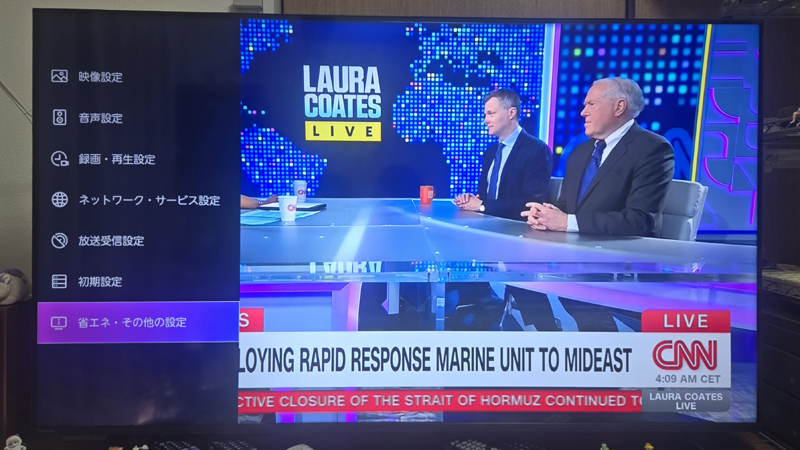
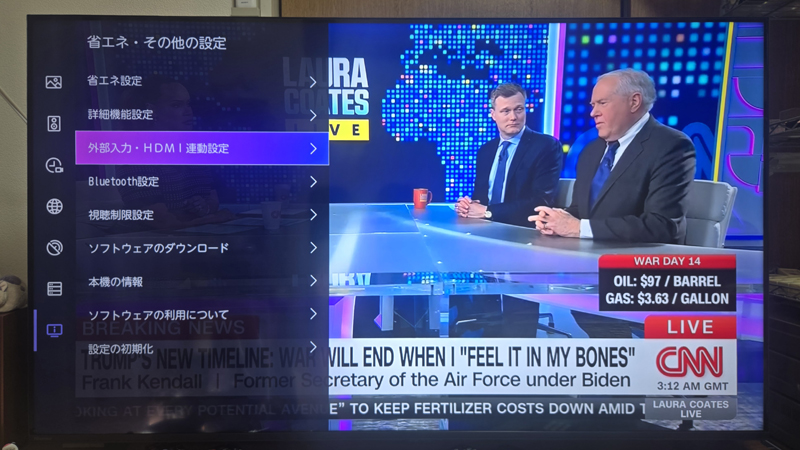
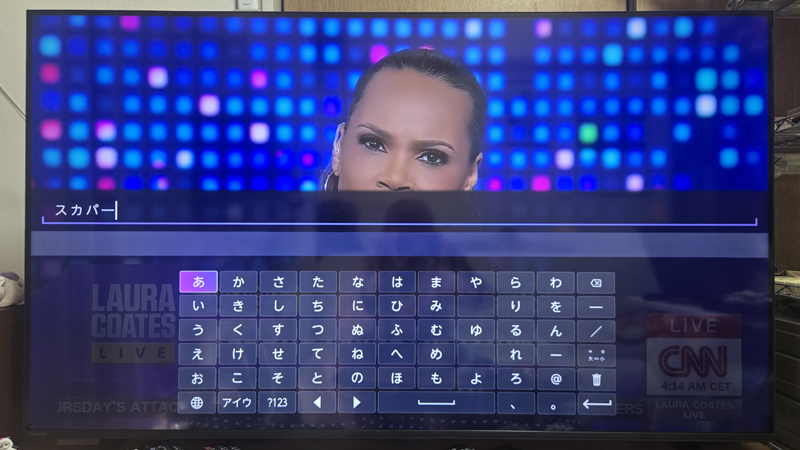
55U7R external input settings
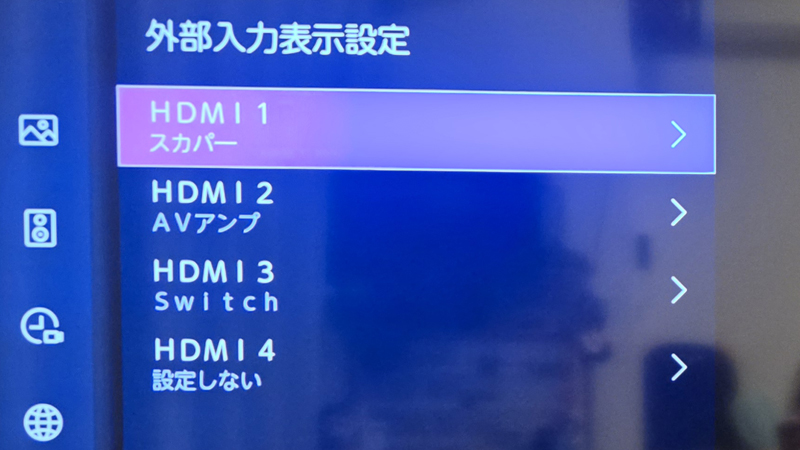
In the 55U7R's external input display settings, you can freely change the display name of the HDMI input terminal as shown below.
👉Remote control operation ⇒ Settings > Energy saving/Other settings > External input/HDMI interlock settings > External input settings > External input display settings
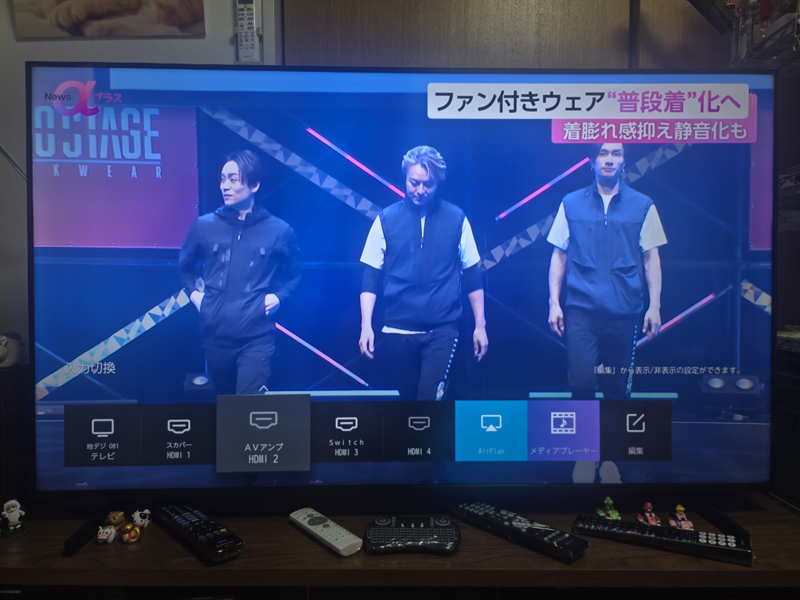
On the 55U7R, the eARC terminal is HDMI2, so you need to connect the AV amplifier to the HDMI input 2 (eARC) terminal on the 55U7R with an HDMI 2.2 cable.
Devices that can only play sound through the AV amplifier, such as 4K-compatible Blu-ray disc recorders, and devices that are rarely used were connected to the AV amplifier.
In addition, I also connected the 55U7R and the AV amplifier "AVR-X1600H" using the optical digital audio output terminal (amplifier input terminal assignment is undefined), but optical digital does not support Dolby Atmos due to bandwidth limitations, so connecting with optical digital is meaningless, and basically 4K Ultra HD Blu-ray players etc. need to be connected to the AV amplifier side.


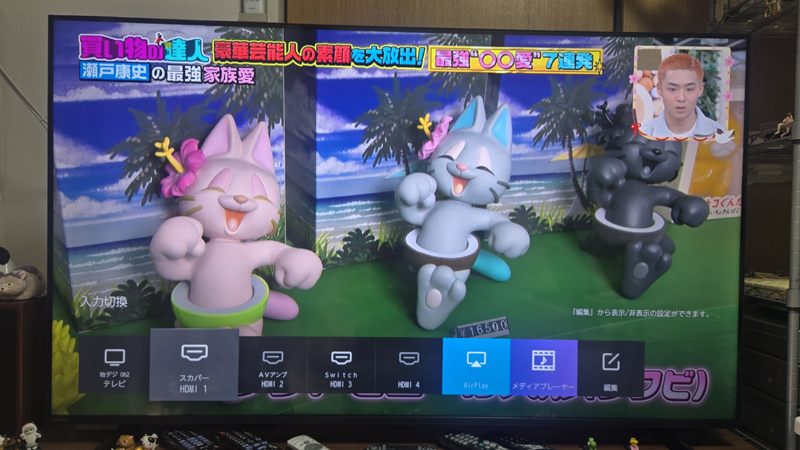

Hisense's 55U7R , the above-mentioned "SKY PerfecTV! Premium Service"HD videoalso depends on the functions of the TV.Up-convert to 4K image qualitywill be done.
Like the higher-end model U8R, the 55U7R is equipped with a high-quality video engine that determines the resolution of the input video and automatically processes it to bring it up to the level of definition that is optimal for a 4K panel.
Welko TV Stand
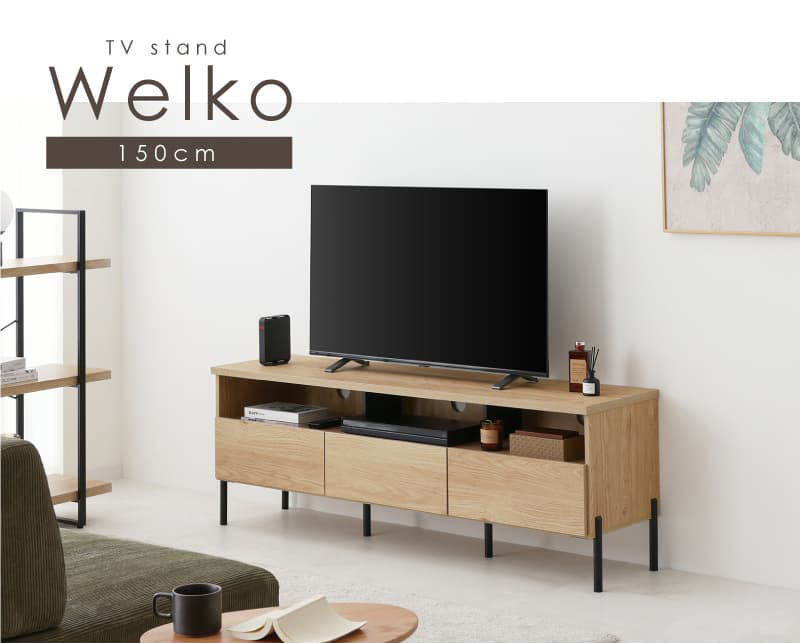
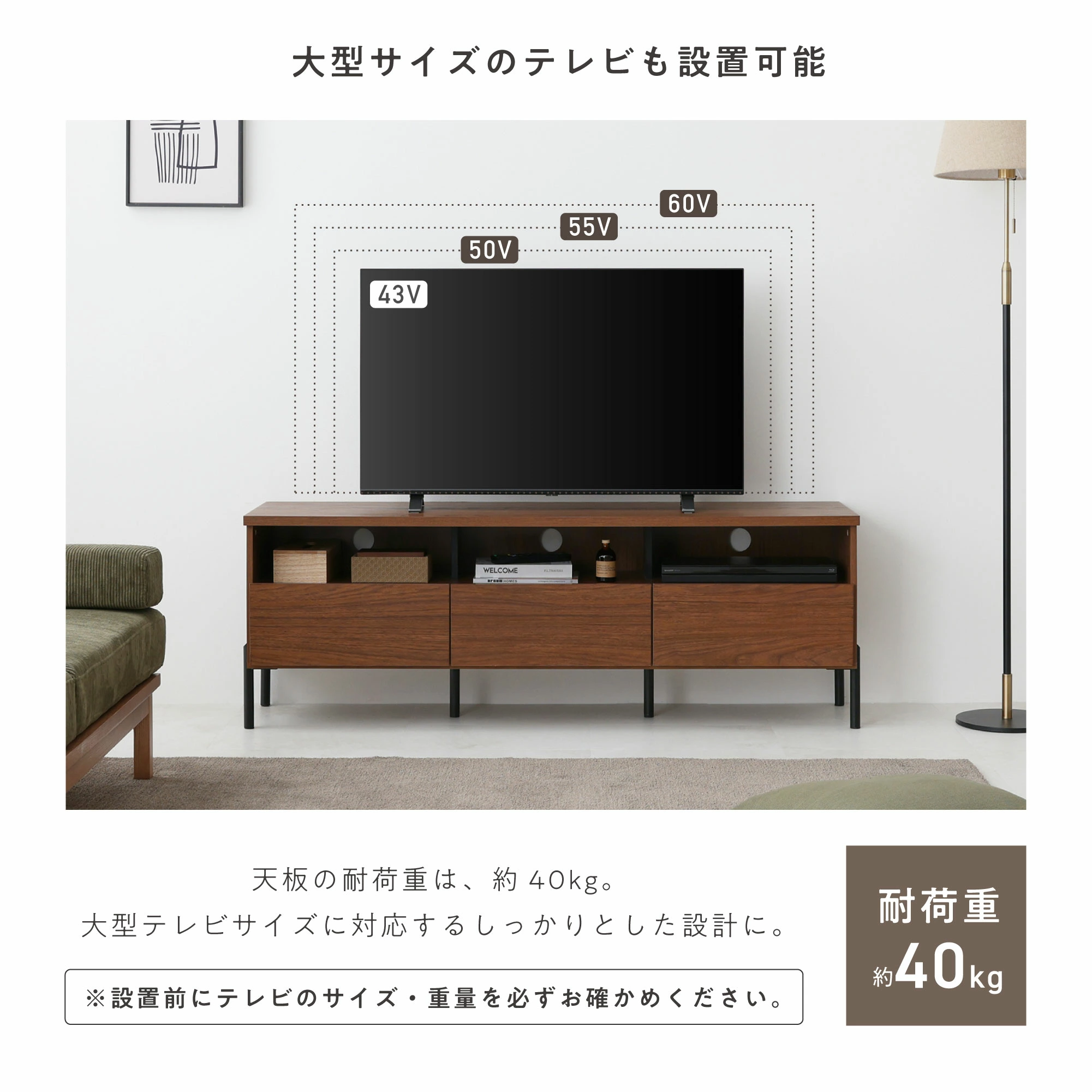
I purchased the Welko TV Stand from Rakuten Market, which allows you to place SPs on both sides of a 55-inch TV and store and organize amplifiers and other small items.
When placing a large TV, the key points to check are the strength of the top plate and whether there is enough space to accommodate equipment such as an amplifier, and after consulting with Gemini, we selected this 150cm wide product.
I originally selected this TV stand with the premise of storing my existing compact 5.1ch amplifier, but if I had known that I would later change my plans to a larger 7.1ch amplifier, I don't think I would have selected this TV stand.
Product details will be posted in the gallery below.
This TV stand allows you to build a very stylish home theater system, but there was an error of ±3mm in the actual measurements, so please take that into account.
Please note that this product requires assembly and is quite heavy, so two people are recommended to assemble it. I assembled it by myself, and it took me a full day to complete all 14 steps.
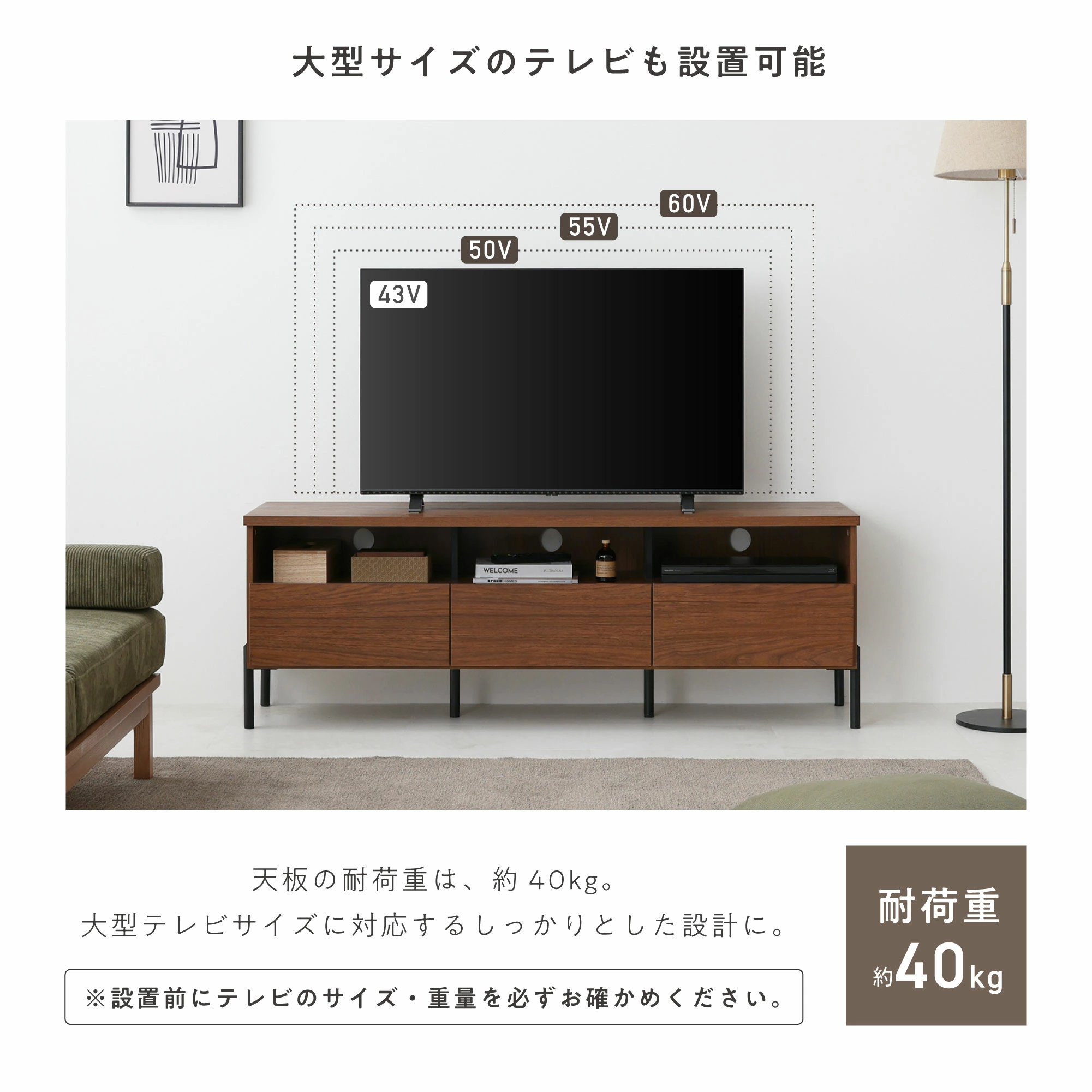
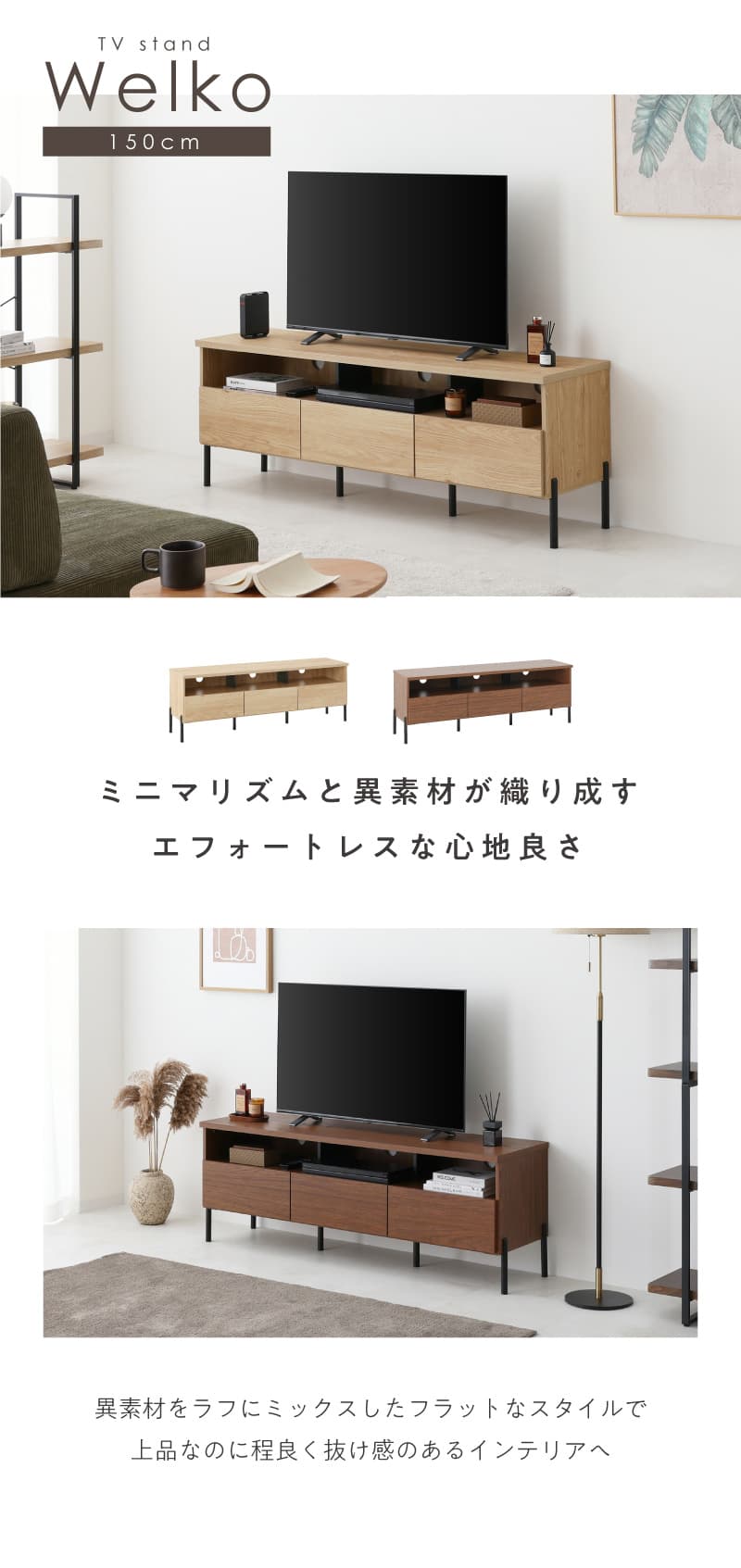
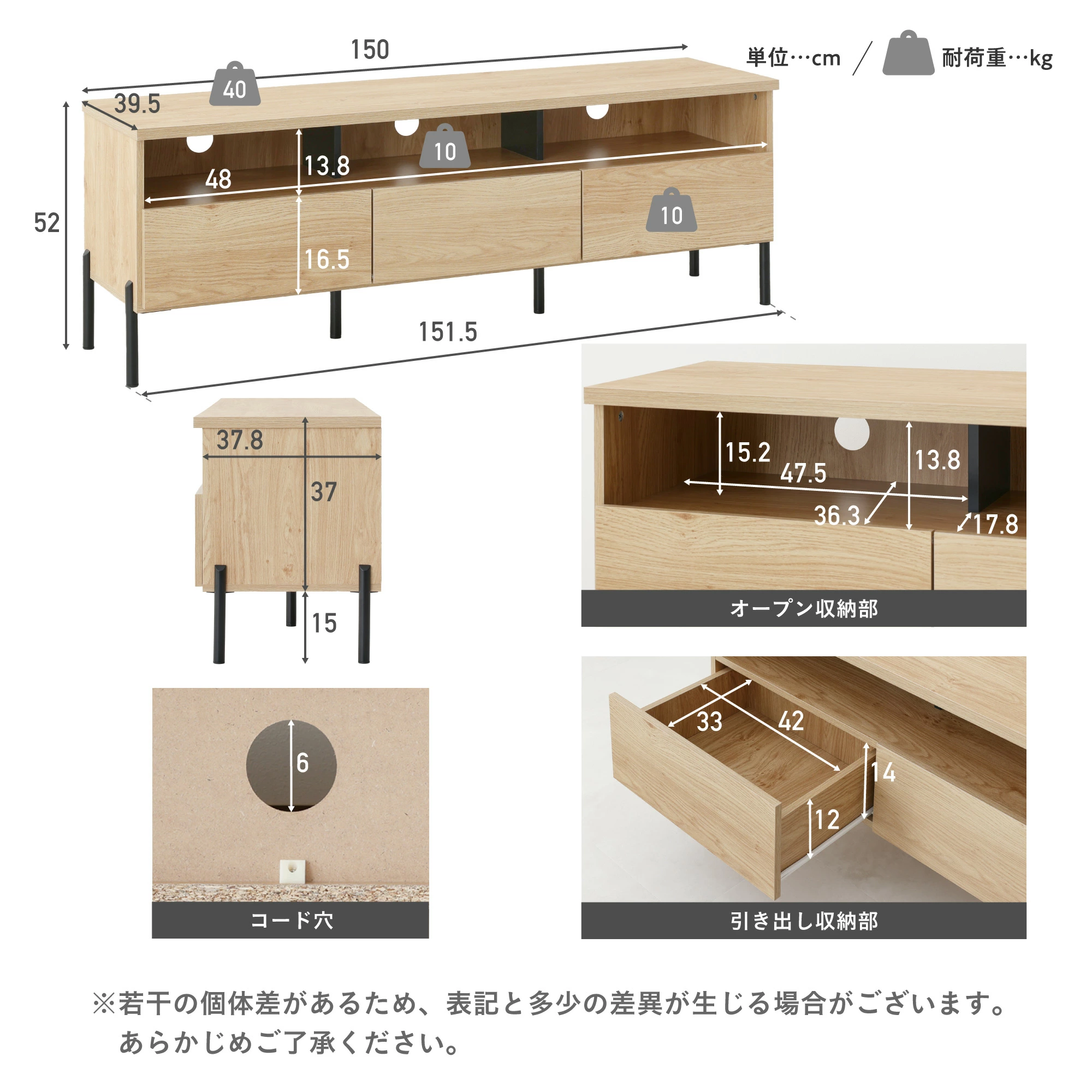
| Product name | Width 150cm TV board Welko |
|---|---|
| Model number | tvb-welko |
| Body size | Width approx. 150 x depth approx. 39.5 x height approx. 52 cm |
| Load capacity | ■Top plate: approx. 40kg ■Indoor storage/shelf board: Approx. 10kg |
| Product weight | About 35kg |
| Material | ■Surface material: Printed paper decorative fiberboard ■Legs: iron |
| Color | oak/walnut |
| Finished product/to be assembled | Assembly required (*Please prepare a Phillips and flathead screwdriver.) |
Panasonic Blu-ray Disc Recorder DMR-UBZ2020
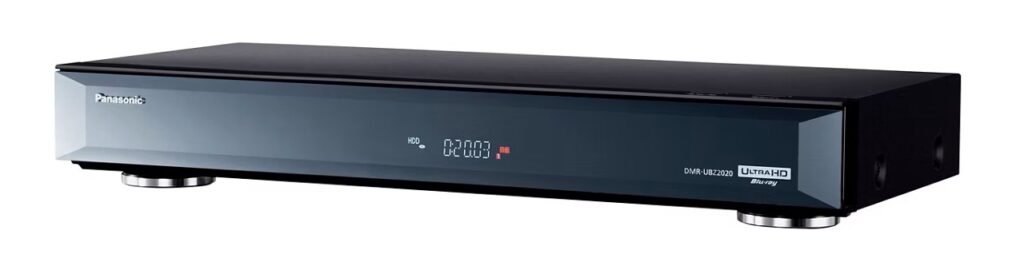
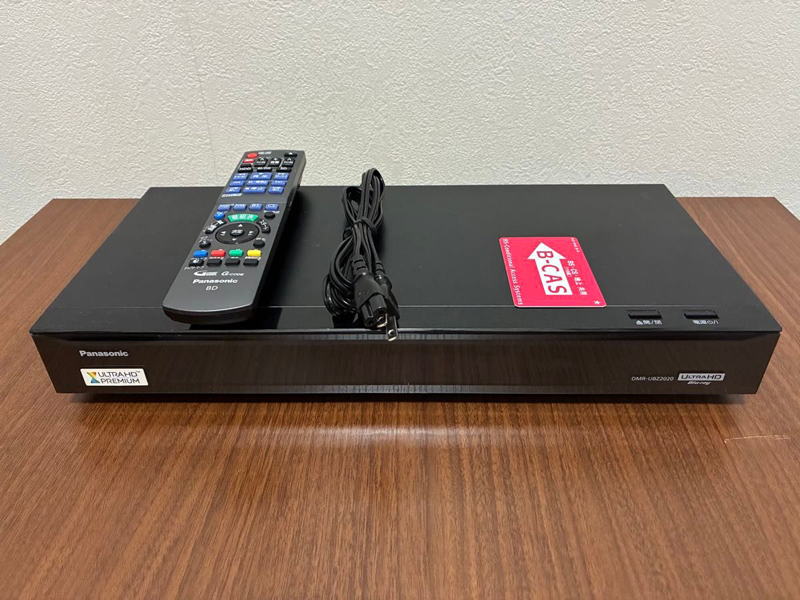
Yahoo Auction for "Panasonic Blu-ray Disc Recorder DIGA 2TB DMR-UBZ2020" compatible with 4K Ultra HD Blu-ray playback! I purchased it from.
Panasonic's DMR-UBZ2020 is a compact Blu-ray recorder released in late November 2016 with a 2TB HDD and 3 tuners. This 2016 model emphasizes high picture and high sound quality, with features such as high-definition "Ultra HD Blu-ray" playback, high picture quality with 4K/60p/HDR compatibility, automatic recording of new programs and special programs, and the ability to convert to high-resolution sound quality.
This model does not have a built-in 4K tuner, so it does not support direct recording of 4K broadcasts. Therefore, for 4K broadcasts, only playback is possible.
However, since it is an early 4K compatible model, it also has a conventional optical digital output terminal, and can be obtained second-hand and cheaper than current expensive 4K recording compatible models. This time, Yahoo Auctions! I was able to purchase it for 28,800 yen.
As summarized by Copilot, the main specifications of DMR-UBZ2020 are as follows.
Basic specifications:
Below Panasonic DIGA DMR‑UBZ2020 specifications have been organized and summarized based on official information and Kakaku.com information.
(Source: Panasonic official, Kakaku.com)👉 Panasonic DMR‑UBZ2020 - Specification summary (2016 model)
🔷Basic information
- Release Date: Late November 2016
- Type:Blu-ray recorder
- HDD capacity:2TB
- Simultaneous recording:Simultaneous recording of 3 programs(Triple tuner)
- Built-in wireless LAN:can be
🌈 Video/playback function
- Supports Ultra HD Blu-ray (UHD BD) playback
- 4K/60p
- HDR compatible
- BT.2020 wide color gamut
- Dynamic range conversion that improves image quality even on TVs that do not support 4K/HDR
- playable media:
- Ultra HD Blu-ray
- BD-R / BD-RE (DL/XL compatible)
- DVD-R / RW / RAM
- High resolution master: Up-convert BD/DVD/recorded programs/music CDs to high-resolution equivalent.
📡 Tuner
- Terrestrial digital ×3
- BS/CS ×3
- Total Simultaneous recording of 3 programsis possible
📼 Recording function
- Long-term recording: up to 15x recording
- External HDD recording compatible
- SKY PerfecTV! Premium Service Link compatible
- SeeQVault compatible(Recorded data can be protected and migrated)
📱 Network/smartphone cooperation
- Room Jump Link(DLNA)
- Support for taking out recorded programs
- Remote recording reservation
- Watching programs at home/outside the home(smartphone/tablet)
🔊 Audio
- Dedicated HDMI audio output available (2 HDMI systems)
- Even if you use an old AV amplifier, you can connect only the audio via HDMI.
- Optical digital audio output
🔌 Input and output terminals
- HDMI output x 2 (video/audio, audio only)
- USB terminal ×2 (1 on the front and 1 on the back)
- SD card slot
- LAN terminal
- Optical digital audio output
📏 Size/Weight
- Size:430 x 66 x 199 mm (width x height x depth)
- Weight:3.0 kg
🔋Consumption of electricity
- Fixed consumption power:33W
- Power consumption during standby:0.02W
- Estimated annual electricity bill: 675 yen (*calculated by Kakaku.com)
👉 General review for Senri
DMR‑UBZ2020 is High-quality model compatible with UHD BD playbackin,
2TB + 3 programs simultaneous recording + built-in wireless LANIt was a high-end model at the time.Particularly good points:
- Supports UHD BD playback(Good for watching movies)
- HDMI 2 systemand is compatible with AV amplifiers.
- Strong ability to take programs out and watch them outside the home
- Supports SeeQVault for peace of mind to protect recorded data
Still very popular in the used market,
It's still worth it if you want a recorder that can play UHD BD.
Storage in rack
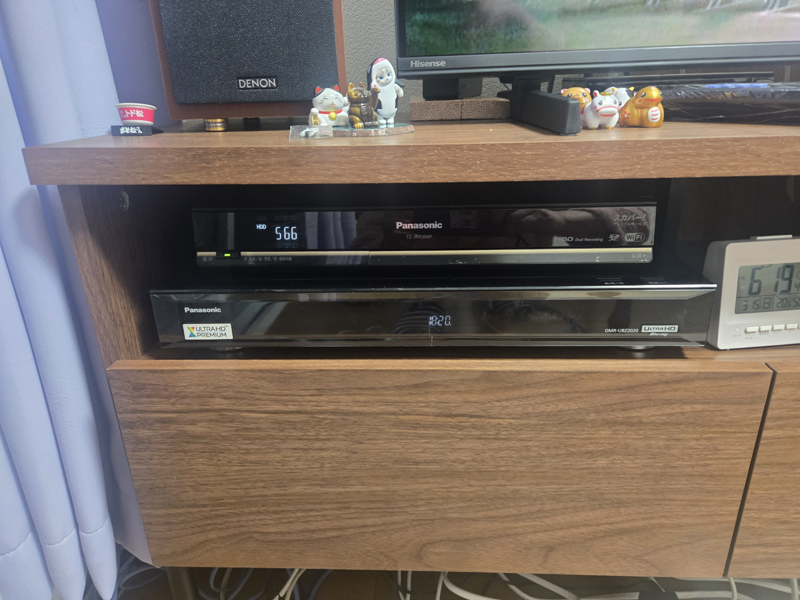
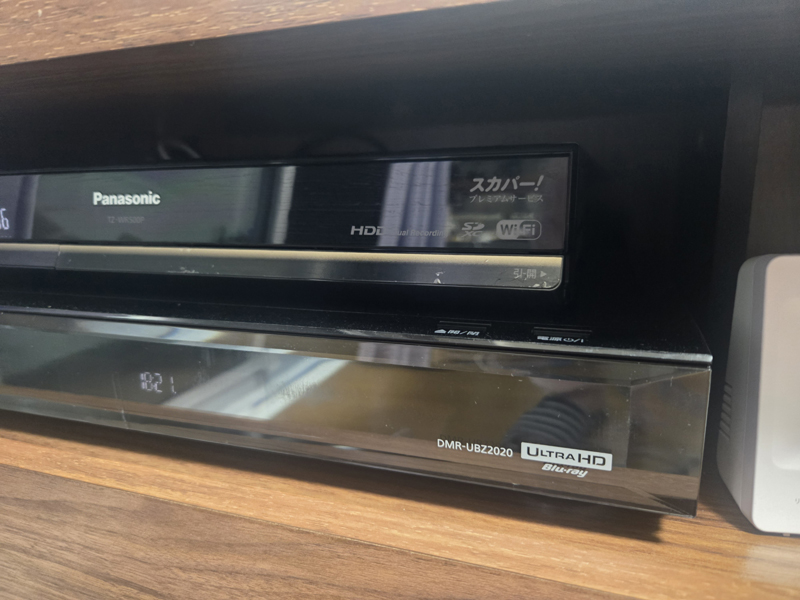
As shown below, I stored the DMR-UBZ2020 (lower tier) in the rack of Welko TV Stand. It's a two-tier stack, and the equipment on the top is Panasonic's SKY PerfecTV Premium Tuner TZ-WR500P.
Speaker installation
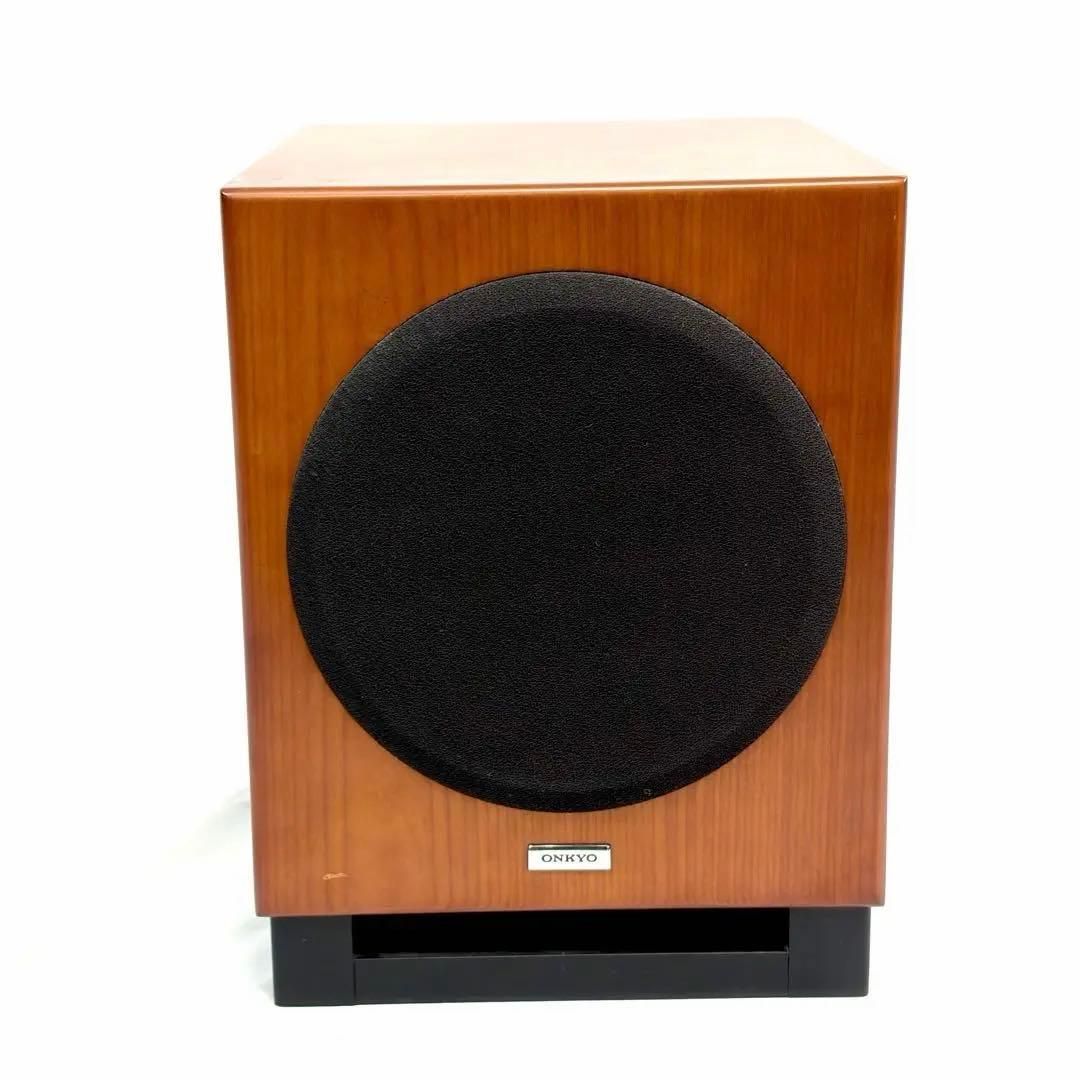
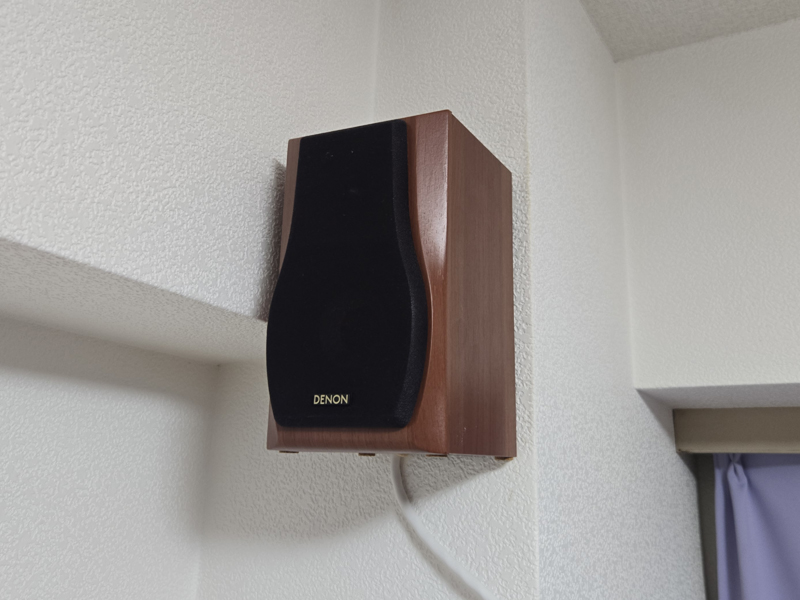
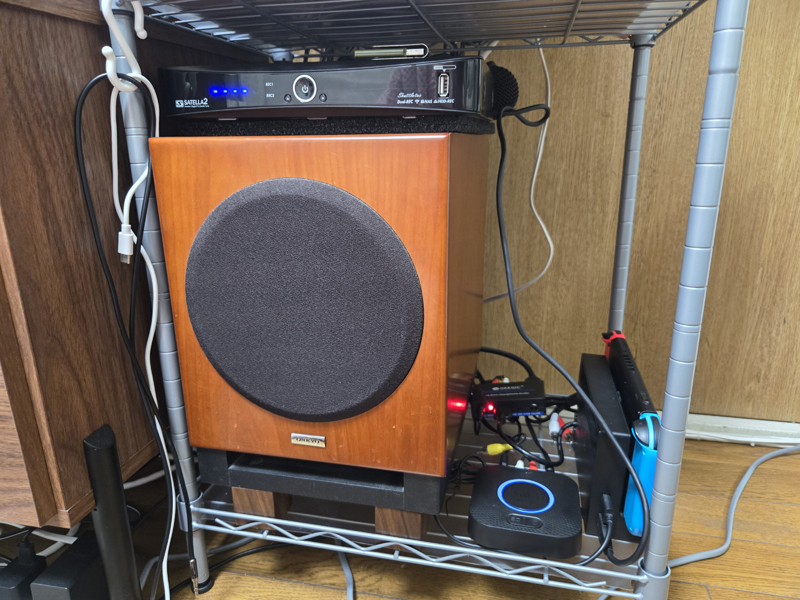
To match the 7.1ch home theater system, I newly purchased two full-range front height speakers, ``Transaudio wall-mounted speakers HWR118,'' and a subwoofer ``ONKYO subwoofer SWA-V20HD.''
As for the subwoofer, the DENON DSW-M380 for DENON's 5.1ch home theater system DHT-M380 was installed, but although it had excellent sound quality, it did not fit well and had too much power, making it unsuitable for an apartment, so I replaced it with the ONKYO subwoofer SWA-V20HD, which is said to have good bass balance even with a low-power amplifier.
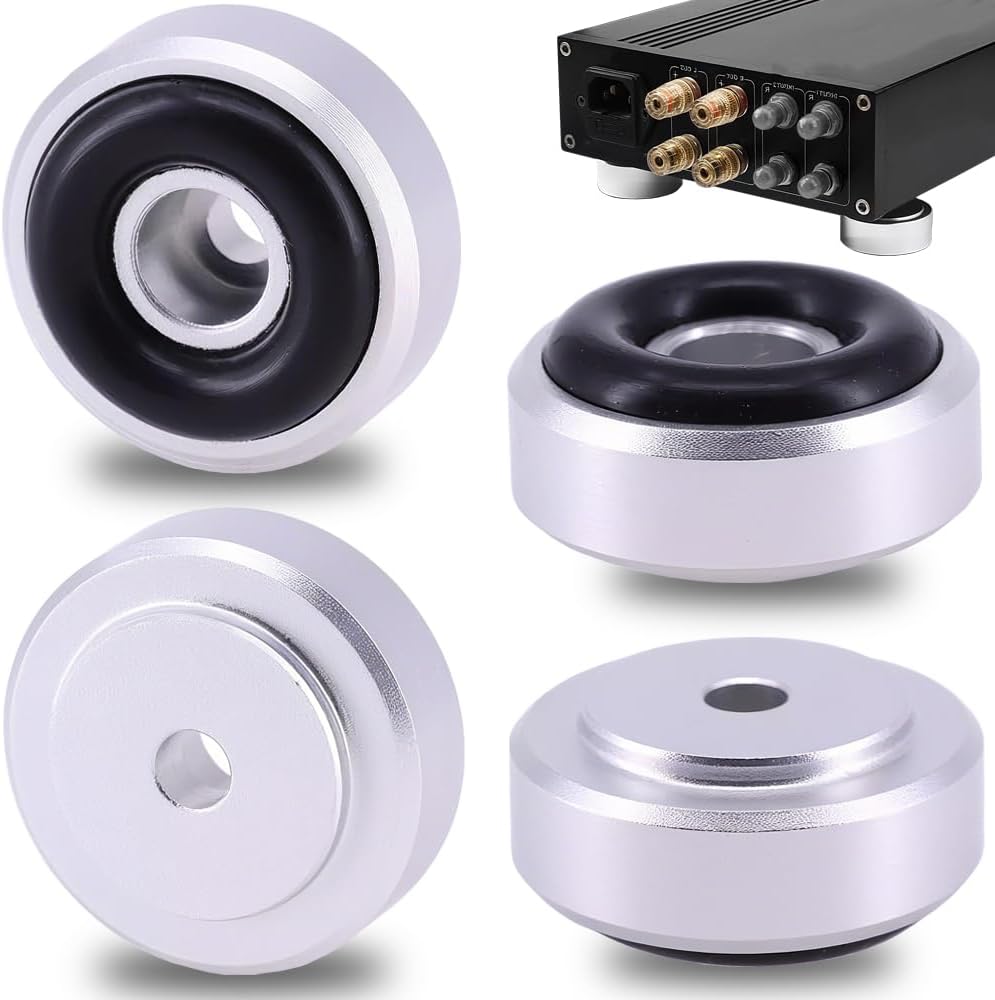
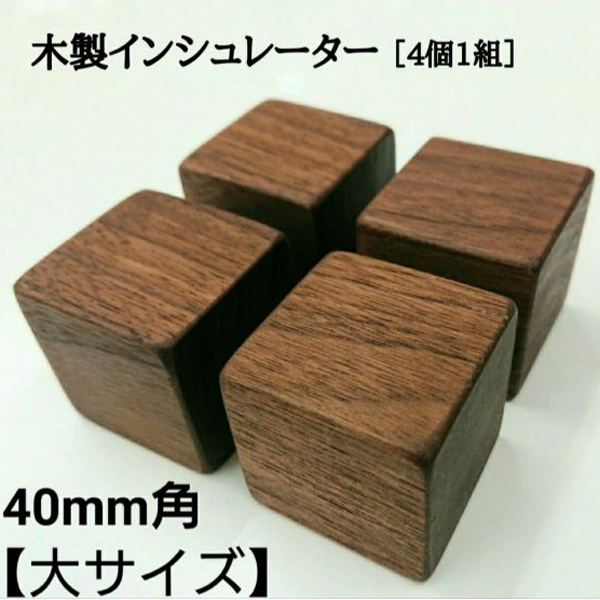
The SWA-V20HD I purchased did not come with an insulator, so I put on the purchased "Natural Walnut Insulator (4cm square)".
Yahoo auction for subwoofer! I was lucky to be able to purchase it for a bargain price of 2,000 yen, but since it is a passive speaker with no built-in amplifier, a separate amplifier is required.
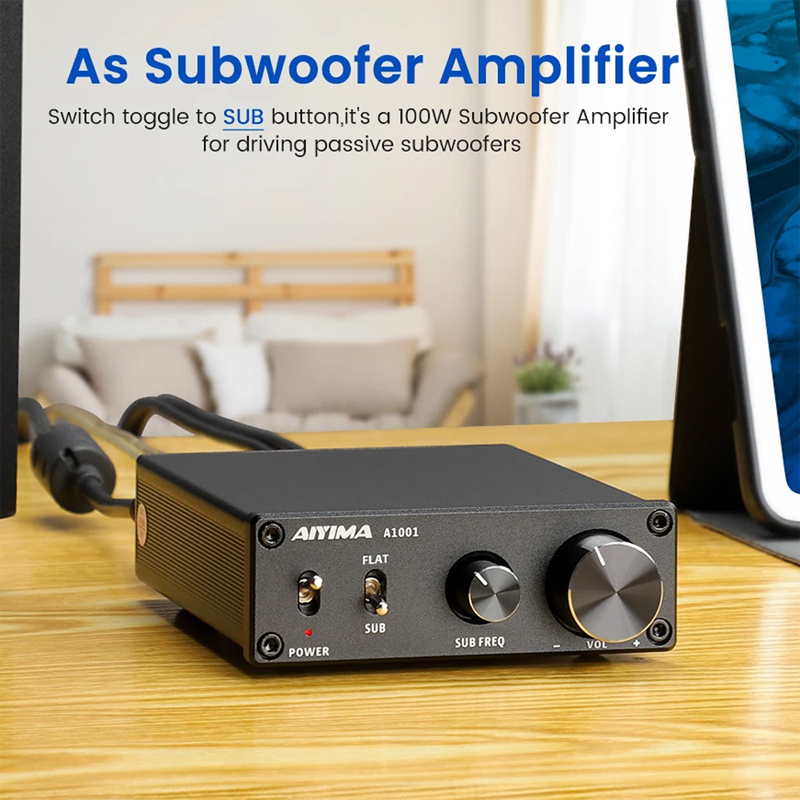
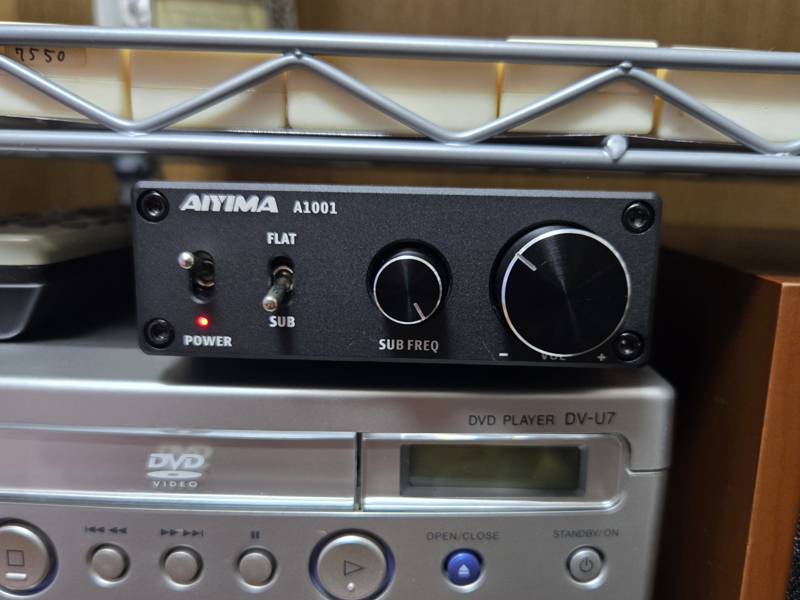
Therefore, I purchased the subwoofer amplifier AIYIMA A1001 from Amazon and connected it.
AIYIMA A1001 is a compact D-class monaural subwoofer amplifier with a maximum output of 100W (2-8Ω) that uses TI's TPA3116 chip. Equipped with a bass cutoff frequency adjustment function of 40-300Hz, it is ideal for driving passive subwoofers, and is a high-quality, cost-effective amplifier that can be purchased in the 5,000 yen range.
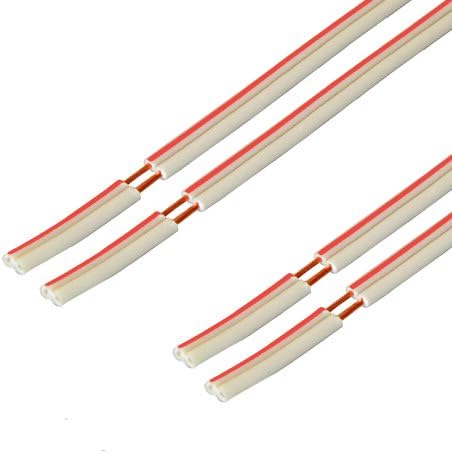
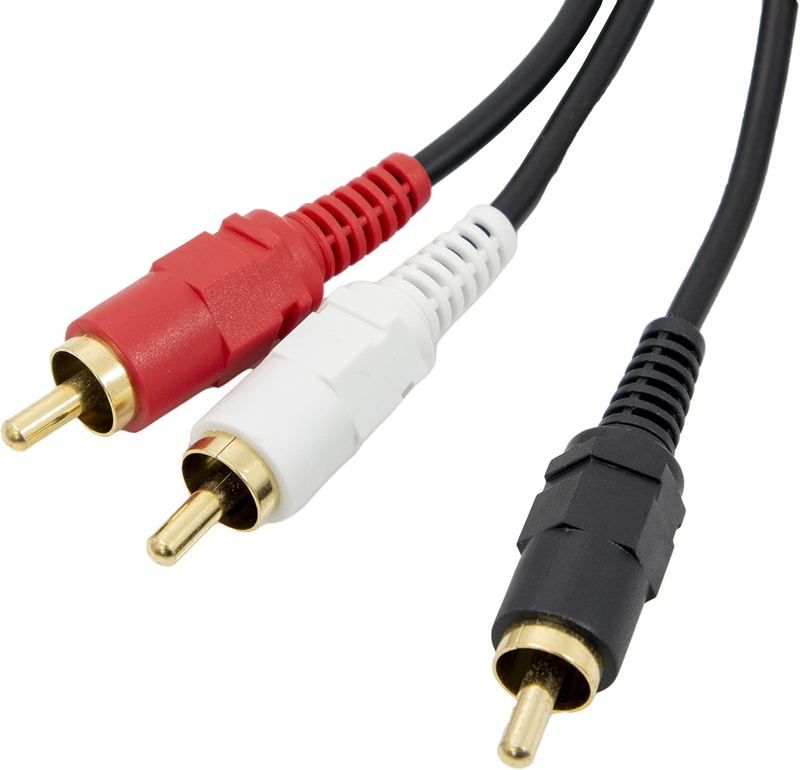
For the DENON AV amplifier AVR-X1600H and AIYIMA A1001, connect the AV amplifier's "PRE OUT 1" and the AIYIMA A1001's "RCA terminal (red/white)" using an RCA Y-cable (1 male, 2 male).
The SWA-V20HD subwoofer is fully compatible with the AVR‑X1600H and auto-adjusts with Audyssey to enhance the bass in your movies.
Regarding the settings of the AIYIMA A1001, I used Audyssey to automatically set the two knobs on the AIYIMA A1001 to match the positions in the photo (SUB FREQ=maximum/VOL=10-11 o'clock position), and then fine-tuned the configuration of each speaker, crossover frequency, level, etc. using Gemini's instructions, while taking into consideration the balance with the woofer.
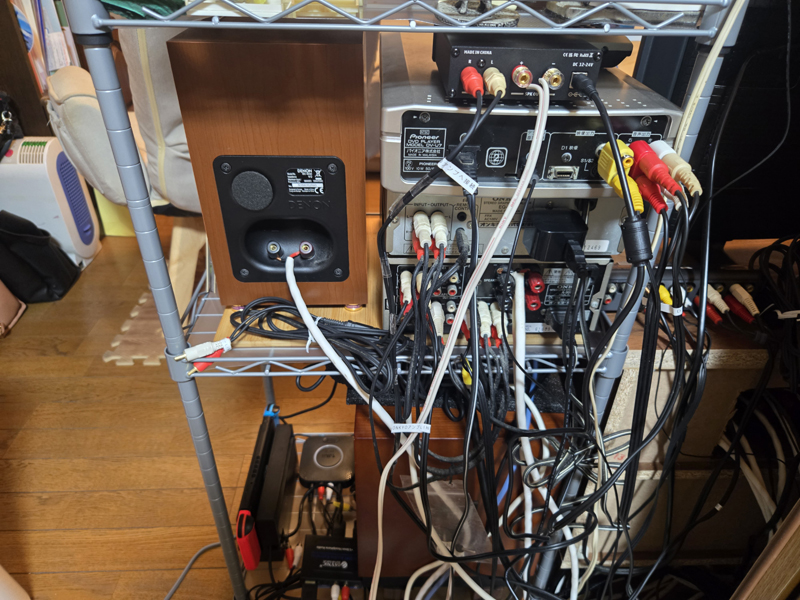
The above is the newly added equipment for speaker installation. Other than that, it will be diverted from the previous "5.1ch home theater system". Below is a gallery that summarizes the installation status of each speaker.
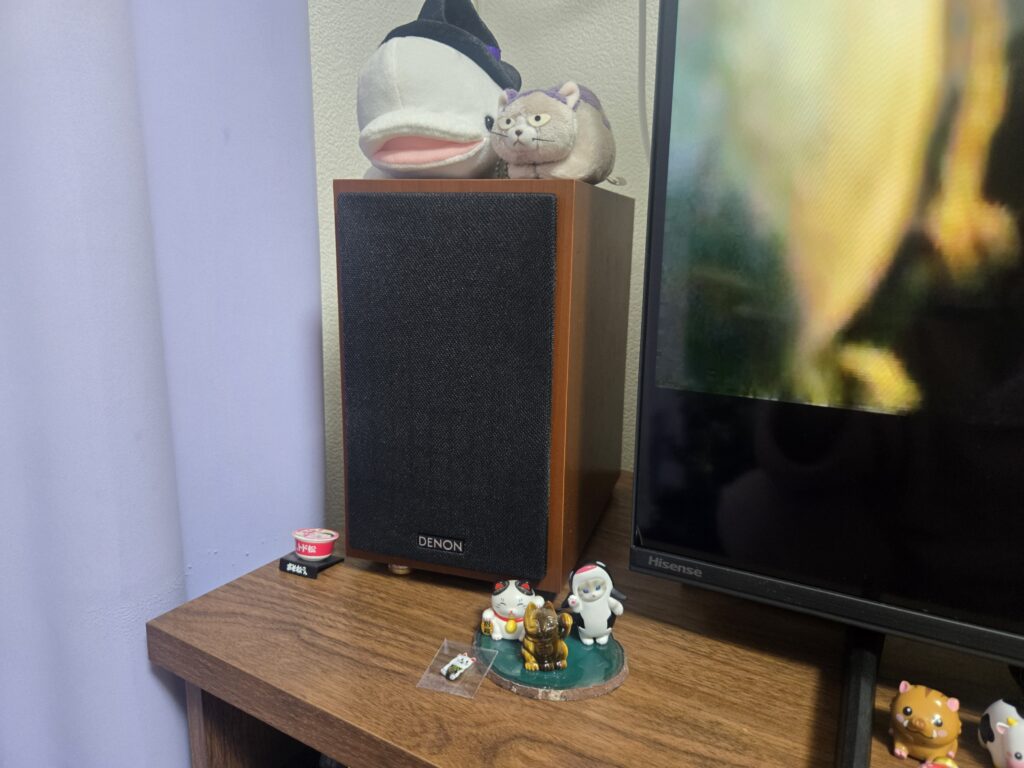
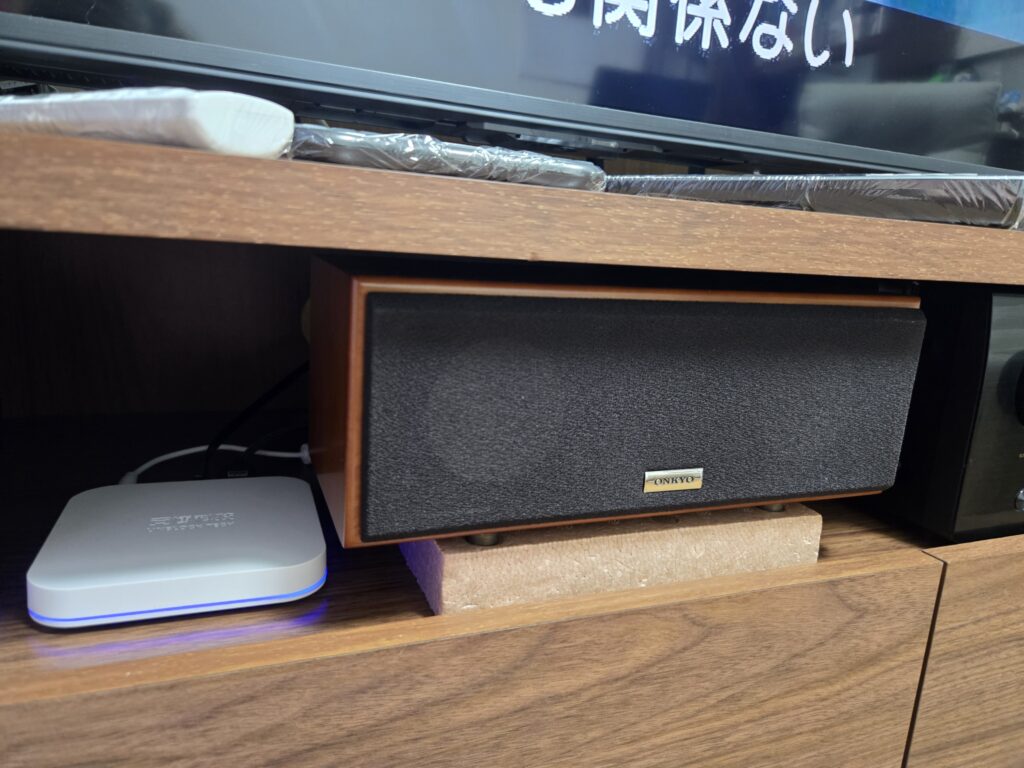
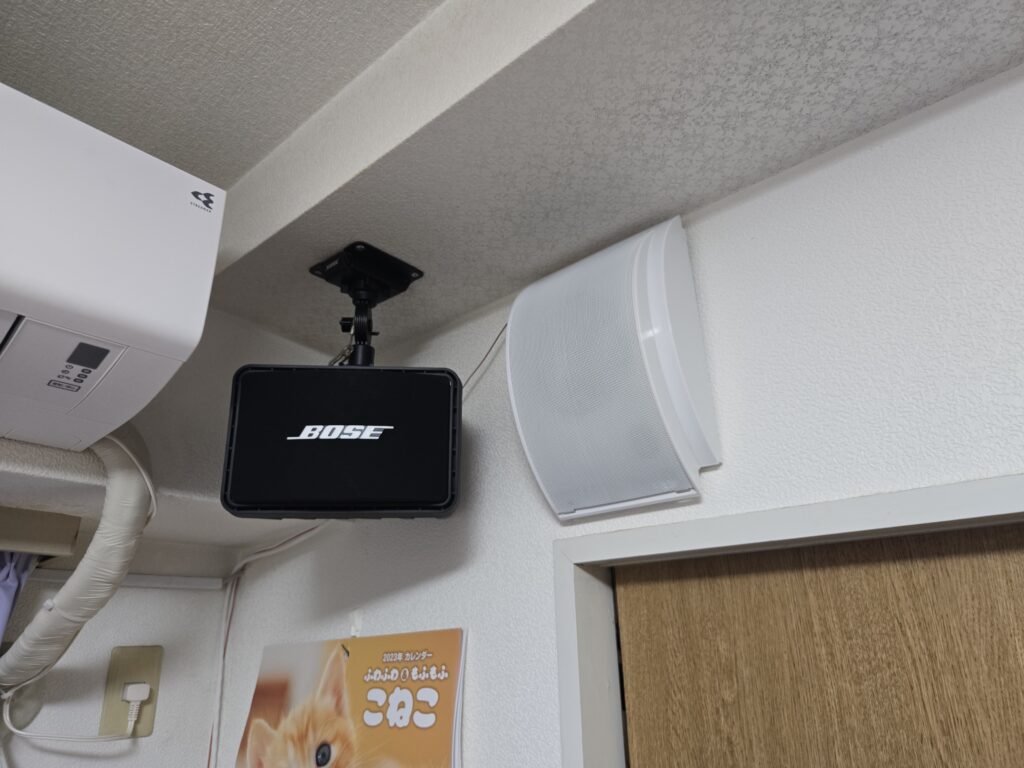
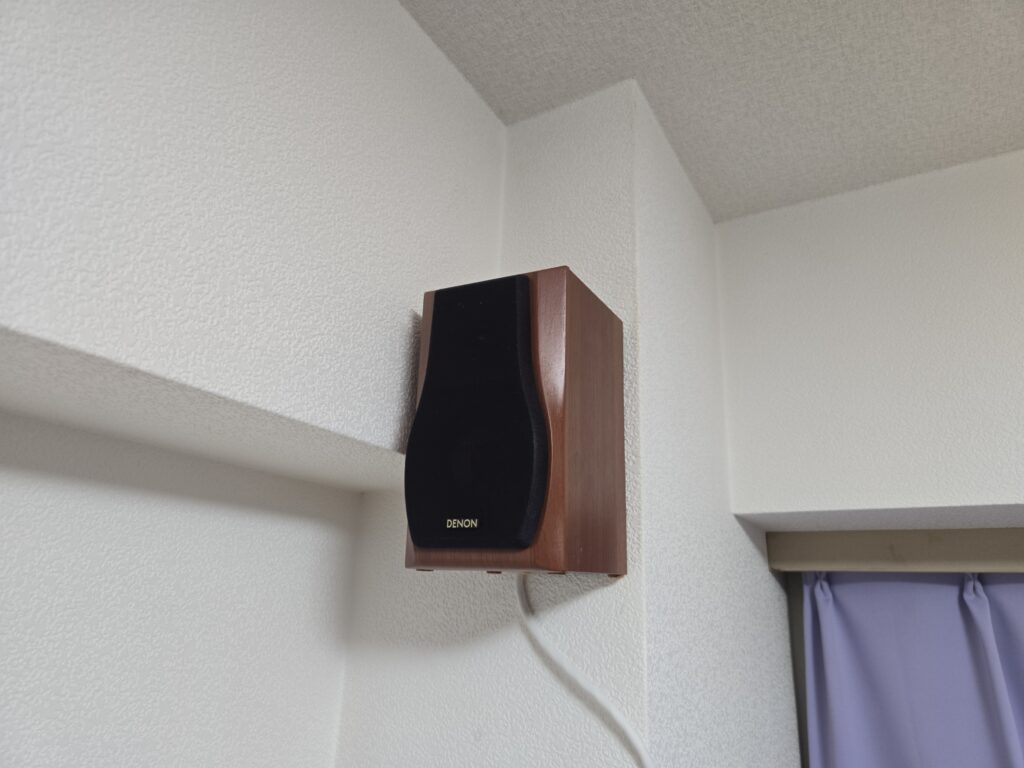
DENON AV amplifier AVR-X1600H
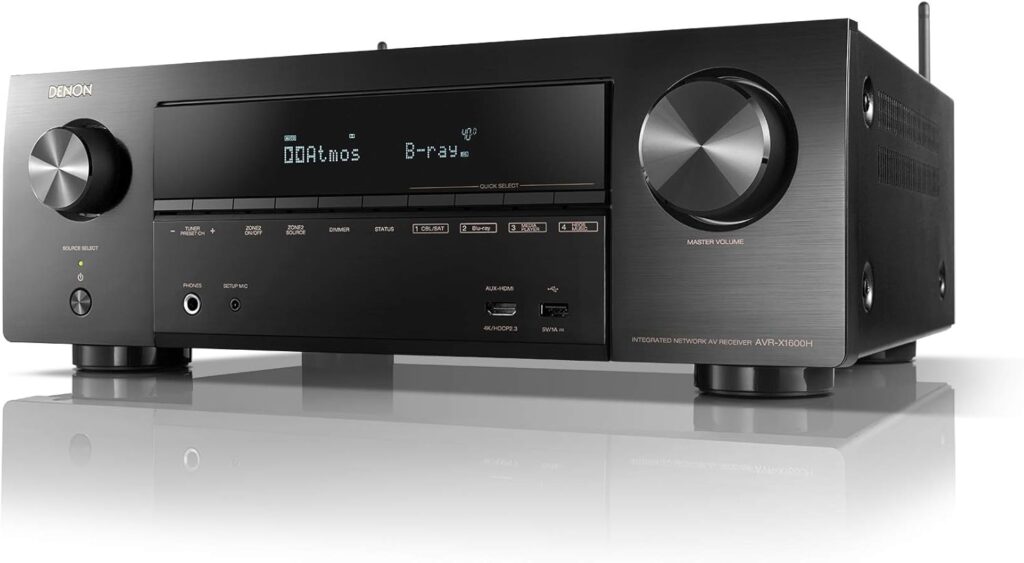
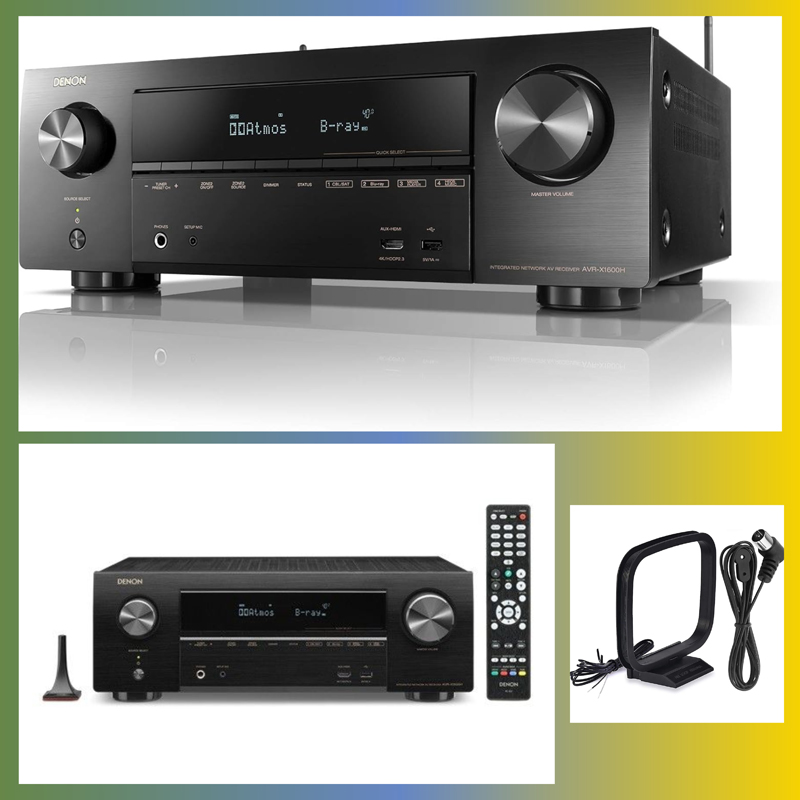
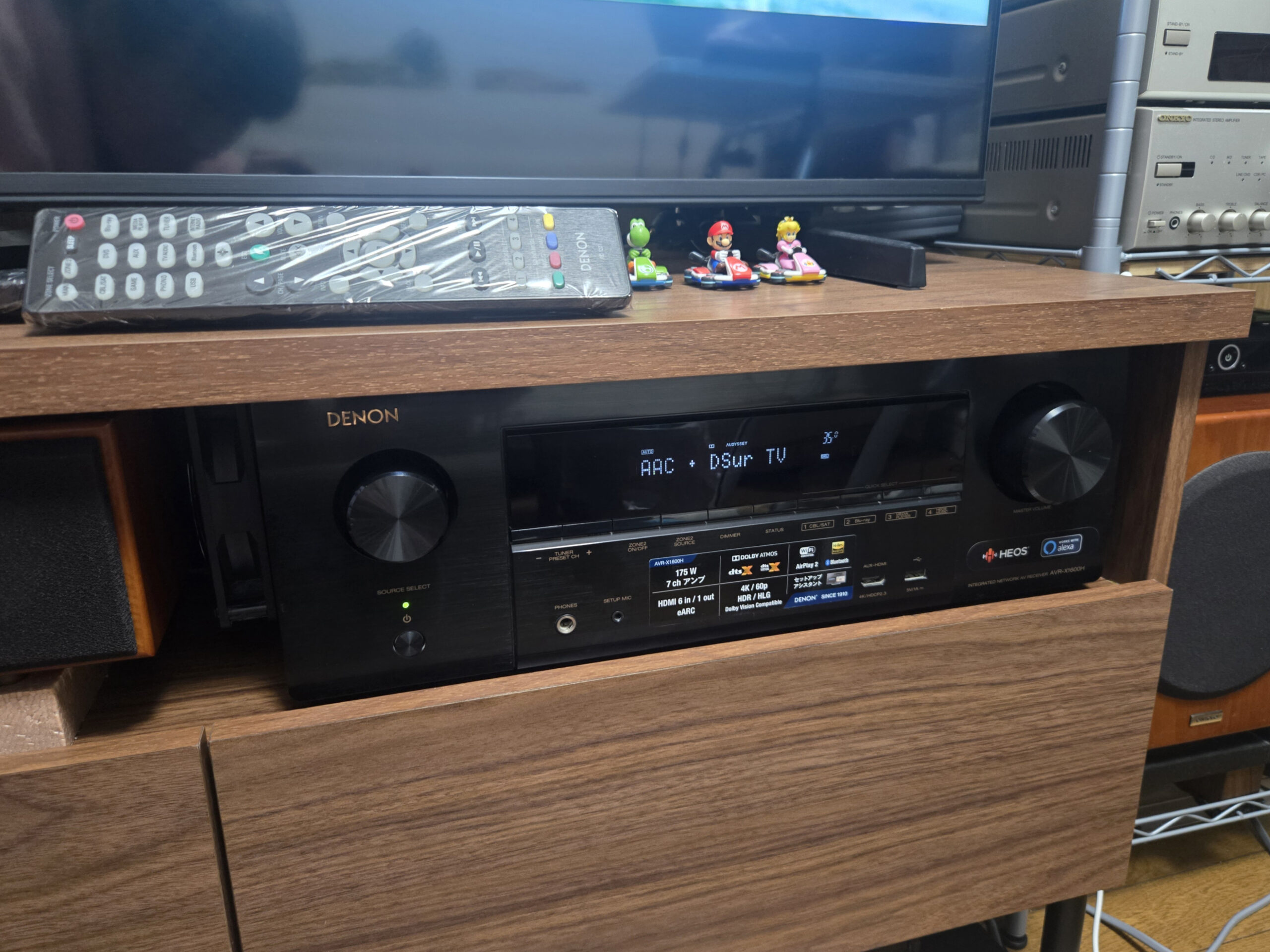
I purchased the AV surround receiver "DENON AV Amplifier AVR-X1600H AV Surround Receiver", which is essential in combination with a 4K LCD TV, from Yahoo! Flea Market for 34,000 yen when building a 7.1ch home theater system.
Denon's AVR-X1600H is an entry-class 7.2ch AV surround receiver released in 2019. Although it is reasonably priced (around 50,000 yen at the time of release), it is based on high-quality sound technology equivalent to higher-end models, and includes the latest 3D surround format (Dolby Atmos/DTS:X), 4K video technology, HEOS network function, Bluetooth transmission function, etc., and has been highly rated as an introductory home theater device.
The main features and product specifications of AVR-X1600H are as follows.
【AVR-X1600H main features】
- Number of channels:7.2ch (equipped with 7 channel power amplifier)
- Stereo:Dolby Atmos, DTS:X, Dolby Atmos Height Virtualizer, DTS Virtual:X, and 5.1.2ch configuration is also possible.
- virtual surround: Compatible with "Dolby Atmos Height Virtualizer" and "DTS Virtual:X", so you can enjoy immersive stereophonic sound even without speakers on the ceiling or behind you.
- High-quality design: Adopts a discrete power amplifier with the same 7-channel configuration as the top model, achieving powerful low range and clear high range.
- Latest HDMI features: Enables high quality sound transmission from TVeARCand reduce delays during gaming.GENERAL(Auto Low Latency Mode) supported.
- Latest format: 4K/60p, HDCP 2.3, HDR10, Dolby Vision, eARC, ALLM (Auto Low Latency Mode), making it ideal for connecting to 4K TVs and game consoles.
- Video compatible:4K Ultra HD Pass-through (60p/HDR10/Dolby Vision)
- Network & wireless features: Equipped with HEOS technology, compatible with streaming services such as Amazon Music and Spotify and playback of high-resolution sound sources.
- Bluetooth transmission function: You can listen to the audio from the amplifier using Bluetooth compatible headphones.
- automatic sound field correction: "Audyssey MultEQ XT" measures the acoustic characteristics of the room with the included microphone and automatically corrects the sound field to the optimum.
【AVR-X1600H product specifications】
- Rated output: 80W+80W (8Ω, 20Hz-20kHz, THD 0.08%, 2ch drive)
- Practical maximum output: 175W(6Ω、1kHz、THD 10%、1ch駆動、JEITA)
- Applicable speaker impedance: 4~16Ω
- HDMI terminal: Input x 6 (including front 1), output x 1 (4K/60p, HDR10, Dolby Vision, eARC, ALLM, HDCP 2.3 compatible)
- Audio Input/Output: Optical digital input ×2, Analog audio input ×2, Phono input (MM) ×1, Subwoofer pre-out ×2, Zone pre-out ×1, Headphone output ×1
- Network/Wireless: Wi-Fi (2.4/5GHz), Bluetooth (receive/transmit), Ethernet, USB-A (front)
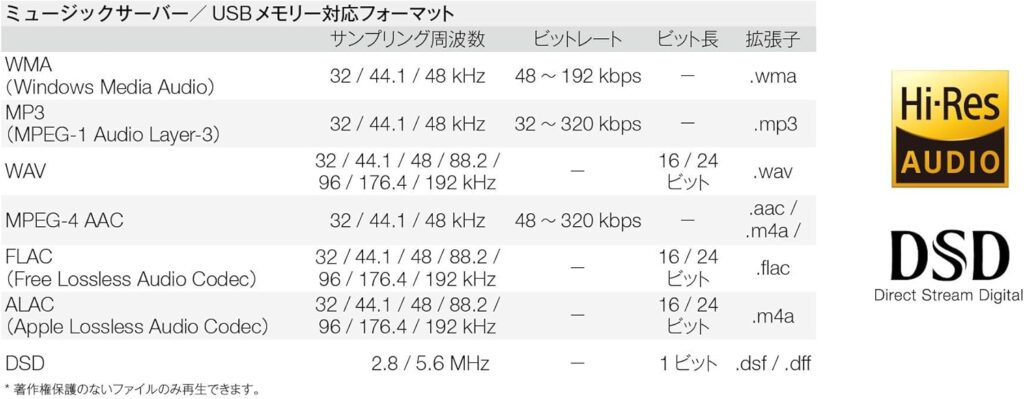
- Supported Formats: Dolby Atmos、DTS:X、DTS Virtual:X、Dolby Atmos Height Virtualizer、DSD(5.6MHz)、FLAC/WAV/Apple Lossless(192kHz/24bit)
- External dimensions: W434 × H151 × D339 mm (when antenna is laid down)
- quality: 8.6kg
- Power consumption: 430W(通常時)、0.1W(待機時)
This is the perfect unit for those purchasing an AV amplifier for the first time, or for those who want to build a full-fledged home theater environment at an affordable price.
Product composition of Denon AVR-X1600H
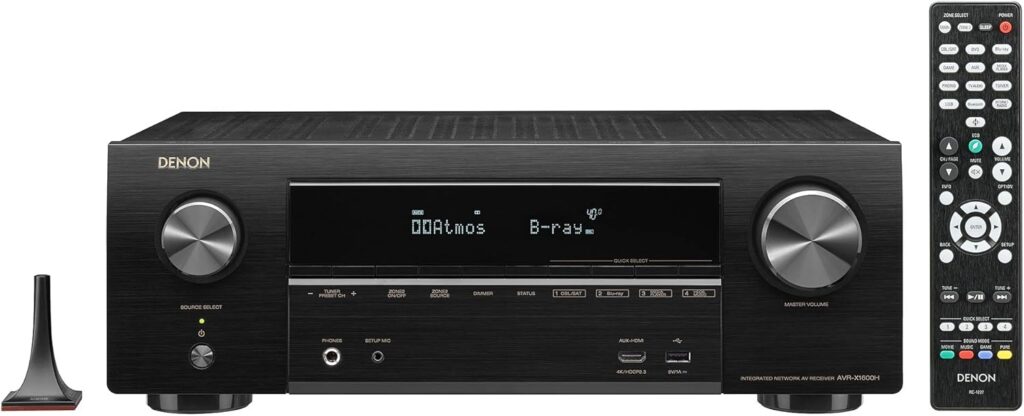
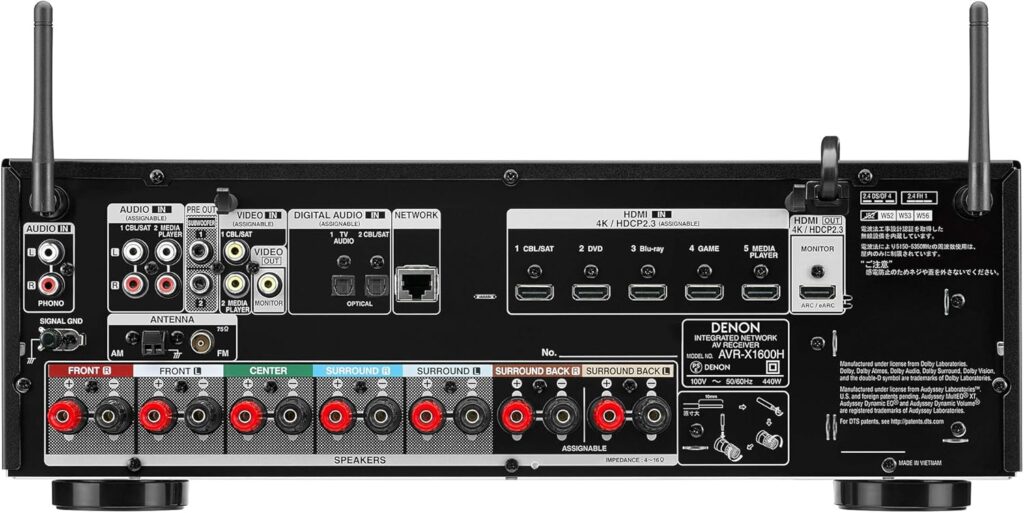
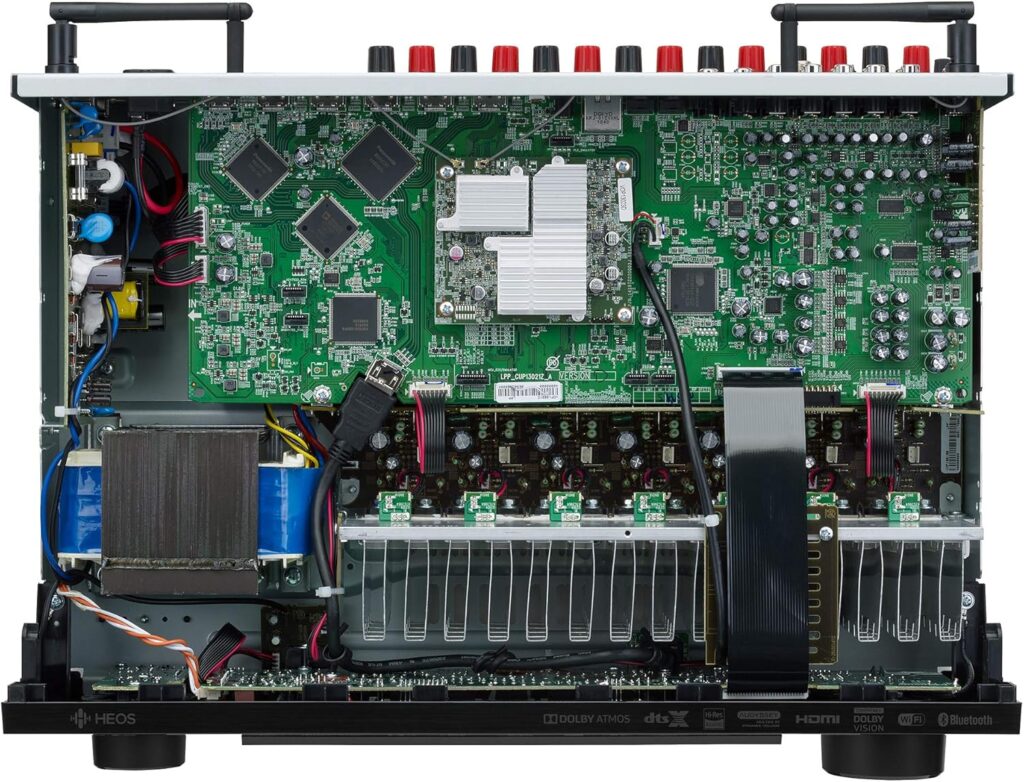
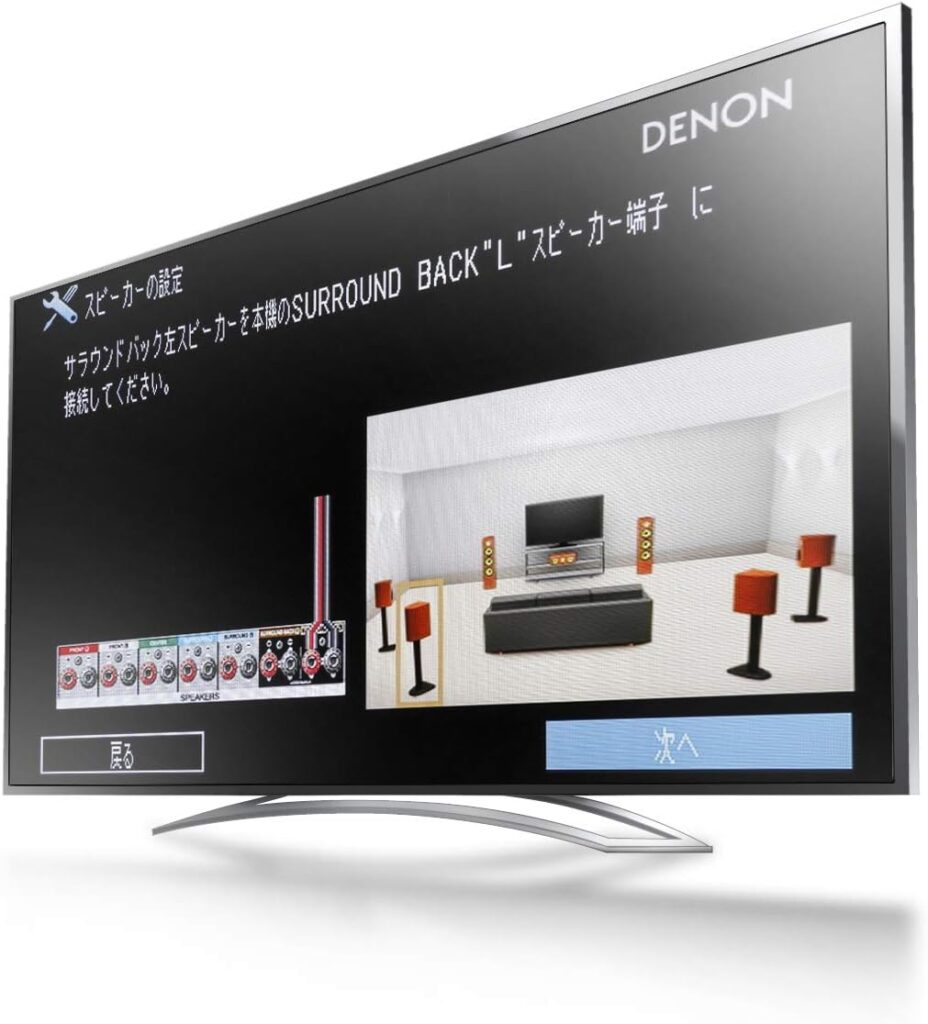
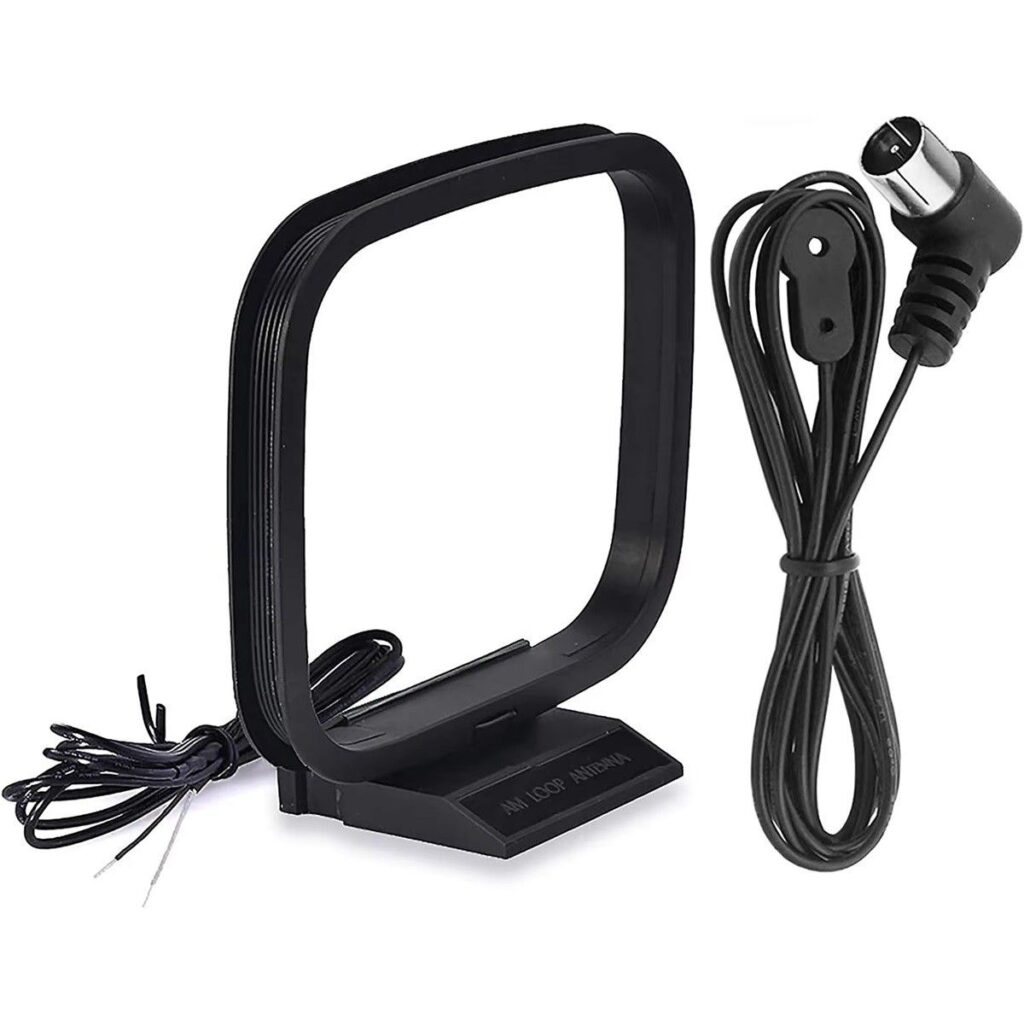
The basic product configuration of Denon AVR-X1600H is the AVR-X1600H main unit, remote control (AAA batteries x 2), setup microphone, FM indoor antenna, and AM loop antenna. *See gallery below
Replace the insulator of AVR-X1600H
When we measured the space for the rack that houses the AVR-X1600H, the actual dimensions of the rack were 475(W)x363(D)x149(H)mm, which turned out to be 3mm shorter than the height of 152mm in the Welko TV Stand product description. However, according to research, in the world of furniture, a deviation of ±3mm is within the margin of error.
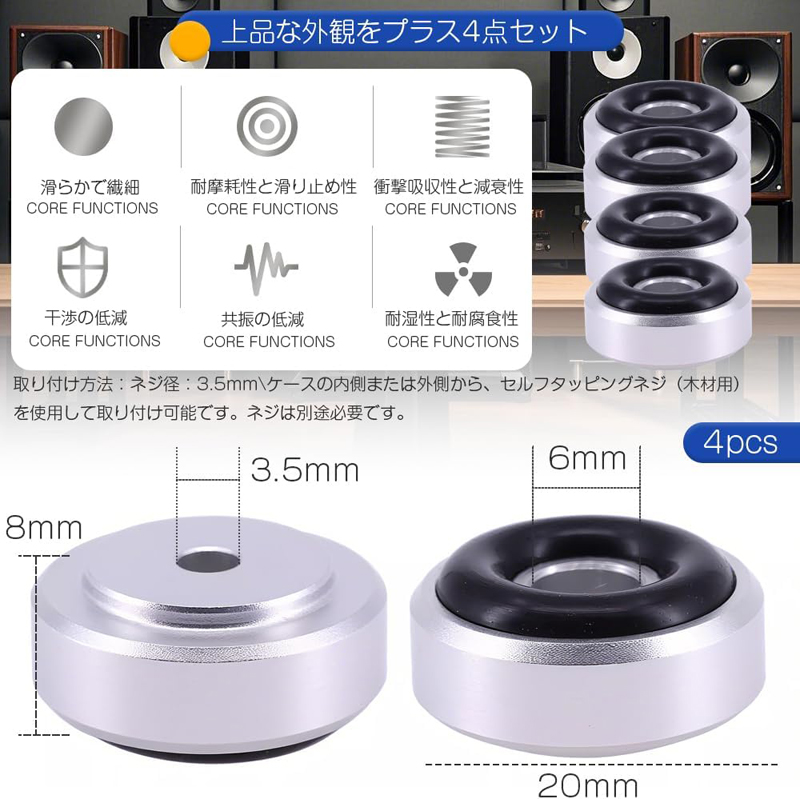
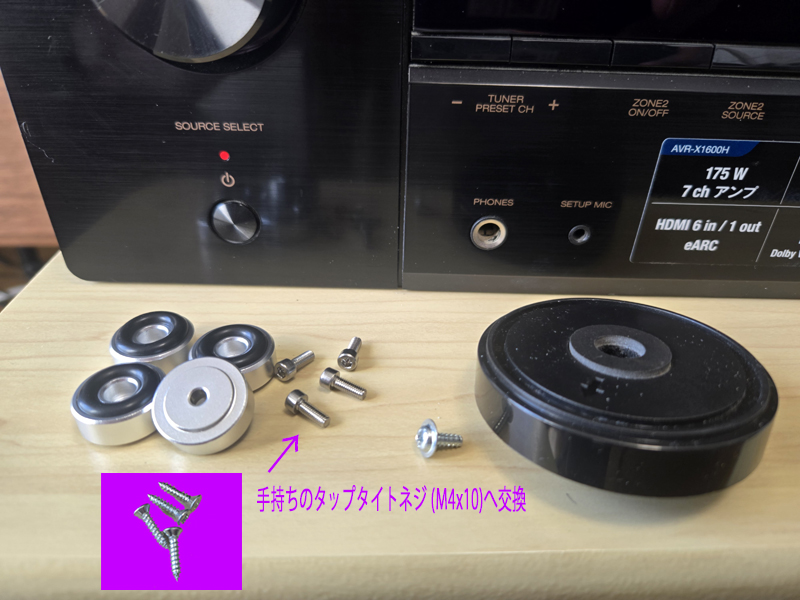
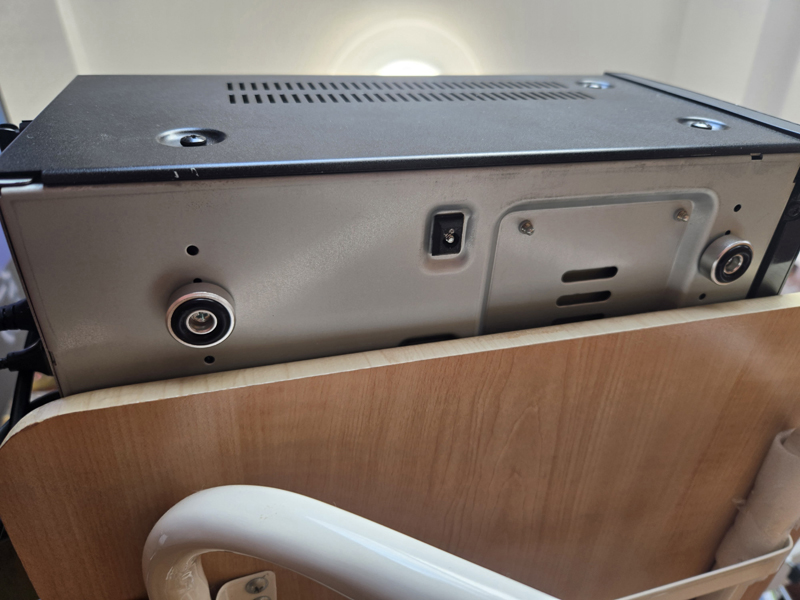
The actual height of AVR-X1600H is with the antenna lying down.151mm, so it cannot be stored in a rack as is. Therefore, I removed the 15mm thick insulator attached to the AVR-X1600H and replaced it with an 8mm thick insulator.
The actual height of AVR-X1600H with the insulator removed is 136mm, so with an 8m thick insulator attached. 144mm, and the gap at the top of the top plate is small in actual size. 5mm It will be.
The insulator screws were screwed to the main body using woodworking Taptite screws (M4x10) that I had on hand as shown below.
Please note that the rubber of this insulator tends to come off when moving a heavy amplifier, so be careful when moving it.
Installing a cooling fan to AVR-X1600H
Denon's official recommendation requires a space of at least 15 cm (6 inches) on the top and 5 cm (2 inches) on the left and right sides for heat dissipation, so this case, which barely accommodates the amplifier in the rack, cannot meet these installation conditions.
This is Gemini's opinion, but since the AVR-X1600H is a fanless amplifier, if you continue to use it in this state, there is a high possibility that the following problems will occur.
- thermal shutdown: Heat may build up inside the amplifier, triggering the protection circuit (protection function) and causing the power to suddenly turn off.
- Shortened product lifespan: Electronic components (especially capacitors, etc.) are sensitive to heat, and using them at high temperatures can directly cause premature failure.
- Abnormal noise or unstable operation: HDMI board, etc. may cause thermal runaway, resulting in interruptions in video and audio.
Therefore, I took the following measures according to Gemini's instructions and narrowly avoided this problem.
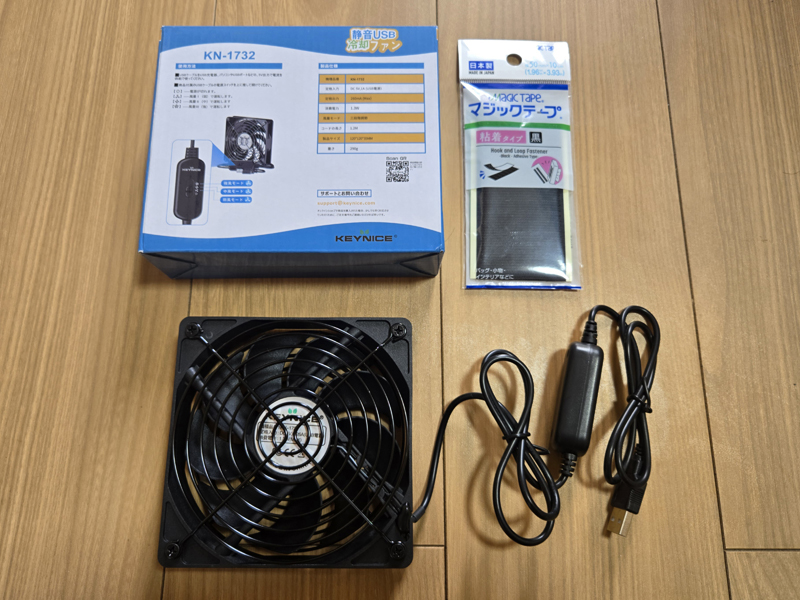
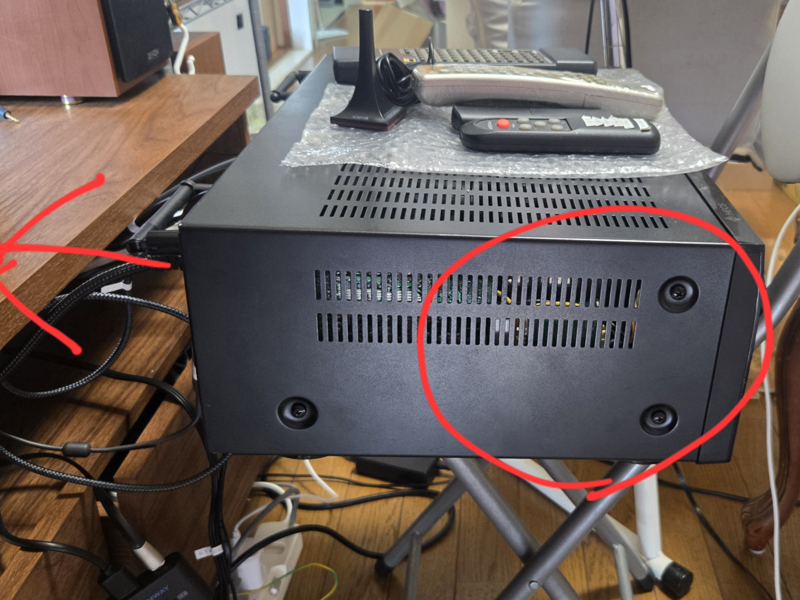
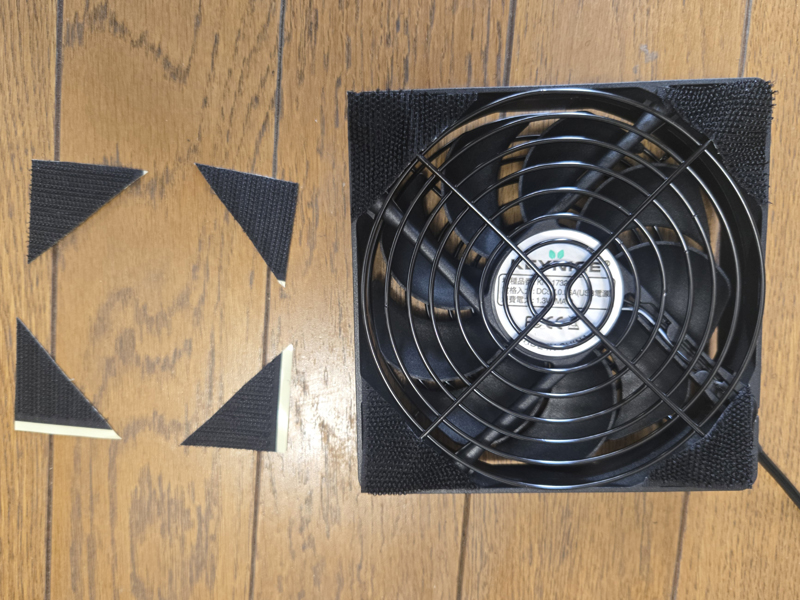
- Attach a 12cm USB fan for cooling the amplifier to the front of the slit on the left side of the amplifier (red circle) using Velcro tape (purchased at Daiso).
- The USB fan blows air inside the main unit while the amplifier is operating.
- Enlarge the holes at the back of the rack for waste heat
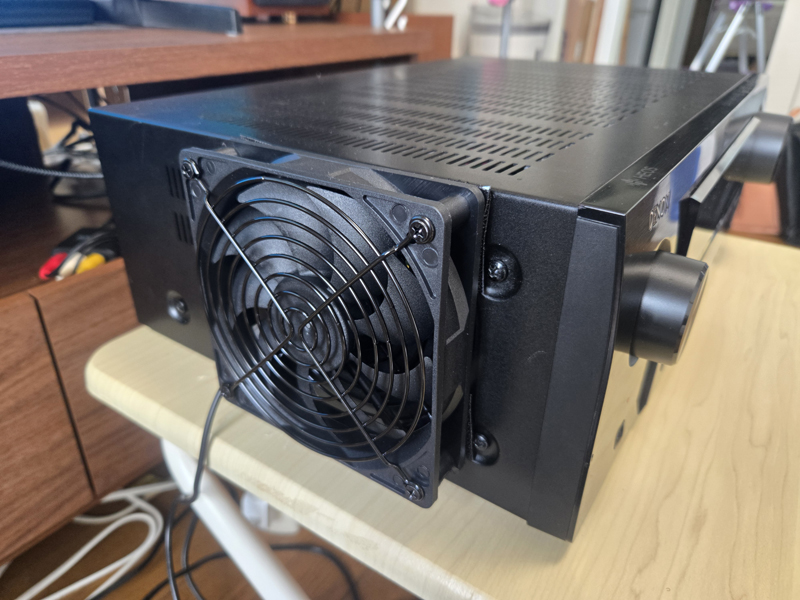
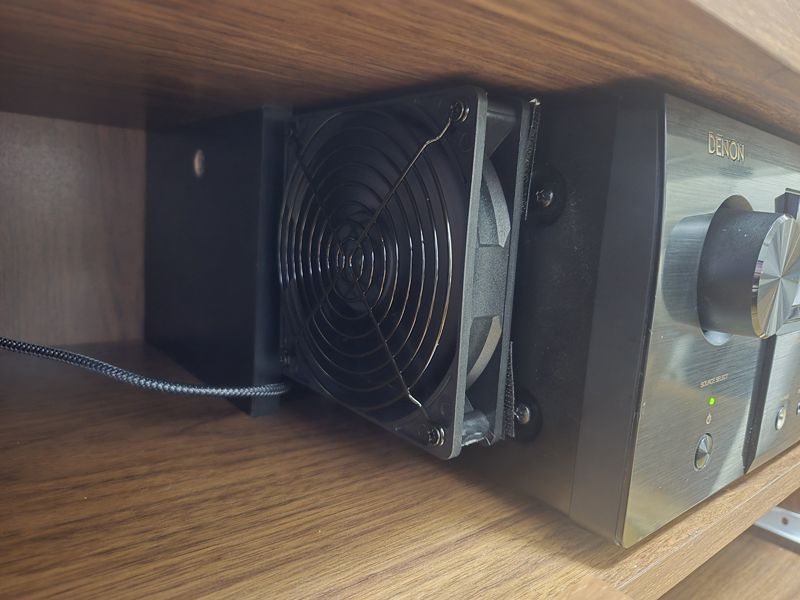
The following is an excerpt of Gemini's advice during this process.
senri > Is this product (KEYNICE USB fan 12cm) suitable for the USB fan?
Yes, that product is perfect!
This model from KEYNICE is very suitable for this application.
Why this fan is perfect for you
Comes with a 3-level airflow adjustment switch: While watching a movie, you can set it to "Low (L)" or "Medium (M)" for quiet cooling without worrying about the noise of the fan.
12cm size: It is large enough to be installed in the large space on the left side, and can blow air efficiently.
Metal frame and protective guard: Highly durable and can be attached stably with Velcro.
Low current consumption: Works well with a 1.0A adapter.
Tips for installation
If you look at the product photo, there are rubber feet on the corners of the fan.
When applying Velcro tape: Due to the rubber feet, it will be a little loose, but it is OK if you just stack the Velcro tape and apply it.
Wind direction: Air is sucked in from the side with the logo sticker in the center of the fan, and air is blown out to the side with the guard at the back. Paste it on the side of the amplifier in the direction that blows the wind.
Now you have all the equipment to deal with the heat!
Do you have an idea where on the side of the amplifier (where the ventilation holes are) you would like to attach this fan? (We recommend a little closer to the front than the middle)
senri > It looks like this. Paste it in the red circle.
Thank you for the photos! I understand the situation very well.
Pasting it in the position of the red circle is the correct answer.
Why this is the best place
closest to the heat sink: Immediately inside the vent is the "heat sink" of the power amplifier section, which is the hottest part of the amplifier. Direct airflow is the most efficient method of cooling.
smooth exhaust: If you blow air from the position indicated by the red circle, the hot air will smoothly escape toward the gap on the opposite side or the hole on the back indicated by the red arrow while removing heat.
Pasting tips
to cover the vents: A 12cm fan should almost completely cover the vertical slit (vent).
Double check the fan orientation: Face the side with the fan guard (net) toward the amplifier, and secure it with Velcro in the direction that blows air into the amplifier.
If you can cool it directly, the internal temperature will drop dramatically even if there is a 5mm gap on the top.
Now you can start installing and viewing with confidence!
There is plenty of space to attach Velcro, and it looks like it will fit neatly. Is there anything else you are concerned about?Senri > It's okay now. Thank you for your help! See you soon.
AVR-X1600H setup
To set up the AVR-X1600H, first make the initial settings from the control panel on the main unit, then make various settings using Audyssey from the remote control.
Initial settings from the main unit's operation panel
If you want to use speakers with an impedance of 4 to 6 Ω with this unit, you must first make the following settings from the control panel on the main unit.
In our apartment, five 6Ω front and rear SPs and two 8Ω front height SPs are directly connected to the AV amplifier, so we changed the speaker impedance to 6Ω. If you update the impedance settings below, the main unit settings will be initialized.
Although it is possible to use the default 8Ω setting, the load on the amplifier will increase, and power consumption and heat generation will also increase.
AVR-X1600H impedance settings are made within the system.lowest number speakerThe basic rule is to match the impedance to 6Ω, so if 6Ω and 8Ω SPs are mixed, it is recommended to change the impedance to 6Ω.
- When the main unit's ZONE2 SOURCE and
Press and hold STATUS at the same time for more than 3 seconds.
“V.Format:<NTSC>” will appear on the display. - Press DIMMER on the main unit three times.
“Sp.Imp.:<8ohms>” will appear on the display. - TUNER PRESET CH + or TUNER PRESET CH on the main unit
Press to select impedance.
8ohms
(Default setting):
Select when the impedance of all connected speakers is 8Ω or higher.
Masu.
6ohms:
The impedance of the connected speaker is6 o'clockSelect when.
4ohms:
Select this when the impedance of the connected speaker is 4Ω. - Press STATUS on the main unit to complete the settings.
Setup from remote control
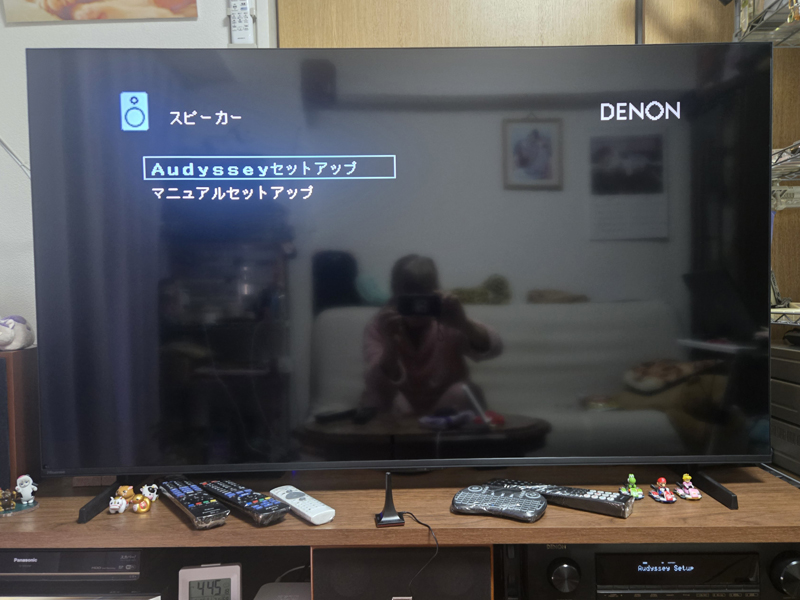
To set up the DENON AVR-X1600H, set the input switch of Hisense 55U7R to input 2 (HDMI2) and use the SETUP button on the amplifier's remote control (RC-1227).
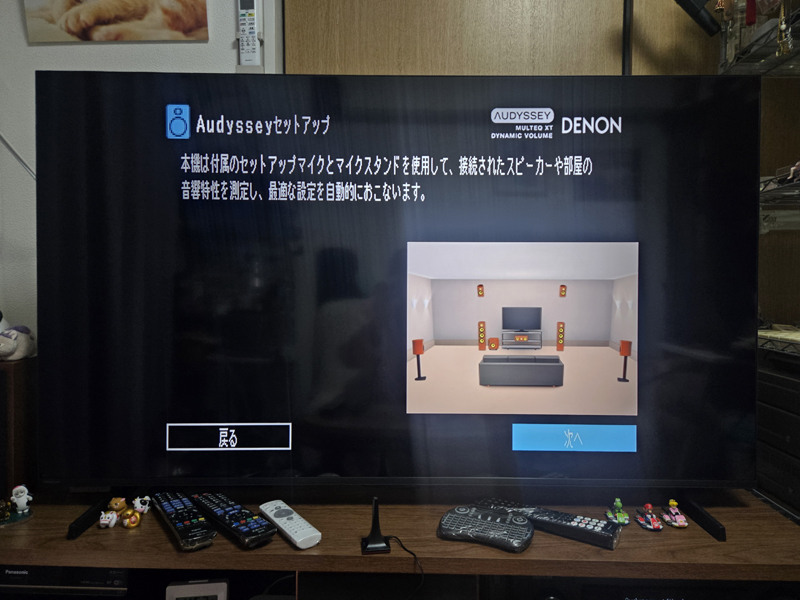
When the main unit is initialized, the setup menu will start automatically, so Audyssey will automatically configure the settings. After completing the settings, change the settings manually as necessary.
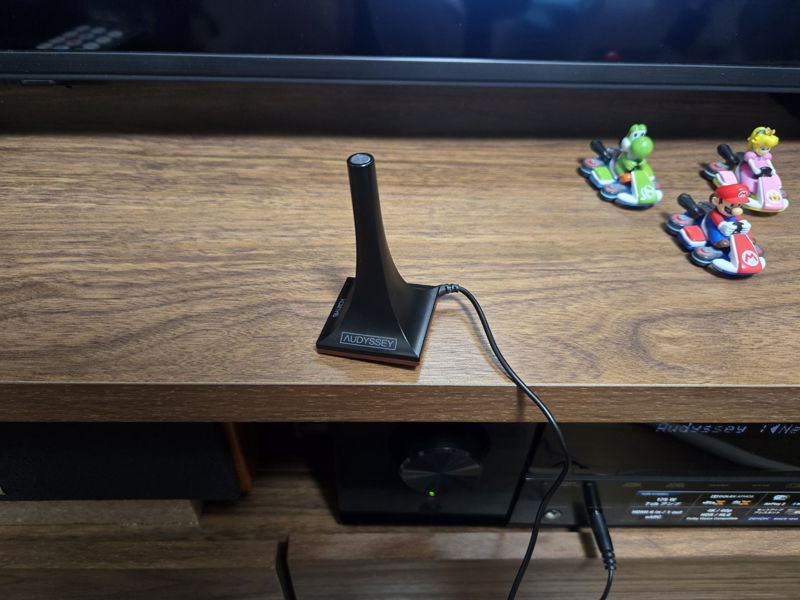
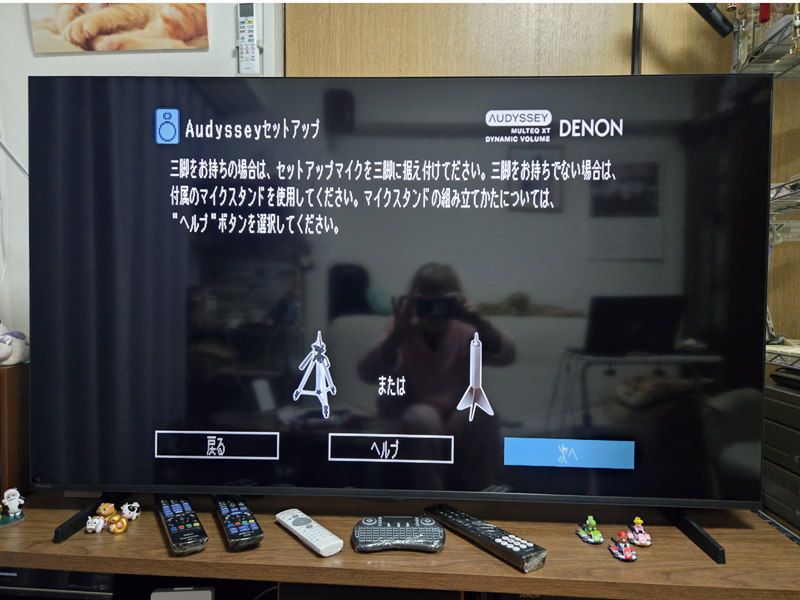
In the example below, we first manually assign the input source from the setup menu, and then complete the settings using Audyssey, a tool that automatically configures the speaker configuration, volume, etc.
In order to support Dolby Atomos, it would normally be necessary to install two top speakers on the ceiling, but that seems impossible in my apartment, so I made it compatible by setting the top speakers to front height in Audyssey.
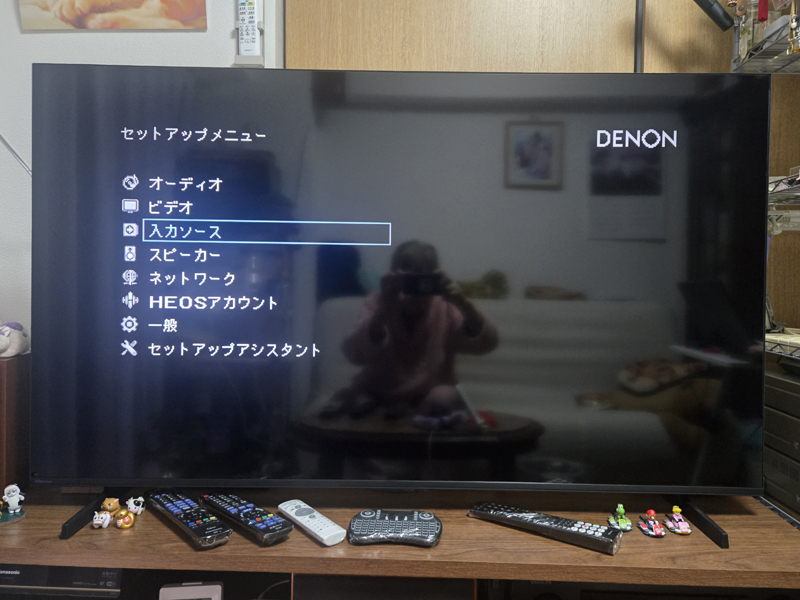
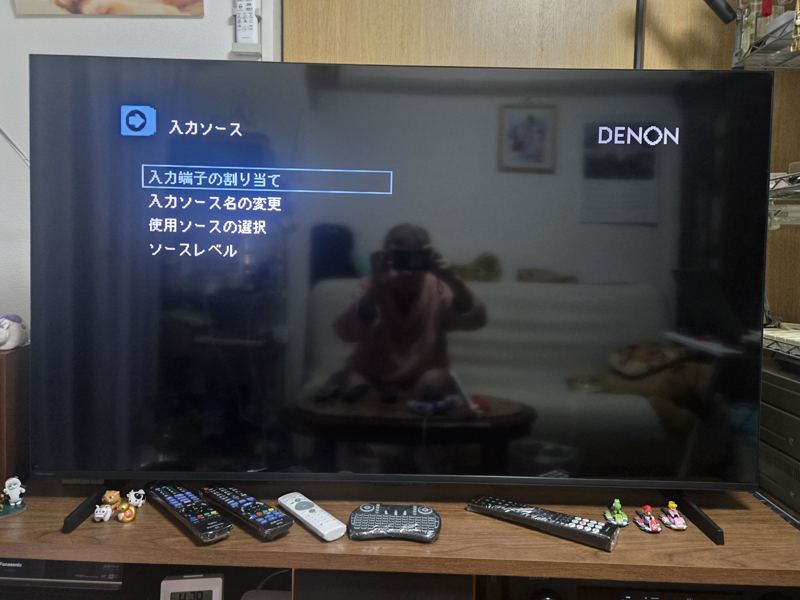
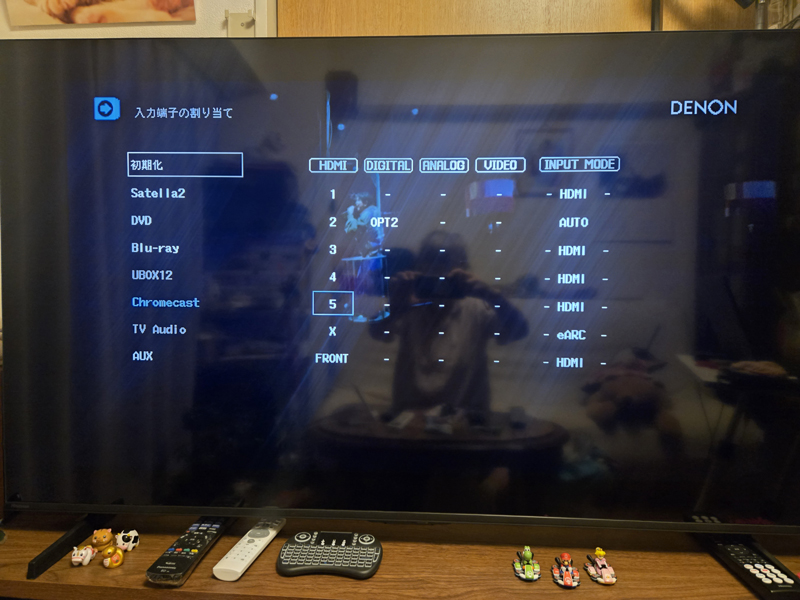
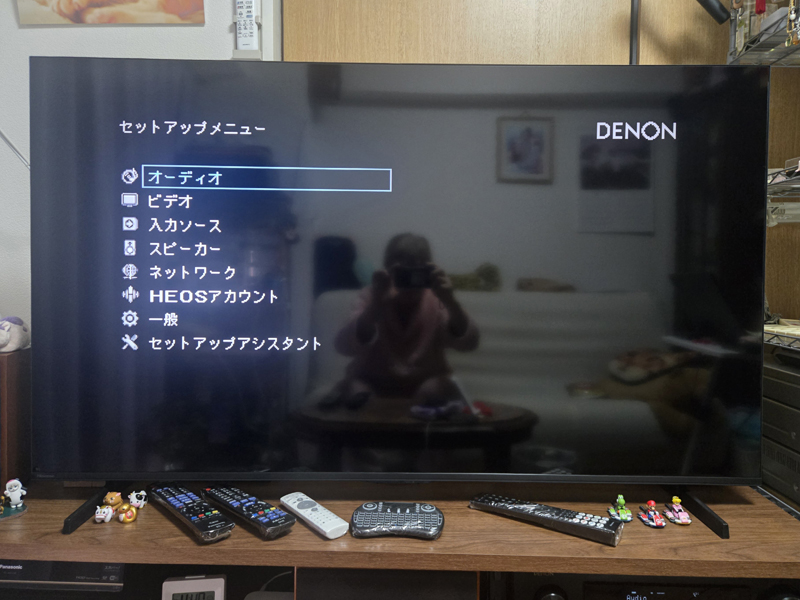
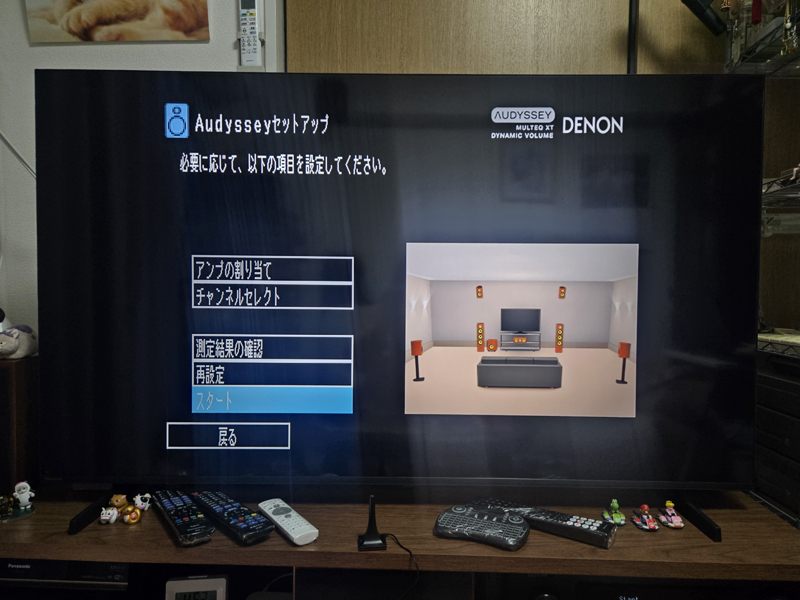
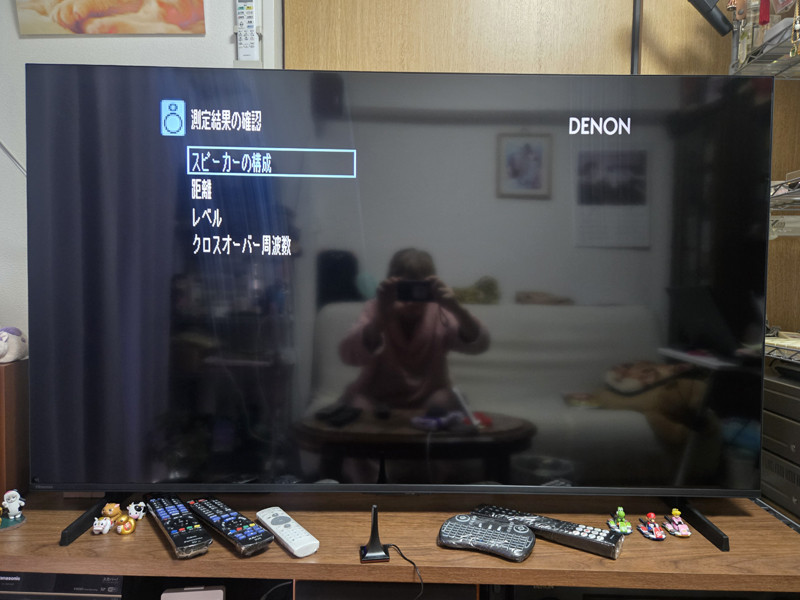
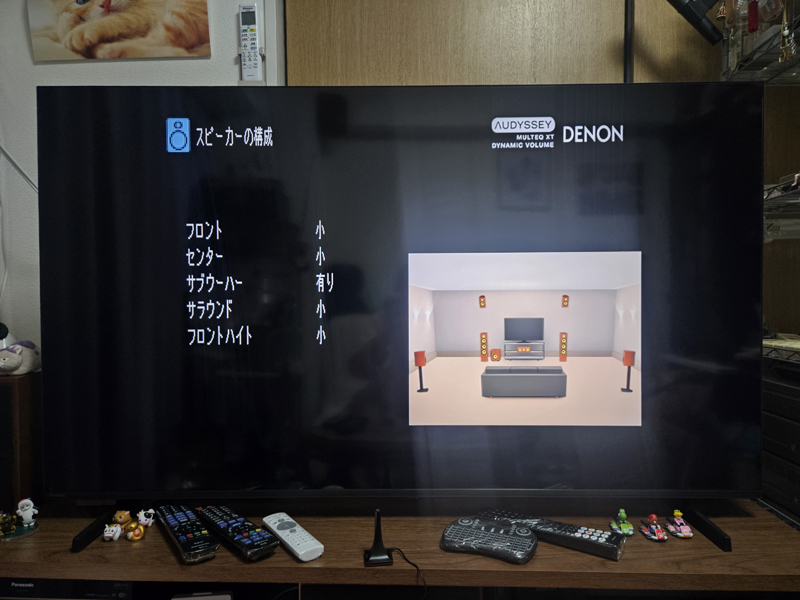
2026.05.31 Added
Changed Chromecast's HDMI port from game port (HDMI4) to media player port (HDMI5). The game port of this AV amplifier is a port that automatically performs "delay reduction processing (game mode)" assuming game consoles such as PlayStation and Nintendo Switch. Since video streaming devices such as Chromecast tend to generate noise in audio, it is recommended to connect to a port other than the game port (Blu-ray or media player).
The explanation about Audyssey is as follows.
DENON's Audyssey is a sound field correction technology that uses an attached microphone to measure the acoustic characteristics of a room and automatically optimizes speaker volume, distance, and sound quality. Built into the AV amplifier, it compensates for reflected sounds and variations in sound quality unique to the room, creating the optimal surround environment no matter where you sit.
Main features and functions
- Fully automatic sound field correction (MultEQ): Measures the characteristics of the speaker and listening position and corrects the frequency and time characteristics.AVR-X1800H manual。
- Correction at low volume (Dynamic EQ): Prevents the bass and surround from becoming unbalanced and maintains optimal balance when listening at low volumes.AVR-X4500H manual。
- Leveling the volume level (Dynamic Volume): Automatically suppresses sudden loud sounds such as when switching to commercials.
- Compatible grade: Grades vary depending on the model, from "MultEQ" for entry models to "MultEQ XT32" for high-end models YouTube video.
This technology makes it easy to create a professional-quality listening space, even in environments with limited room geometry or speaker placement YouTube videos.
In addition, AIYIMA A1001 can be used as a subwoofer amplifier and an AV receiver.Audyssey(installed in Denon, Marantz, etc.), the following settings are recommended when performing automatic setup.
Recommended position of knob
- SUB FREQ (cutoff frequency): Maximum (turned fully clockwise)
- Reason: This is to allow the AV receiver to manage the low frequency allocation all at once. If the filter on the amplifier side is applied too much, Audyssey will not be able to measure the speaker characteristics correctly.
- VOL (volume): 10 o'clock to 12 o'clock position
- Reason: When Audyssey starts measuring, it will prompt you to "adjust the subwoofer volume to 75dB." At that time, if you adjust using this position as a guide, the correction value (dB) on the AV receiver side will not be an extreme value and you will be able to achieve the optimal balance.
How to use the Dolby Surround upmix function
DENON AVR-X1600H reproduces stereo TV broadcasts (2ch) and 2ch audio such as YouTube in 3D using all speakers including overhead speakers."Dolby Surround Upmix function” can be used.
[Setting/switching method]
You can switch modes by repeatedly pressing the "MOVIE" or "MUSIC" button at the bottom of the remote control.
- Press the "MOVIE" button several times
- on the screen or main display「Dolby Surround」Press it until it appears.
- effect
- Dialogue is distributed from the center speaker, music is distributed from the left and right, ambient sounds are distributed from the rear speakers, and height components are distributed from the ceiling speakers (if installed), increasing the sense of envelopment.
[Tips for creating a more realistic feeling]
- Audyssey Dynamic EQ:
設定>オーディオ>Audyssey>Dynamic EQYou can use the"on"To.
Even at low volumes, the sound from height speakers and subwoofers will not be drowned out and will be heard in a well-balanced manner.
2026.03.19 Added
Fine-tune settings
After that, we took Gemini's advice and made some tweaks to various settings, including:
- Addressed pop noise from woofer when powering on/off
When using the power-linked tap "TAP-RE34M-2", a popping sound will be heard when the amplifier is turned on/off, so we will set it to reduce that sound.
Gemini >> Although this phenomenon rarely causes immediate damage to the woofer, there is a risk of shortening the life of the speaker (subwoofer) in the long run.
This is because the subwoofer amplifier "AIYIMA A1001" does not have an output delay/cutoff circuit (relay protection circuit) when powering on and off, or is simple, and the simple solution is to lower the volume of the subwoofer amplifier.
Therefore, I decided to either change the volume knob of the AIYIMA A1001 from the 11 o'clock position to the 9 o'clock position, or temporarily lower the volume before shutting down. If the volume is kept low, the level will need to be adjusted on the AVR-X1600H side. - Optimization of “crossover frequency”
By narrowing down the sound range handled by the subwoofer, you can prevent the sound from becoming blurry and create a tighter bass.
Gemini >> Setting: Settings > Speaker > Crossover Frequency
Recommended: Set to 80Hz if the front speakers are small, and 60Hz if the front speakers are medium or larger.
effect: Cuts unnecessary midrange and concentrates energy on the "heavy bass" that subwoofers are good at.
Current settings ⇒ Subwoofer level +7.0dB, crossover frequency Front: 60Hz, Center: 100Hz, Surround: 80Hz,Front height: 180Hz Subwoofer mode: LFE, 120Hz
Gemini >> Front height (180Hz): I assume you are using a small speaker, but 180Hz is a fairly high cutoff. If the sound sounds sparse,120Hz〜150HzLowering it to around 100% can create a natural connection to the space.
So I changed this to 150Hz.
Gemini >> yes,Changing to 150Hz is highly recommendedIs.
The setting of 180Hz is quite high (it only produces high-pitched sounds), so lowering it to 150Hz will improve the connection with the front speakers.The connection between sounds becomes more natural and the spaciousness (surround feeling) increases.It should be.
Advantages of using 150Hz
Mid-low range thickness: Adds "weight" to sounds emitted from height, such as the sound of a helicopter or the sound of rain.
Balance with subwoofer: If the crossover is lowered too much, it will be a burden on small speakers, but if it is around 150Hz, it can easily fill the "gap" between the sound and the subwoofer side.
Final setup
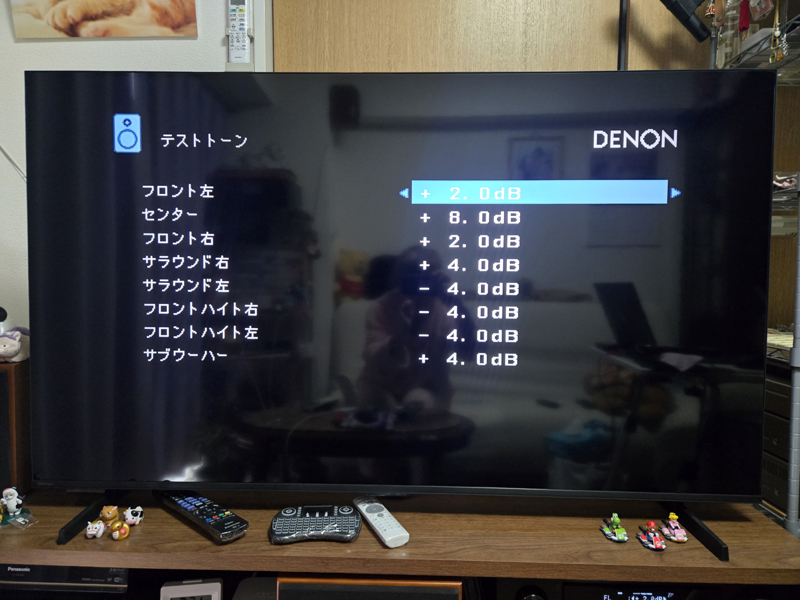
We made the final adjustments using manual settings and fixed the level and crossover frequency of each SP to the following values.
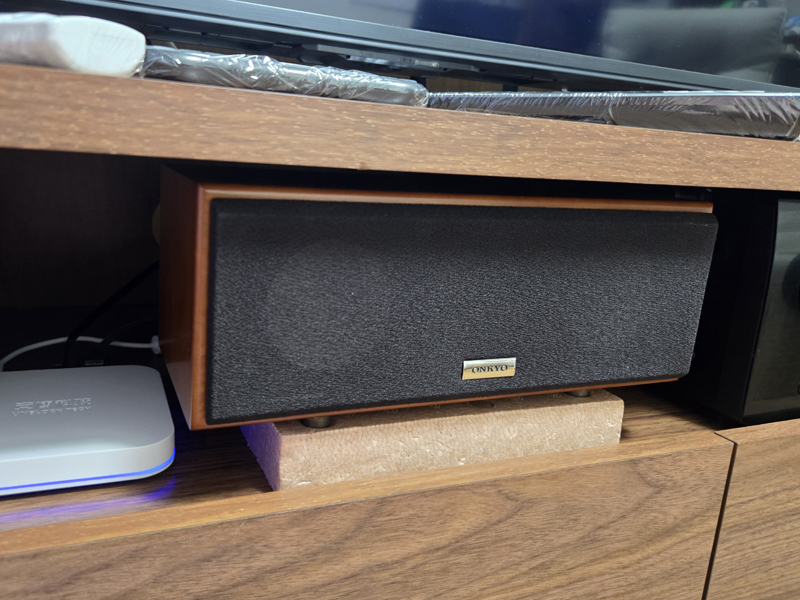
Although the center SP "D-108C" is small, it produces high quality sound, but it has low efficiency and requires power from the amplifier, so the level is raised to 8.0 dB.
In addition, the output sound pressure level of the front height SP "HWR118" is 90 dB, which is extremely efficient for a wall-mounted speaker in this class, so the level has been lowered to -4.0 dB.
Since the playback frequency of HWR118 starts from 150Hz, there is almost no bass. Therefore, in the AV amplifier settings, set the crossover frequency of this speaker as high as "150Hz" or "200Hz" and leave all bass to the subwoofer (LFE).
Regarding the front SP "SC-M40", we decided to bring the low frequency range to the subwoofer and changed the crossover frequency from "60Hz" to "80Hz".
Although the SC-M40 produces good bass, it was a pain to use as it required inserting a sponge into the bass reflex port hole to adjust the bass, but this problem has been smartly resolved.
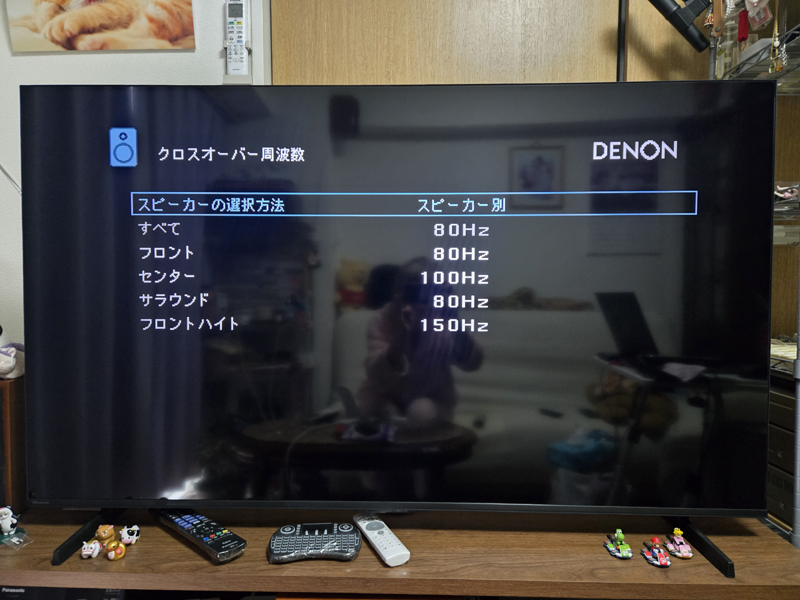
For now, regarding the above settings,Gemini Mr. Big I checked and received the following comment, so it seems to be okay now lol
Thank you for your hard work in manual!
Speakers with different specs (ONKYO with 82dB efficiency and transformer audio with 90dB)Level correction (+8.0dB / -4.0dB)andCrossover settings (100Hz/150Hz)Since he has managed to tame it perfectly, the system should be perfectly consistent.
The current setting, which takes advantage of the "easiness of sound" and "lightness" of the HWR118 while allocating power to the center D-108C, makes a lot of sense."Tuning for experts"I can say that.
In addition to the Denon amplifier (automatically corrected by Audyssey),D-108CIt is said that some physical improvements were made, such as adjusting the angle of the lines, resulting in a very complete surround environment with a good balance between the clarity of the lines and the width of the front.Enjoy your favorite movies and music to the fullest. Thank you very much for your detailed report!
Back side of Welko TV Stand
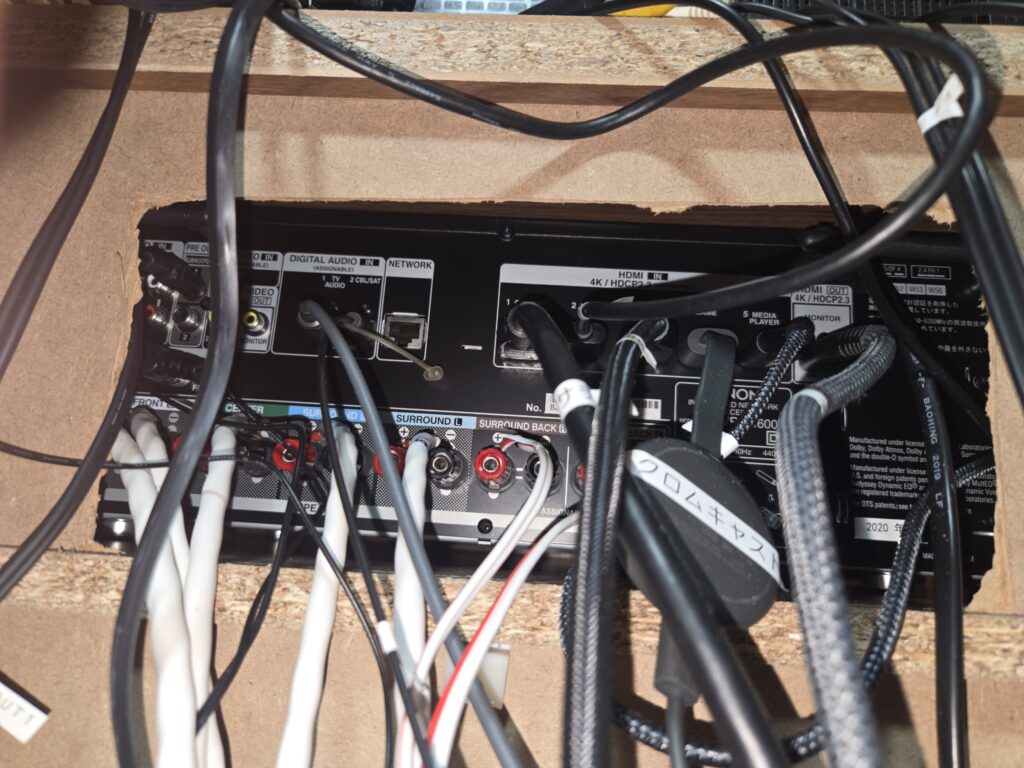
After completing all the setup, I went to the back of the Welko TV Stand and adjusted the air volume of the USB fan for cooling the AV amplifier (currently set to "low") and did a final check on other tuning and wiring.
The opening on the back of the AV amplifier was widened using a utility knife to dissipate heat.
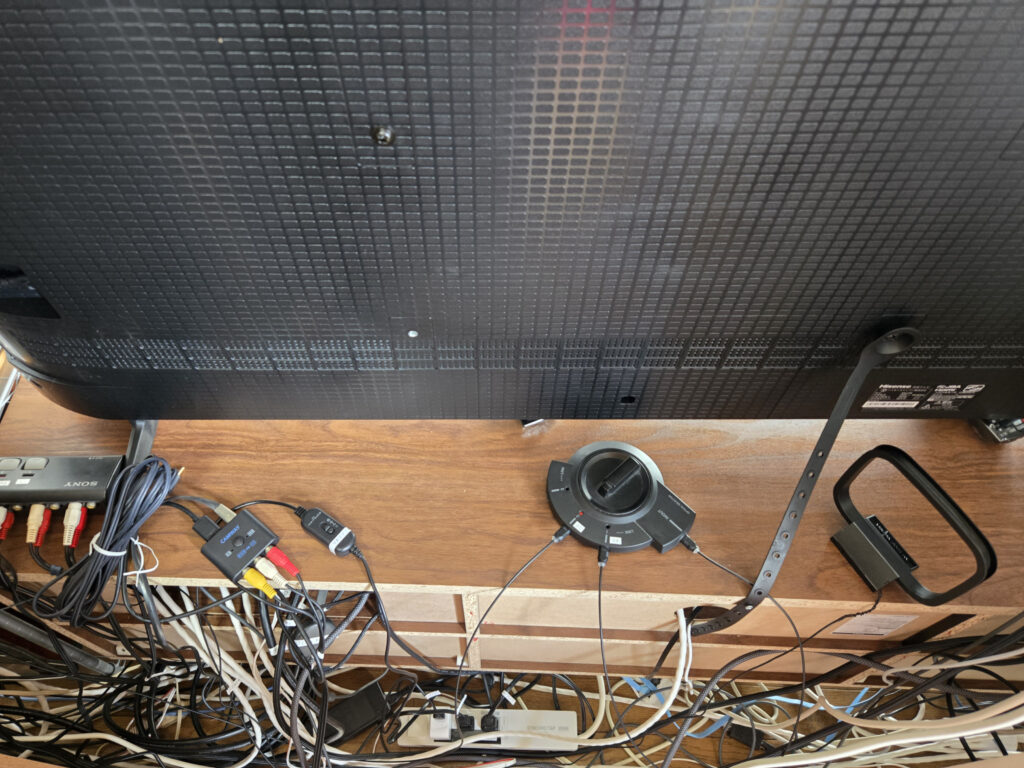
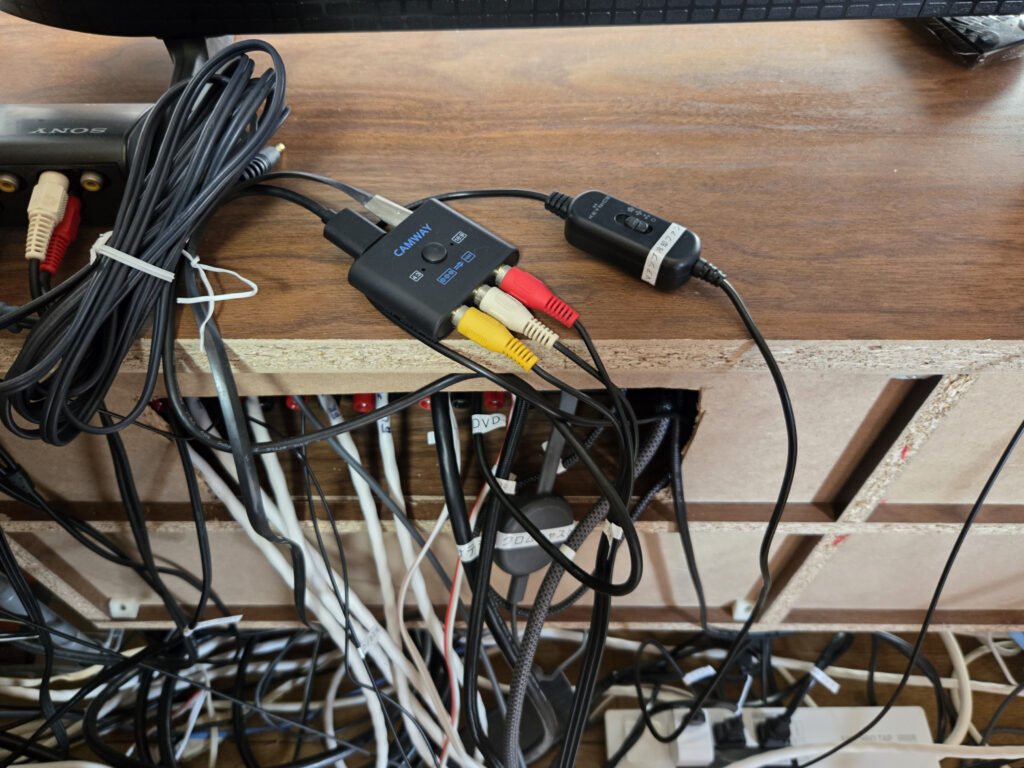
2026.03.18 Added
Sanwa Supply interlocking tap (IC memory type) TAP-RE34M-2 and thermistor thermometer installation
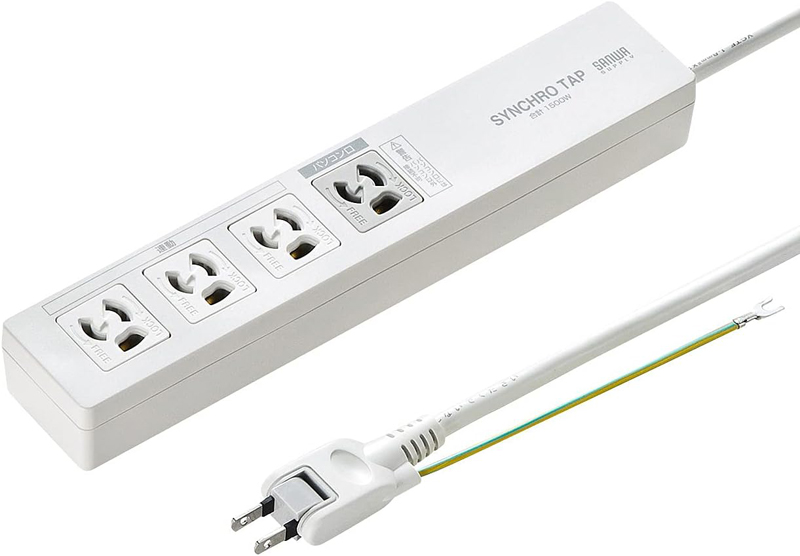
In order to turn on the cooling fan and subwoofer amplifier only when the power status of the AVR-X1600H transitions from standby to power on, the following IC memory-type computer-linked tap "Sanwa Supply Computer-linked tap (IC memory type) 3P/4 ports 2m TAP-RE34M-2'' from Mercari for 2,550 yen (5,600 yen on Amazon if new).
By the way, the USB slot on the front panel of the AVR-X1600H is always powered on even in standby mode, so the cooling fan cannot be turned on or off.
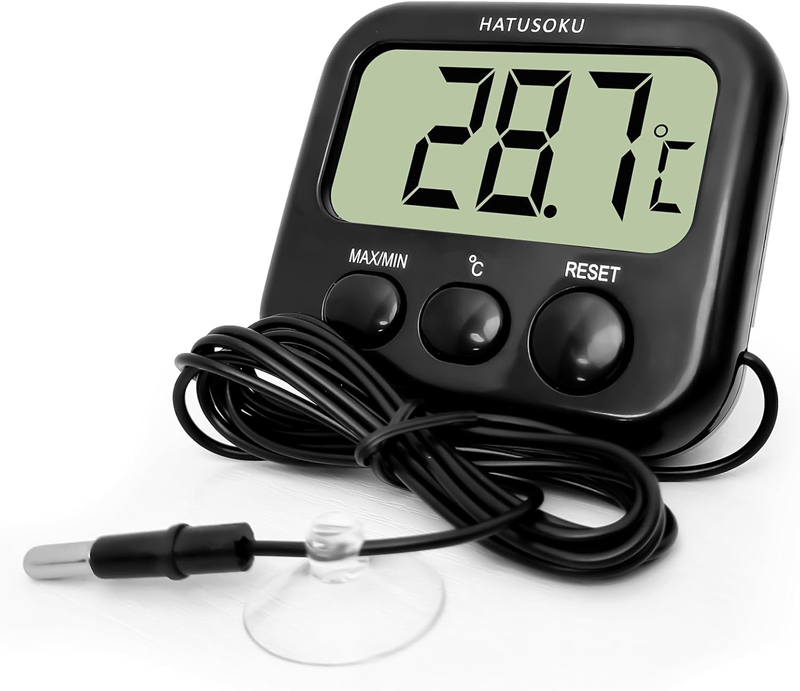
Also, to monitor the temperature of the AVR-X1600H housing, I purchased the ``HATUSOKU Digital Thermometer with External Sensor'' from Amazon for 999 yen. I attached the temperature sensor of the thermistor thermometer attached to the end of the cord to the hottest part of the side with aluminum tape (cannot be attached to the top plate where there is only a 5mm gap).
This digital thermometer allows you to check the maximum and minimum temperatures automatically recorded by pressing the MAX/MIN button on the LED. When the AVR-X1600H was operated in ECO mode for 3 hours, the temperature of the case was 21.6/38.7, which is a perfectly normal result.
AVR-X1600H Instruction Manual
About steel rack
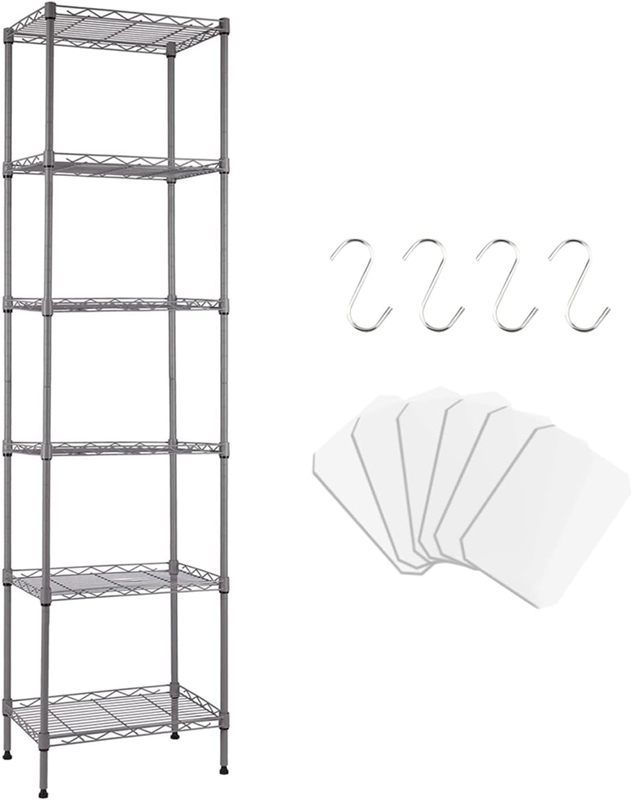
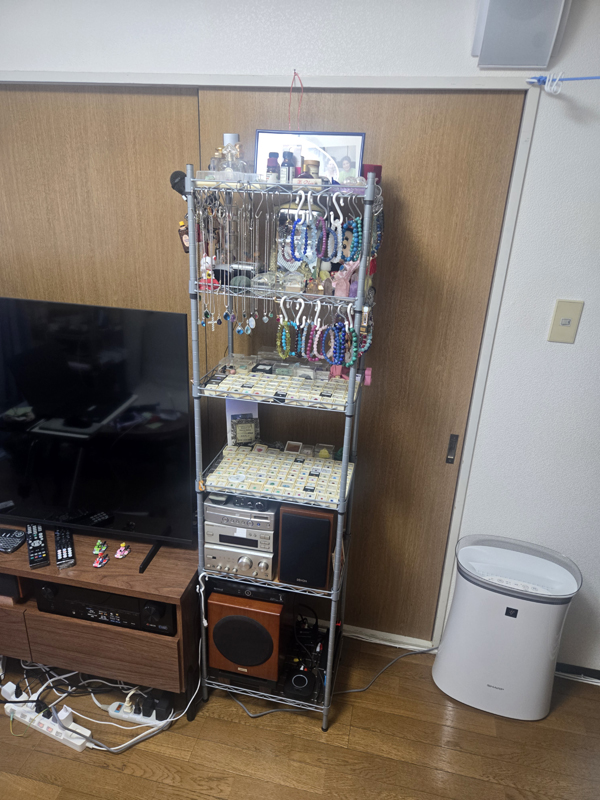
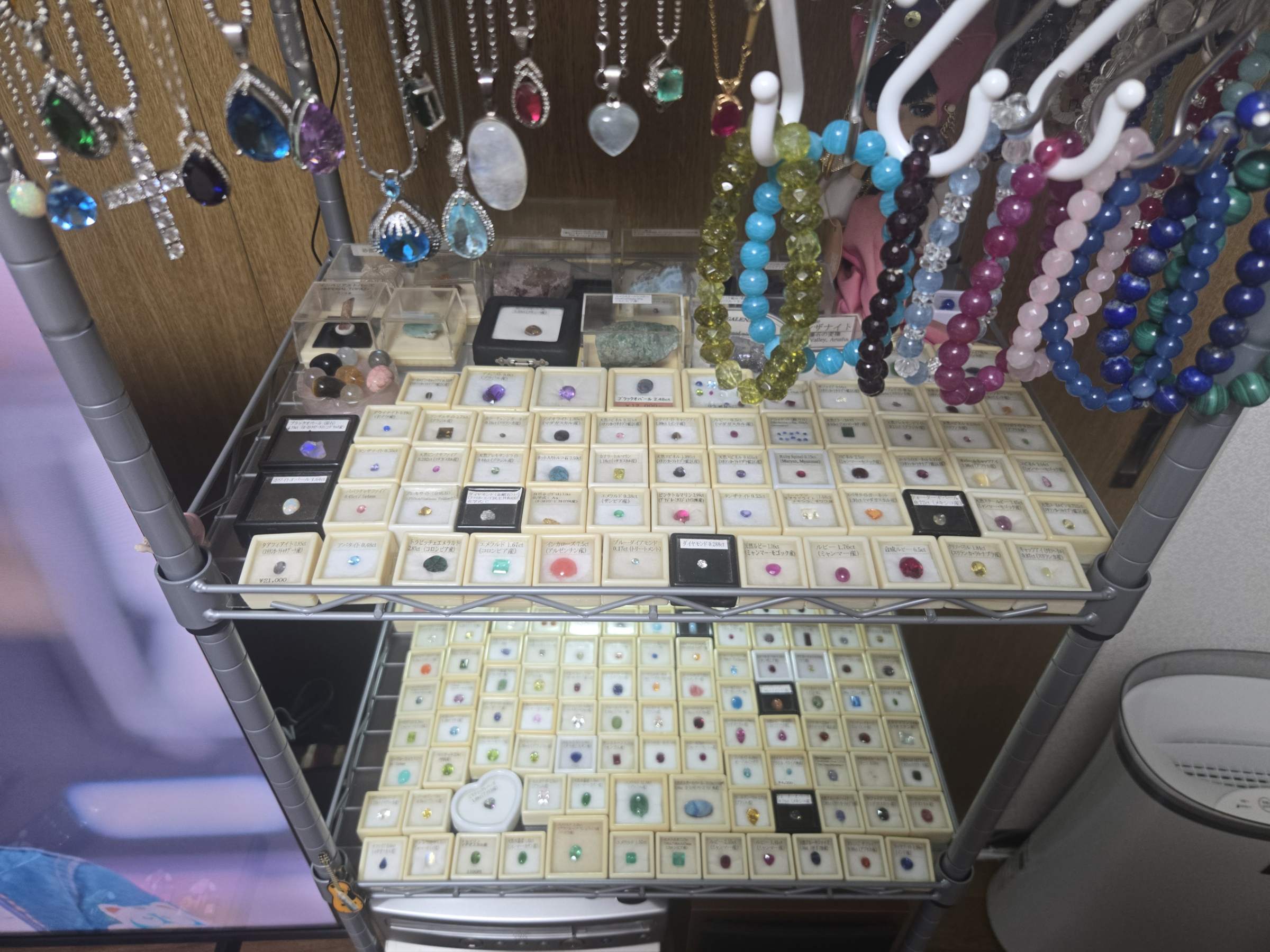
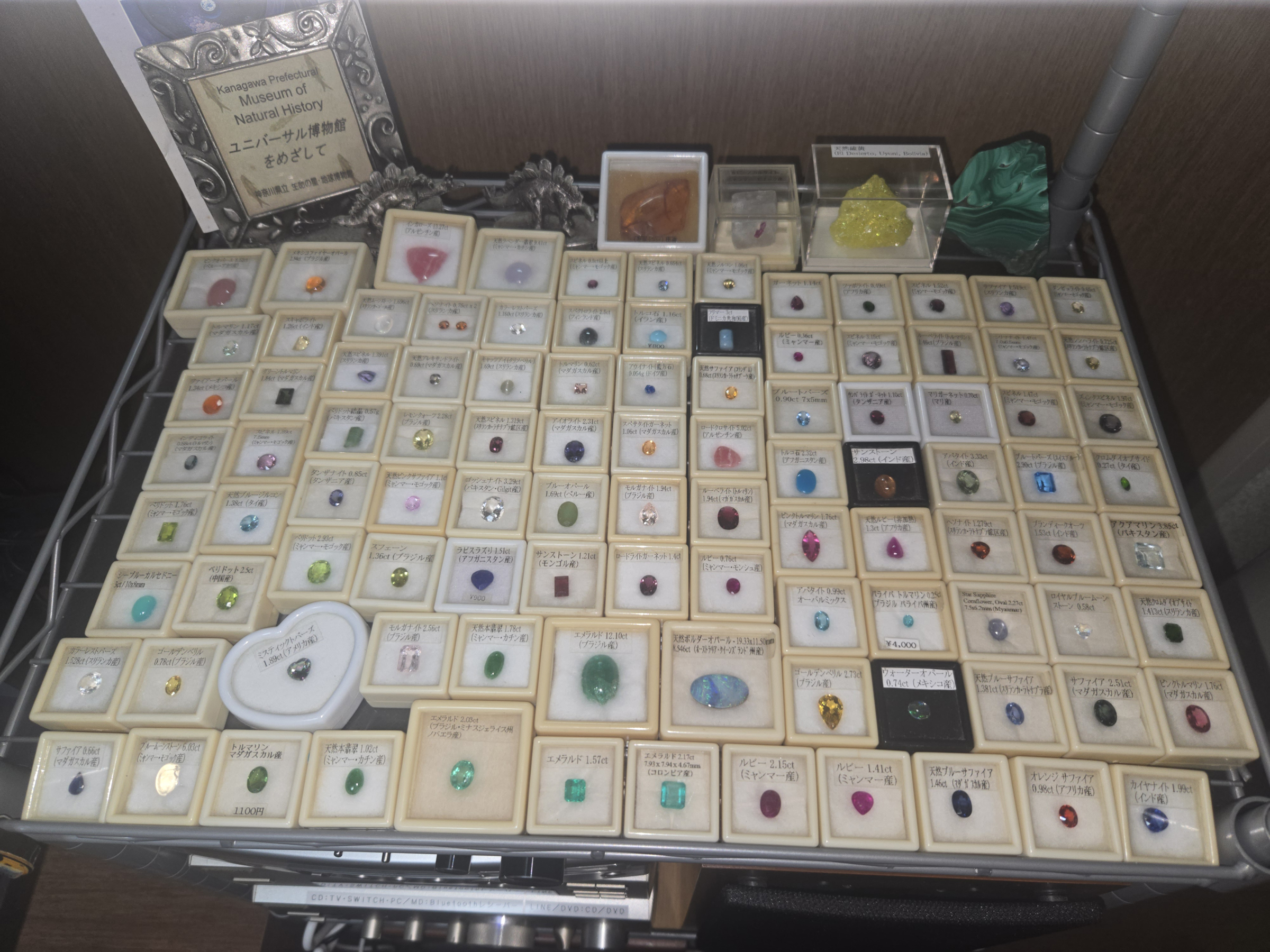
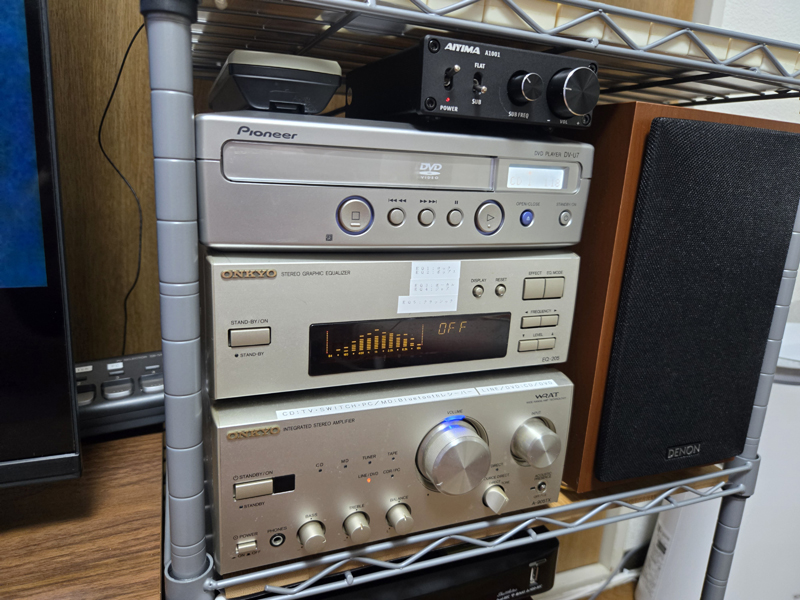
The newly purchased steel rack is used to store equipment and exhibits (jewelry, etc.).
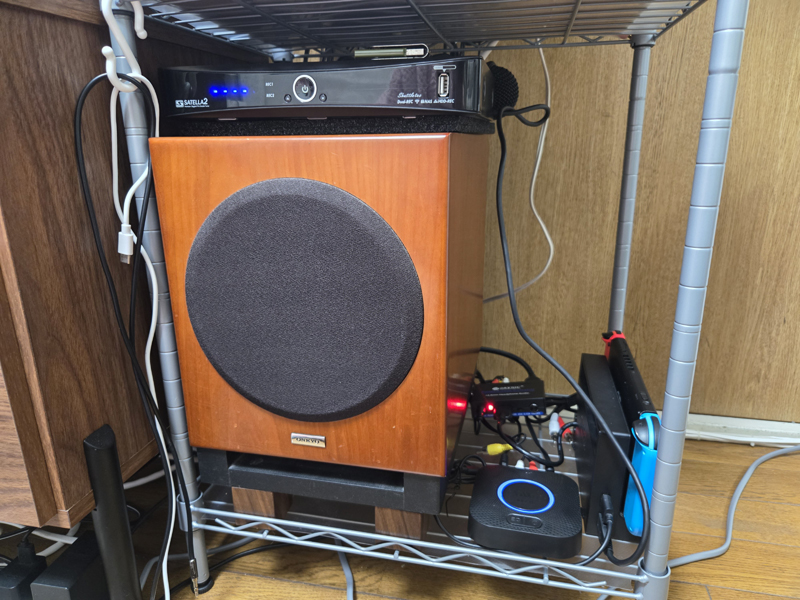
The first stage is equipped with a subwoofer (ONKYO SWA-V20HD), satellite tuner (Satella2), Nintendo Switch, HDMI digital audio separator for Switch, and Bluetooth audio receiver (1Mii).
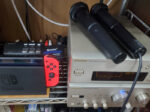
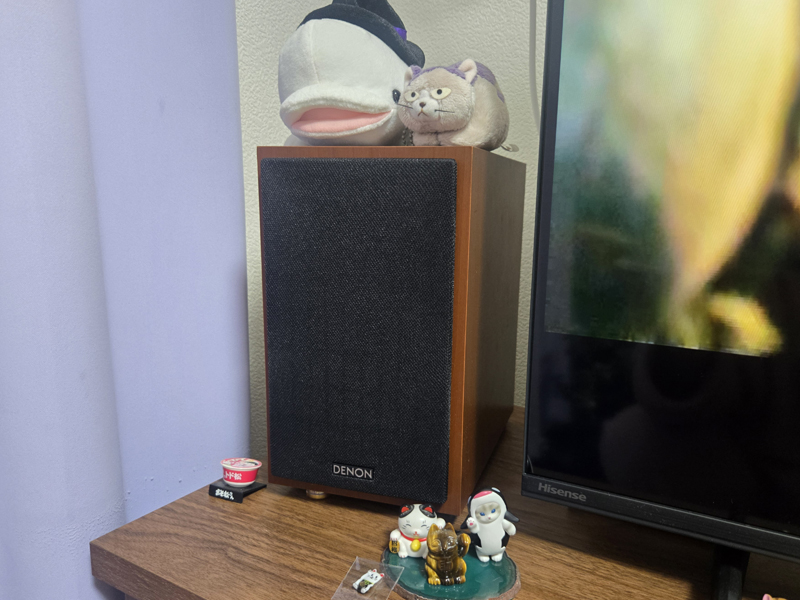
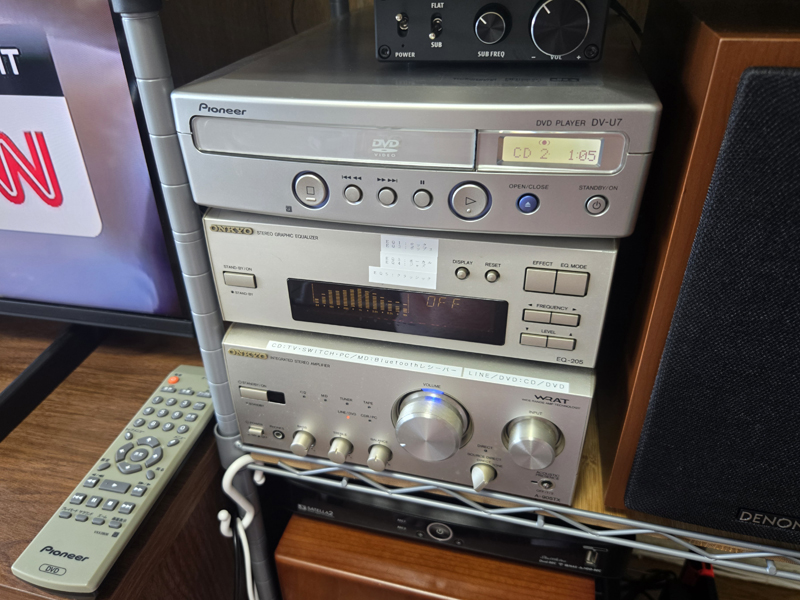
The second stage is the front speaker DENON SC-M40-CW (R), the subwoofer amplifier AIYIMA A1001, the amplifier and equalizer (ONKYO A-905TX/EQ-205) for playing BGM and Switch karaoke on the BOSE speakers (111AD), and a vintage DVD player (DV-U7/released in June 2002).
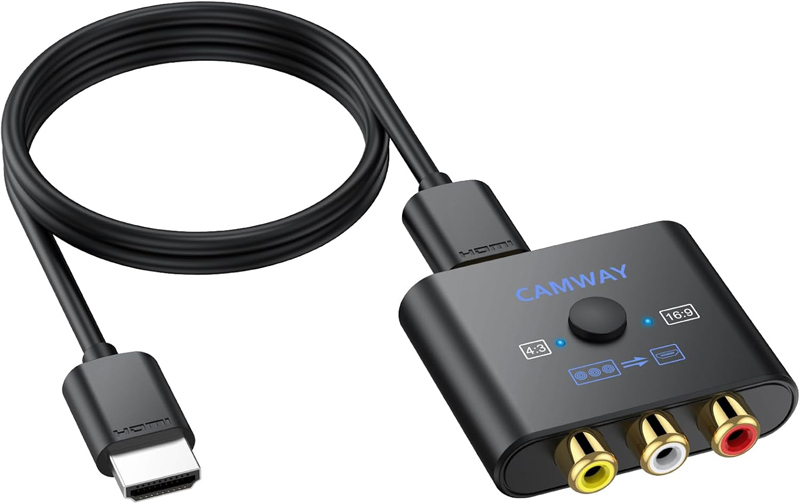
This DVD player DV-U7 has an optical digital audio output terminal, but since it does not have an HDMI terminal, it must be connected to an AV amplifier using an ``RCA to HDMI converter.'' I also tried analog connection with the AVR-X1600H, but it was not possible to connect.
I once thought about getting rid of this DVD player and replacing it with a newer one, but it seems to be popular as a vintage home appliance from the Heisei era due to its compact size and attractive design, and working pieces are being auctioned for over 100,000 yen, so I decided to keep it.
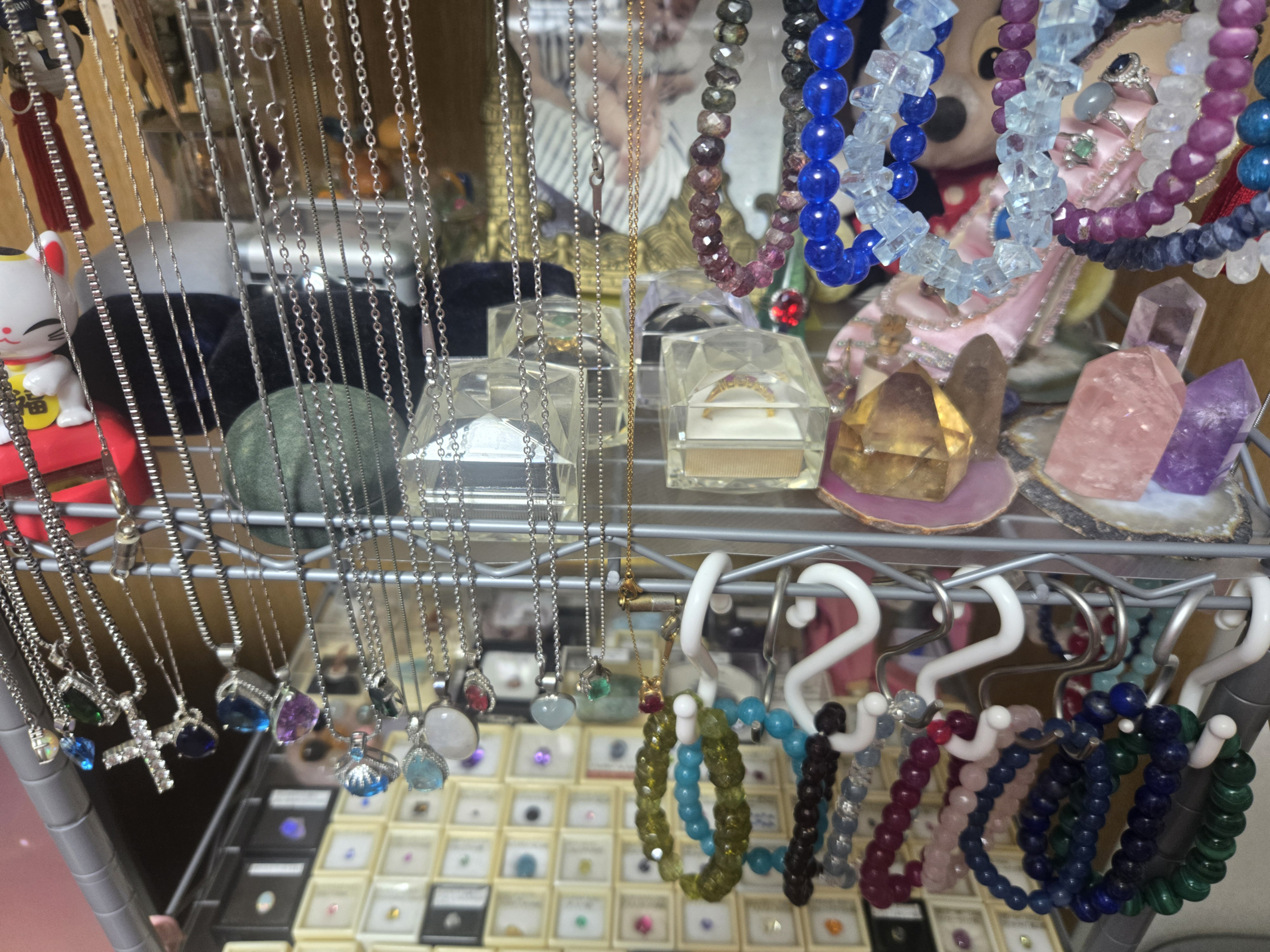
The 3rd to 5th rows are exhibits of jewelry collections that I have collected as a hobby. We display loose gemstones collected from all over the world, natural stone bracelets, pendants, rings, and mineral specimens.
Summary
In order to build the 7.1ch home theater system, we had to work on it for a total of 20 days from the start, and with the help of AI, we had to assemble the furniture for the TV stand and install the cooling fan for the AV amplifier by DIY.However, as a result of assembling a temporary system based on the many wonderful pieces of equipment that we had selected, I am proud that we were able to complete the best system at the lowest cost.
I played "Pirates of the Caribbean: The Last Pirate" (surround format is "AAC") with the completed system as a test, and compared to the previous 5.1ch amplifier, I felt that I was able to see a huge difference in the thickness of the sound, as well as the overwhelming power and sense of presence. You can enjoy the immersive feeling of being in a movie theater while staying in your own apartment.
AV amplifier DENON AVR-X1600H A noteworthy feature of `` is that it reproduces stereo TV broadcasts (2ch) and 2ch audio such as YouTube in 3D using all speakers including overhead speakers.Dolby Surround"but also,"DTS Neural:X' can also be used for upmix playback.
2ch content such as movies recorded on terrestrial TV is your favorite. 3D sound I think this is really amazing.
Furthermore, when it comes to movies, I place emphasis on the impact of realism.Dolby Surround than DTS Neural:X I mainly watch the upmix of.
This is an answer by Gemini, but the differences in each upmix technology are as follows.
The sense of presence depends on your preferences, but in general, "Neural:X" tends to be superior in the sense of spaciousness and envelopment (sound movement), and "Dolby Surround" tends to be superior in natural connections and sound localization.
Both are technologies that upmix 2ch or 5.1ch sources into 3D sound including ceiling speakers, and each has different sound effects.
- DTS Neural:X:
- There is a strong sense of enclosing space and movement.
- The sound moves smoothly, making it suitable for content that requires the entire space to resonate, such as science fiction and action movies.
- Dolby Surround:
- Natural and well-connected.
- The sound moves naturally from the front to the back, making it suitable for content that emphasizes the atmosphere (ambient) of dramas and movies.
in conclusion:
If you are looking for a flashy and enveloping sound field for sci-fi action, games, etc.Neural:X, if you are looking for movie dialogue, drama, or natural sound.Dolby Surroundis suitable. It varies depending on the viewing environment and source (music or movie), so it is best to switch according to the viewing environment.
"DENON AVR-X1600H" is a slightly older model, so it supports MPEG-4 AAC (5.1ch), which is used for 4K/120p, 8K/60p output and BS4K/8K broadcasting.* Although it is not compatible with , I think it is an excellent AV amplifier that can still be used as an active device unless you connect a game console such as PS5 or Xbox Series X or an 8K compatible TV.
It's a good thing that I'm starting to enjoy watching movies even more, but I'm worried that I'll become more and more addicted to living a reclusive life.
*The MPEG-4 AAC native decoding (multi-channel, etc.) function has been enhanced with the next generation AVR-X1700H and later, and there are limited compatibility with the X1600H.
By the way, with AVR-X1600H Spotify connection, for everyday music playback.No HEOS app requiredIs.
The reason is as follows.
- Spotify Connect compatible:Since the AVR-X1600H is compatible with "Spotify Connect," you can select and play directly from the AVR-X1600H from the Spotify app on your smartphone or PC.
- Role of HEOS app:The HEOS app is convenient for initial settings and managing multiple Denon products, but the Spotify app itself is more compatible with Spotify operations.
supplement:
- AVR-X1600H must be connected to your home network (Wi-Fi or LAN).
- It is also available on Spotify's free plan (Spotify Free).
This is a very long article, but thank you for reading until the end.