Last updated: July 20, 2026 at 11:26 AM

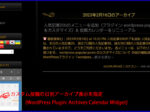
As an alternative to the WordPress plugin "Archives Calendar Widget", we have created a "Custom Calendar Widget" that collects articles of multiple custom post types and displays them in a single post calendar.
Archives Calendar Widget is a stylish and useful plugin that provides a post calendar display widget for custom post articles, but unfortunately, due to security issues, downloads from WordPress will no longer be possible as of March 28, 2024.
This plugin isgithub It is possible to download from, but it has not been tested with the latest three major releases of WordPress.
Currently, we are looking at issues such as security issues with XSS, errors in widget blocks and warnings for deprecated functions in php 8.0.
Using it with a newer version of WordPress may cause further compatibility issues, and future maintenance is low.
So I was looking for an alternative plugin to Archives Calendar Widget, but in the end I couldn't find a suitable plugin.
Therefore, as an insurance policy in case the Archives Calendar Widget stops working due to WordPress or php version upgrades, we created a post calendar widget called "Custom_Calendar_Widget" that can display multiple custom post types in one calendar by customizing the get_calendar() function that complies with the specifications of the latest version of WP 6.8.0 or later.
As we'll see below, custom calendar widgets will now work by adding snippets to the theme's functions.php.
This widget also supports post calendar output with shortcodes, but it is developed based on legacy widgets and does not support widget blocks introduced in WordPress 5.8.
In order to make this widget compatible with blocks, the front end is php and the development will be made on a completely different platform based on JavaScript.
Added a snippet to display custom posts in monthly and daily archives
When using the Custom Calendar widget, make sure that the following snippets are defined in the theme's functions.php to display custom posts in the monthly and daily archives:
In this example, we're adding 'news', 'gallery' as a custom post type, but if it's not defined, we'll add it in a snippet.
/* 月別・日別アーカイブにカスタム投稿を含めて表示する
---------------------------------------------------------------- */
function my_pre_get_posts( $query ) {
    if ( ($query->is_month() || $query->is_day()) && $query->is_main_query() ) {
        $query->set( 'post_type', array('post','news', 'gallery') );
    }
}
add_action( 'pre_get_posts', 'my_pre_get_posts' );

function my_getarchives_where( $where ){
    $where = "WHERE";
    $where .= " (post_type = 'post' OR post_type = 'news' OR post_type = 'gallery')";
    $where .= " AND post_status = 'publish'";
    return $where;
}
add_filter( 'getarchives_where', 'my_getarchives_where' );
Adding a custom calendar widget
To add a custom calendar widget, add a snippet to the theme's functions.php and add the widget in your WordPress admin as follows:
Added a snippet of custom calendar widget to functions.php
Add the following snippet to the functions.php in the theme:
The following function "my_get_calendar()" is a customized version of the core WordPress function "get_calendar()" that follows WP 6.8.0 and later specifications. This function is followed by the widget script.
Note that the marked lines are the modifications to get_calendar() in this development.
To use this widget,Only 19 lines are corrected is. This line defines the post type of custom post you want to display.
In the example below, in addition to 'post', 'news' and 'gallery' are displayed.
2026.06.26 Function added
Fixed so that the caption of the year/month title of the calendar includes a link to the archive display.
/*
 * 複数のカスタム投稿タイプの記事をアーカイブ・カレンダーに表示
 * (WP 6.8.0以降のバージョンに対応)
 *
 * 呼び出し方法:
 *	<?php my_get_calendar();?>
 *		または
 *	<?php my_get_calendar(array('initial'=>true, 'display'=>true, 'post_type'=>'post'));?>
 */

/* アーカイブ・カレンダーに複数のカスタム投稿を追加
 * WordPress Developer Resources (functions) - get_calendar():
 * https://developer.wordpress.org/reference/functions/get_calendar/
---------------------------------------------------------------- */
function my_get_calendar( $args = array() ) {
	global $wpdb, $m, $monthnum, $year, $wp_locale, $posts;

	//追加したいカスタム投稿タイプを変数に格納
	$custom_post_type = "post_type = 'news' OR post_type = 'gallery'";

	// 以下の行を有効化すると、標準の'get_calendar()' と同様の動作になります。
  // $custom_post_type = "post_type = ''";

	$defaults = array(
		'initial'   => true,
		'display'   => true,
		'post_type' => 'post',
	);

	$original_args = func_get_args();
	$args          = array();

	if ( ! empty( $original_args ) ) {
		if ( ! is_array( $original_args[0] ) ) {
			if ( isset( $original_args[0] ) && is_bool( $original_args[0] ) ) {
				$defaults['initial'] = $original_args[0];
			}
			if ( isset( $original_args[1] ) && is_bool( $original_args[1] ) ) {
				$defaults['display'] = $original_args[1];
			}
		} else {
			$args = $original_args[0];
		}
	}

	/**
	 * Filter the `get_calendar` function arguments before they are used.
	 *
	 * @since 6.8.0
	 *
	 * @param array $args {
	 *     Optional. Arguments for the `get_calendar` function.
	 *
	 *     @type bool   $initial   Whether to use initial calendar names. Default true.
	 *     @type bool   $display   Whether to display the calendar output. Default true.
	 *     @type string $post_type Optional. Post type. Default 'post'.
	 * }
	 * @return array The arguments for the `get_calendar` function.
	 */
	$args = apply_filters( 'get_calendar_args', wp_parse_args( $args, $defaults ) );

	if ( ! post_type_exists( $args['post_type'] ) ) {
		$args['post_type'] = 'post';
	}

	$w = 0;
	if ( isset( $_GET['w'] ) ) {
		$w = (int) $_GET['w'];
	}

	/*
	 * Normalize the cache key.
	 *
	 * The following ensures the same cache key is used for the same parameter
	 * and parameter equivalents. This prevents `post_type > post, initial > true`
	 * from generating a different key from the same values in the reverse order.
	 *
	 * `display` is excluded from the cache key as the cache contains the same
	 * HTML regardless of this function's need to echo or return the output.
	 *
	 * The global values contain data generated by the URL query string variables.
	 */
	$cache_args = $args;
	unset( $cache_args['display'] );

	$cache_args['globals'] = array(
		'm'        => $m,
		'monthnum' => $monthnum,
		'year'     => $year,
		'week'     => $w,
	);

	wp_recursive_ksort( $cache_args );
	$key   = md5( serialize( $cache_args ) );
	$cache = wp_cache_get( 'my_get_calendar', 'calendar' );

	if ( $cache && is_array( $cache ) && isset( $cache[ $key ] ) ) {
		/** This filter is documented in wp-includes/general-template.php */
		$output = apply_filters( 'my_get_calendar', $cache[ $key ], $args );

		if ( $args['display'] ) {
			echo $output;
			return;
		}

		return $output;
	}

	if ( ! is_array( $cache ) ) {
		$cache = array();
	}

	$post_type = $args['post_type'];

	// Quick check. If we have no posts at all, abort!
	if ( ! $posts ) {
		$gotsome = $wpdb->get_var(
			$wpdb->prepare(
				"SELECT 1 as test
				FROM $wpdb->posts
				WHERE ($custom_post_type OR post_type = %s)
				AND post_status = 'publish'
				LIMIT 1",
				$post_type
			)
		);

		if ( ! $gotsome ) {
			$cache[ $key ] = '';
			wp_cache_set( 'my_get_calendar', $cache, 'calendar' );
			return;
		}
	}

	// week_begins = 0 stands for Sunday.
	$week_begins = (int) get_option( 'start_of_week' );

	// Let's figure out when we are.
	if ( ! empty( $monthnum ) && ! empty( $year ) ) {
		$thismonth = (int) $monthnum;
		$thisyear  = (int) $year;
	} elseif ( ! empty( $w ) ) {
		// We need to get the month from MySQL.
		$thisyear = (int) substr( $m, 0, 4 );
		// It seems MySQL's weeks disagree with PHP's.
		$d         = ( ( $w - 1 ) * 7 ) + 6;
		$thismonth = (int) $wpdb->get_var(
			$wpdb->prepare(
				"SELECT DATE_FORMAT((DATE_ADD('%d0101', INTERVAL %d DAY) ), '%%m')",
				$thisyear,
				$d
			)
		);
	} elseif ( ! empty( $m ) ) {
		$thisyear = (int) substr( $m, 0, 4 );
		if ( strlen( $m ) < 6 ) {
			$thismonth = 1;
		} else {
			$thismonth = (int) substr( $m, 4, 2 );
		}
	} else {
		$thisyear  = (int) current_time( 'Y' );
		$thismonth = (int) current_time( 'm' );
	}

	$unixmonth = mktime( 0, 0, 0, $thismonth, 1, $thisyear );
	$last_day  = gmdate( 't', $unixmonth );

	// Get the next and previous month and year with at least one post.
	$previous = $wpdb->get_row(
		$wpdb->prepare(
			"SELECT MONTH(post_date) AS month, YEAR(post_date) AS year
			FROM $wpdb->posts
			WHERE post_date < '%d-%d-01'
			AND ($custom_post_type OR post_type = %s) AND post_status = 'publish'
			ORDER BY post_date DESC
			LIMIT 1",
			$thisyear,
			zeroise( $thismonth, 2 ),
			$post_type
		)
	);

	$next = $wpdb->get_row(
		$wpdb->prepare(
			"SELECT MONTH(post_date) AS month, YEAR(post_date) AS year
			FROM $wpdb->posts
			WHERE post_date > '%d-%d-%d 23:59:59'
			AND ($custom_post_type OR post_type = %s) AND post_status = 'publish'
			ORDER BY post_date ASC
			LIMIT 1",
			$thisyear,
			zeroise( $thismonth, 2 ),
			$last_day,
			$post_type
		)
	);

	/* translators: Calendar caption: 1: 4-digit year, 2: Month name, 3: Home URL, 4: 2-digit month number. */
	$calendar_caption = _x( '<a href="%3$s/%1$s/%4$02d/">%1$s年%2$s</a>', 'calendar caption' );
	$calendar_output  = '<table id="wp-calendar" class="wp-calendar-table">
	<caption>' . sprintf(
		$calendar_caption,
		gmdate( 'Y', $unixmonth ),           // 1: 年 (文字列 "2026")
		$wp_locale->get_month( $thismonth ), // 2: 月名 (表示用 "6月")
		home_url(),                          // 3: サイトURL
		(int) $thismonth                     // 4: 月の数字 (URL用。02dで "06" に整形される)
	) . '</caption>
	<thead>
	<tr>';

	$myweek = array();

	for ( $wdcount = 0; $wdcount <= 6; $wdcount++ ) {
		$myweek[] = $wp_locale->get_weekday( ( $wdcount + $week_begins ) % 7 );
	}

	foreach ( $myweek as $wd ) {
		$day_name         = $args['initial'] ? $wp_locale->get_weekday_initial( $wd ) : $wp_locale->get_weekday_abbrev( $wd );
		$wd               = esc_attr( $wd );
		$calendar_output .= "\n\t\t<th scope=\"col\" aria-label=\"$wd\">$day_name</th>";
	}

	$calendar_output .= '
	</tr>
	</thead>
	<tbody>
	<tr>';

	$daywithpost = array();

	// Get days with posts.
	$dayswithposts = $wpdb->get_results(
		$wpdb->prepare(
			"SELECT DISTINCT DAYOFMONTH(post_date)
			FROM $wpdb->posts WHERE post_date >= '%d-%d-01 00:00:00'
			AND ($custom_post_type OR post_type = %s) AND post_status = 'publish'
			AND post_date <= '%d-%d-%d 23:59:59'",
			$thisyear,
			zeroise( $thismonth, 2 ),
			$post_type,
			$thisyear,
			zeroise( $thismonth, 2 ),
			$last_day
		),
		ARRAY_N
	);

	if ( $dayswithposts ) {
		foreach ( (array) $dayswithposts as $daywith ) {
			$daywithpost[] = (int) $daywith[0];
		}
	}

	// See how much we should pad in the beginning.
	$pad = calendar_week_mod( (int) gmdate( 'w', $unixmonth ) - $week_begins );
	if ( $pad > 0 ) {
		$calendar_output .= "\n\t\t" . '<td colspan="' . esc_attr( $pad ) . '" class="pad"> </td>';
	}

	$newrow      = false;
	$daysinmonth = (int) gmdate( 't', $unixmonth );

	for ( $day = 1; $day <= $daysinmonth; ++$day ) {
		if ( isset( $newrow ) && $newrow ) {
			$calendar_output .= "\n\t</tr>\n\t<tr>\n\t\t";
		}

		$newrow = false;

		if ( (int) current_time( 'j' ) === $day
			&& (int) current_time( 'm' ) === $thismonth
			&& (int) current_time( 'Y' ) === $thisyear
		) {
			$calendar_output .= '<td id="today">';
		} else {
			$calendar_output .= '<td>';
		}

		if ( in_array( $day, $daywithpost, true ) ) {
			// Any posts today?
			$date_format = gmdate( _x( 'F j, Y', 'daily archives date format' ), strtotime( "{$thisyear}-{$thismonth}-{$day}" ) );
			/* translators: Post calendar label. %s: Date. */
			$label            = sprintf( __( 'Posts published on %s' ), $date_format );
			$calendar_output .= sprintf(
				'<a href="%s" aria-label="%s">%s</a>',
				get_day_link( $thisyear, $thismonth, $day ),
				esc_attr( $label ),
				$day
			);
		} else {
			$calendar_output .= $day;
		}

		$calendar_output .= '</td>';

		if ( 6 === (int) calendar_week_mod( (int) gmdate( 'w', mktime( 0, 0, 0, $thismonth, $day, $thisyear ) ) - $week_begins ) ) {
			$newrow = true;
		}
	}

	$pad = 7 - calendar_week_mod( (int) gmdate( 'w', mktime( 0, 0, 0, $thismonth, $day, $thisyear ) ) - $week_begins );
	if ( 0 < $pad && $pad < 7 ) {
		$calendar_output .= "\n\t\t" . '<td class="pad" colspan="' . esc_attr( $pad ) . '"> </td>';
	}

	$calendar_output .= "\n\t</tr>\n\t</tbody>";

	$calendar_output .= "\n\t</table>";

	$calendar_output .= '<nav aria-label="' . __( 'Previous and next months' ) . '" class="wp-calendar-nav">';

	if ( $previous ) {
		$calendar_output .= "\n\t\t" . sprintf(
			'<span class="wp-calendar-nav-prev"><a href="%1$s">« %2$s</a></span>',
			get_month_link( $previous->year, $previous->month ),
			$wp_locale->get_month_abbrev( $wp_locale->get_month( $previous->month ) )
		);
	} else {
		$calendar_output .= "\n\t\t" . '<span class="wp-calendar-nav-prev"> </span>';
	}

	$calendar_output .= "\n\t\t" . '<span class="pad"> </span>';

	if ( $next ) {
		$calendar_output .= "\n\t\t" . sprintf(
			'<span class="wp-calendar-nav-next"><a href="%1$s">%2$s »</a></span>',
			get_month_link( $next->year, $next->month ),
			$wp_locale->get_month_abbrev( $wp_locale->get_month( $next->month ) )
		);
	} else {
		$calendar_output .= "\n\t\t" . '<span class="wp-calendar-nav-next"> </span>';
	}

	$calendar_output .= '
	</nav>';

	$cache[ $key ] = $calendar_output;
	wp_cache_set( 'my_get_calendar', $cache, 'calendar' );

	/**
	 * Filters the HTML calendar output.
	 *
	 * @since 3.0.0
	 * @since 6.8.0 Added the `$args` parameter.
	 *
	 * @param string $calendar_output HTML output of the calendar.
	 * @param array  $args {
	 *     Optional. Array of display arguments.
	 *
	 *     @type bool   $initial   Whether to use initial calendar names. Default true.
	 *     @type bool   $display   Whether to display the calendar output. Default true.
	 *     @type string $post_type Optional. Post type. Default 'post'.
	 * }
	 */
	$calendar_output = apply_filters( 'my_get_calendar', $calendar_output, $args );

	if ( $args['display'] ) {
		echo $calendar_output;
		return;
	}

	return $calendar_output;
}


/**
 * Plugin Name: Custom Calendar Widget
 */
add_action( 'widgets_init', 'register_custom_calendar_widget' );

function register_custom_calendar_widget() {
    register_widget( 'Custom_Calendar_Widget' );
}

class Custom_Calendar_Widget extends WP_Widget {

    public function __construct() {
        parent::__construct(
            'custom_calendar_widget', // Base ID
            __( 'カスタムカレンダー', 'custom_calendar_widget' ), // Name
            array( 'description' => __( '複数のカスタム投稿タイプに対応する投稿カレンダー', 'custom-calendar-widget' ), ) // Args
        );
    }

    public function widget( $args, $instance ) {
        echo $args['before_widget'];
        if ( ! empty( $instance['title'] ) ) {
            echo $args['before_title'] . apply_filters( 'widget_title', $instance['title'] ) . $args['after_title'];
        }
	?>
		<div id="calendar_wrap_custom" class="widget_calendar">
	<?php
		my_get_calendar();	// カスタムカレンダー表示
	?>
		</div>
	<?php
        echo $args['after_widget'];
    }

    public function form( $instance ) {
        $title = ! empty( $instance['title'] ) ? $instance['title'] : __( 'New title', 'custom-calendar-widget' );
        ?>
        <p>
            <label for="<?php echo $this->get_field_id( 'title' ); ?>"><?php _e( 'Title:' ); ?></label>
            <input class="widefat" id="<?php echo $this->get_field_id( 'title' ); ?>" name="<?php echo $this->get_field_name( 'title' ); ?>" type="text" value="<?php echo esc_attr( $title ); ?>">
        </p>
        <?php
    }

    public function update( $new_instance, $old_instance ) {
        $instance = array();
        $instance['title'] = ( ! empty( $new_instance['title'] ) ) ? strip_tags( $new_instance['title'] ) : '';
        return $instance;
    }
}

/**
 * カスタムカレンダーウィジェットのショートコード出力
 *
 * 呼び出し方法:[custom_calendar]
 */
function Custom_Calendar_Shortcode() {
	// ショートコード出力
	$cal = my_get_calendar(array('initial'=>true, 'display'=>false));
	return '<div id="shortcode_calendar_wrap_custom" class="widget_calendar">' . $cal . '</div>';

}
add_shortcode( 'custom_calendar', 'Custom_Calendar_Shortcode' );
Add a custom calendar widget in WordPress admin screen
From the WordPress admin screen, under "Appearance ≫ Widgets", add a custom calendar widget using the steps shown in the gallery below. In the example below, Classic Widgets is enabled.


Viewing Custom Calendar Widgets

When you add a custom calendar widget, in addition to the regular post type, links to articles for all specified custom post types will be displayed in your post calendar (custom).
The example eye-catching image shown in the label displays regular posts (post type = 'post') and custom posts (post type = 'news').
2026.01.21 Added
If the year/month display on the archive page is in the English mode format (month/year), you can change it to the Japanese format (year/month) by modifying the theme program that displays the archive page using the method described in the article below.
👉Fixed template program "archive.php" for displaying archive pages
How to display calendars with the core WordPress function "get_calendar()" by specifying the post type

The eye-catching image shown in the label is an example of displaying a calendar of only news articles by specifying the post type (post type = 'news') using the WordPress core function "get_calendar()".
In WP 6.8.0 and later, multiple submissions cannot be specified with the get_calendar() function, but you can now specify the post type in the parameters.
This specification is also supported by "my_get_calendar()".
In this example, the PHP code widget (deprecated due to security) is used as follows: * The posting calendar is displayed by directly writing it.

* PHP Code
<h1 class="widget-title">投稿カレンダー(ニュース)</h1>
<div id="calendar_wrap_custom" class="widget_calendar">

<?php
get_calendar( array( 'initial' => true, 'display' => true, 'post_type' => 'news'));
?>
</div>
CSS definition for calendar widgets
For reference, we have listed the additional CSS for custom calendar widgets and CSS for calendar widgets (style.css) below.
Additional CSS definitions
/*
	カスタムカレンダーウィジェットの表示調整
*/
#calendar_wrap_custom {
	width: 90%;
	margin: auto;
}
Theme style.css
/*--------------------------------------------------------
  ウィジェットデザイン設定
--------------------------------------------------------*/

/* カレンダー */
.widget_calendar div{
	padding-left: 20px;
	padding-right: 20px;
	padding-bottom: 20px;
}
.widget_calendar caption{
	font-weight: bold;
	padding-top: 5px;
	padding-bottom: 5px;
}
.widget_calendar table{
	/*color: #757575;*/	/* 標準文字色 */
	color: #808080;		/* カレンダー文字色 by Senri */
	width: 100%;
	border-collapse: collapse;
	border-top: none;
	border-right: none;
	border-bottom: none;
	border-left: none;
	table-layout: fixed;
}

.widget_calendar table td,
.widget_calendar table th{
	background-color: #121212;
	padding-top: 1px;
	padding-bottom: 1px;
	padding-right: 0;
	padding-left: 0;
	text-align: center;
	border-top: none;
	border-right: none;
	border-bottom: none;
	border-left: none;
}
.widget_calendar #today{
	background-color: #222222;
	border-radius: 5px;
}
.widget_calendar thead th,
.widget_calendar tbody td{
	border-top: solid 2px #222222;
	border-right: solid 2px #222222;
	border-bottom: solid 2px #222222;
	border-left: solid 2px #222222;
}
.widget_calendar tbody a{
	color: #000000;
	background-color: #CA9B33;
	padding-left: 3px;
	padding-right: 3px;
	border-radius: 5px;
}
.widget_calendar #prev{
	padding-top: 3px;
	padding-bottom: 3px;
	padding-left: 3px;
	text-align: left;
}
.widget_calendar #next{
	padding-top: 3px;
	padding-bottom: 3px;
	padding-right: 3px;
	text-align: right;
}
2025.07.13 Added
Custom Calendar Widget Shortcode Output

The Custom Calendar widget supports shortcode output.
The format of the shortcode is consolidated and is defined as follows:
[custom_calendar]2026.04.14 Added
Comment from Gemini
For your reference, Gemini Daisensei's comments regarding the above "Custom Calendar Widget" are posted below.
When I looked at it, this code isA very rational structure that eliminates all the shortcomings of "Archives Calendar Widget" and allows for safe operation.It has become.
How this code is better than "Archives Calendar Widget"
- Security (XSS countermeasures):
- Because the calendar is generated by acquiring post data on the server side, rather than storing input from an external source,No room for Stored XSS。
- URL parameters (
y,m)toointval()It has been quantified and is highly safe.- Full support for custom post types:
get_poststo the argument ofpost_typeSince you can specify , you can freely display posts other than standard posts.- No plugin required (no vulnerability):
- Since it is written in functions.php (or a self-made plugin),There is no need to be afraid of the risk of suspension of publication or termination of development.。
- Solid design without Ajax:
- Since the month is changed by page transition, there are fewer JavaScript conflict problems, and from an SEO perspective, you can correctly navigate to the archive page.
Operational advice
Since I have already installed Solid Security and WAF, once I completely migrate to this code,You can delete the "Archives Calendar Widget" and still have exactly the same (or better) functionality.
If you want to make this code even more usable, you can use something likeLittle trickAlso consider:
- Change color only on days when there is a post:
if ( $post_count > 0 )Add a CSS class to the conditional branch to make it easier to understand visually.- Added "post type name" to widget settings: If there are multiple custom posts, expand the widget screen so that you can choose which post type to display.
to this codeMigration work (implementation)So, are there any areas that you are stuck on or requests that you would like to do a little more here?
Shortcode arguments (parameters)We will support you if necessary, such as how to increase it!
Senri > thank you. I will add Gemini Daisensei's comment above to my blog. However, there are no plans to migrate yet, so please consult us in that case.
2026.06.25 Added
In order to operate the site safely and stably, we uninstalled the plugin ``Archives Calendar Widget,'' which has been reported to have a cross-site scripting (XSS) vulnerability (CVE-2024-33950) that targets administrator privileges, and replaced it with the homemade ``Custom Calendar Widget'' introduced in this article.
The following article provides a detailed summary of how to deal with security issues related to other themes and plugins on this site.
Additionally, Gemini seems to provide code for creating a custom post calendar using a query filter hook, but that method doesn't seem to work as the custom posts are not displayed in the calendar.
Also, please note that once the content displayed on the calendar is cached, even if you display it again, the previously displayed content will remain as it is until the cache is cleared.
To reduce load, WordPress caches calendar HTML data as "transient" (temporary data) in its database. It is automatically cleared when posting or updating an article, but if you want to clear the cache manually or at a specific time, use the WordPress built-in function below. delete_get_calendar_cache() You can clear it by running
delete_get_calendar_cache();