最終更新日:2026年7月20日 at 11:26 AM

WordPressプラグイン「Archives Calendar Widget」の代替として、複数のカスタム投稿タイプの記事を纏めて一つの投稿カレンダーに表示する「カスタムカレンダーウィジェット」を作成しました。
Archives Calendar Widget は、カスタム投稿の記事に対応する投稿カレンダー表示のウィジェットを提供するスタイリッシュで便利なプラグインですが、残念ながら、セキュリティの問題を理由とし、2024年3月28日をもって、WordPress からのダウンロードはできなくなっています。
このプラグインは、github からのダウンロードは可能ですが、WordPress の最新の3つのメジャーリリースでテストされていない状況です。
現在のところ、XSS に関するセキュリティ問題に加えて、ウィジェットブロックでエラーが発生すること、php 8.0 で非推奨関数のワーニングが出るなどの問題を確認しています。
より新しいバージョンの WordPress で使用すると更なる互換性の問題が発生する可能性があり、今後のメンテナンスも期待薄となっております。
そのため、Archives Calendar Widget の代替プラグインを探していたのですが、結局、適当なプラグインは見つかりませんでした。
よって、WordPress や php のバージョンアップなどの影響で Archives Calendar Widget が動かなくなった時の保険として、現時点において最新バージョンである WP 6.8.0 以降の仕様に則る get_calendar() 関数をカスタマイズし、複数のカスタム投稿タイプを一つのカレンダーに表示可能とする投稿カレンダーのウィジェット「Custom_Calendar_Widget(カスタムカレンダーウィジェット)」を作成しました。
後述しますが、カスタムカレンダーウィジェットは、テーマの functions.php へのスニペット追加で機能するようになります。
このウィジェットでは、ショートコードでの投稿カレンダー出力もサポートしますが、レガシーウィジェットを前提とした開発であり、WordPress 5.8 から導入されたウィジェットブロックには対応しません。
なお、このウィジェットをブロックに対応させるためには、フロントエンドを php とし、JavaScript をベースとした全く異なるプラットフォームでの開発となります。
月別・日別アーカイブにカスタム投稿を含めて表示するスニペット追加
カスタムカレンダーウィジェットを使用するにあたり、月別・日別アーカイブにカスタム投稿を含めて表示するために、以下のようなスニペットがテーマの functions.php で定義されていることを確認します。
この例では、’news’, ‘gallery’ をカスタム投稿タイプとして追加していますが、定義されていない場合は、スニペットで追加します。
/* 月別・日別アーカイブにカスタム投稿を含めて表示する
---------------------------------------------------------------- */
function my_pre_get_posts( $query ) {
    if ( ($query->is_month() || $query->is_day()) && $query->is_main_query() ) {
        $query->set( 'post_type', array('post','news', 'gallery') );
    }
}
add_action( 'pre_get_posts', 'my_pre_get_posts' );

function my_getarchives_where( $where ){
    $where = "WHERE";
    $where .= " (post_type = 'post' OR post_type = 'news' OR post_type = 'gallery')";
    $where .= " AND post_status = 'publish'";
    return $where;
}
add_filter( 'getarchives_where', 'my_getarchives_where' );
カスタムカレンダーウィジェットの追加
カスタムカレンダーウィジェットを追加するため、以下のように、テーマの functions.php へのスニペット追加と WordPress 管理画面でウィジェットを追加します。
functions.php へカスタムカレンダーウィジェットのスニペットを追加
テーマの functions.php に以下のスニペットを追加します。
以下の関数「my_get_calendar()」は、WP 6.8.0 以降の仕様に則る WordPress のコア関数「get_calendar()」をカスタマイズしたものです。この関数の後にウィジェットのスクリプトが続きます。
なお、マークされた行は、今回の開発における get_calendar() への修正箇所です。
このウィジェットを利用するためには、19行の修正のみでOK です。この行では、表示対象としたいカスタム投稿の投稿タイプを定義します。
以下の例では、’post’ に加え、’news’ , ‘gallery’ が表示対象となります。
2026.06.26 機能追加
カレンダーの年月タイトルのキャプションにアーカイブ表示へのリンクが付くように修正しました。
/*
 * 複数のカスタム投稿タイプの記事をアーカイブ・カレンダーに表示
 * (WP 6.8.0以降のバージョンに対応)
 *
 * 呼び出し方法:
 *	<?php my_get_calendar();?>
 *		または
 *	<?php my_get_calendar(array('initial'=>true, 'display'=>true, 'post_type'=>'post'));?>
 */

/* アーカイブ・カレンダーに複数のカスタム投稿を追加
 * WordPress Developer Resources (functions) - get_calendar():
 * https://developer.wordpress.org/reference/functions/get_calendar/
---------------------------------------------------------------- */
function my_get_calendar( $args = array() ) {
	global $wpdb, $m, $monthnum, $year, $wp_locale, $posts;

	//追加したいカスタム投稿タイプを変数に格納
	$custom_post_type = "post_type = 'news' OR post_type = 'gallery'";

	// 以下の行を有効化すると、標準の'get_calendar()' と同様の動作になります。
  // $custom_post_type = "post_type = ''";

	$defaults = array(
		'initial'   => true,
		'display'   => true,
		'post_type' => 'post',
	);

	$original_args = func_get_args();
	$args          = array();

	if ( ! empty( $original_args ) ) {
		if ( ! is_array( $original_args[0] ) ) {
			if ( isset( $original_args[0] ) && is_bool( $original_args[0] ) ) {
				$defaults['initial'] = $original_args[0];
			}
			if ( isset( $original_args[1] ) && is_bool( $original_args[1] ) ) {
				$defaults['display'] = $original_args[1];
			}
		} else {
			$args = $original_args[0];
		}
	}

	/**
	 * Filter the `get_calendar` function arguments before they are used.
	 *
	 * @since 6.8.0
	 *
	 * @param array $args {
	 *     Optional. Arguments for the `get_calendar` function.
	 *
	 *     @type bool   $initial   Whether to use initial calendar names. Default true.
	 *     @type bool   $display   Whether to display the calendar output. Default true.
	 *     @type string $post_type Optional. Post type. Default 'post'.
	 * }
	 * @return array The arguments for the `get_calendar` function.
	 */
	$args = apply_filters( 'get_calendar_args', wp_parse_args( $args, $defaults ) );

	if ( ! post_type_exists( $args['post_type'] ) ) {
		$args['post_type'] = 'post';
	}

	$w = 0;
	if ( isset( $_GET['w'] ) ) {
		$w = (int) $_GET['w'];
	}

	/*
	 * Normalize the cache key.
	 *
	 * The following ensures the same cache key is used for the same parameter
	 * and parameter equivalents. This prevents `post_type > post, initial > true`
	 * from generating a different key from the same values in the reverse order.
	 *
	 * `display` is excluded from the cache key as the cache contains the same
	 * HTML regardless of this function's need to echo or return the output.
	 *
	 * The global values contain data generated by the URL query string variables.
	 */
	$cache_args = $args;
	unset( $cache_args['display'] );

	$cache_args['globals'] = array(
		'm'        => $m,
		'monthnum' => $monthnum,
		'year'     => $year,
		'week'     => $w,
	);

	wp_recursive_ksort( $cache_args );
	$key   = md5( serialize( $cache_args ) );
	$cache = wp_cache_get( 'my_get_calendar', 'calendar' );

	if ( $cache && is_array( $cache ) && isset( $cache[ $key ] ) ) {
		/** This filter is documented in wp-includes/general-template.php */
		$output = apply_filters( 'my_get_calendar', $cache[ $key ], $args );

		if ( $args['display'] ) {
			echo $output;
			return;
		}

		return $output;
	}

	if ( ! is_array( $cache ) ) {
		$cache = array();
	}

	$post_type = $args['post_type'];

	// Quick check. If we have no posts at all, abort!
	if ( ! $posts ) {
		$gotsome = $wpdb->get_var(
			$wpdb->prepare(
				"SELECT 1 as test
				FROM $wpdb->posts
				WHERE ($custom_post_type OR post_type = %s)
				AND post_status = 'publish'
				LIMIT 1",
				$post_type
			)
		);

		if ( ! $gotsome ) {
			$cache[ $key ] = '';
			wp_cache_set( 'my_get_calendar', $cache, 'calendar' );
			return;
		}
	}

	// week_begins = 0 stands for Sunday.
	$week_begins = (int) get_option( 'start_of_week' );

	// Let's figure out when we are.
	if ( ! empty( $monthnum ) && ! empty( $year ) ) {
		$thismonth = (int) $monthnum;
		$thisyear  = (int) $year;
	} elseif ( ! empty( $w ) ) {
		// We need to get the month from MySQL.
		$thisyear = (int) substr( $m, 0, 4 );
		// It seems MySQL's weeks disagree with PHP's.
		$d         = ( ( $w - 1 ) * 7 ) + 6;
		$thismonth = (int) $wpdb->get_var(
			$wpdb->prepare(
				"SELECT DATE_FORMAT((DATE_ADD('%d0101', INTERVAL %d DAY) ), '%%m')",
				$thisyear,
				$d
			)
		);
	} elseif ( ! empty( $m ) ) {
		$thisyear = (int) substr( $m, 0, 4 );
		if ( strlen( $m ) < 6 ) {
			$thismonth = 1;
		} else {
			$thismonth = (int) substr( $m, 4, 2 );
		}
	} else {
		$thisyear  = (int) current_time( 'Y' );
		$thismonth = (int) current_time( 'm' );
	}

	$unixmonth = mktime( 0, 0, 0, $thismonth, 1, $thisyear );
	$last_day  = gmdate( 't', $unixmonth );

	// Get the next and previous month and year with at least one post.
	$previous = $wpdb->get_row(
		$wpdb->prepare(
			"SELECT MONTH(post_date) AS month, YEAR(post_date) AS year
			FROM $wpdb->posts
			WHERE post_date < '%d-%d-01'
			AND ($custom_post_type OR post_type = %s) AND post_status = 'publish'
			ORDER BY post_date DESC
			LIMIT 1",
			$thisyear,
			zeroise( $thismonth, 2 ),
			$post_type
		)
	);

	$next = $wpdb->get_row(
		$wpdb->prepare(
			"SELECT MONTH(post_date) AS month, YEAR(post_date) AS year
			FROM $wpdb->posts
			WHERE post_date > '%d-%d-%d 23:59:59'
			AND ($custom_post_type OR post_type = %s) AND post_status = 'publish'
			ORDER BY post_date ASC
			LIMIT 1",
			$thisyear,
			zeroise( $thismonth, 2 ),
			$last_day,
			$post_type
		)
	);

	/* translators: Calendar caption: 1: 4-digit year, 2: Month name, 3: Home URL, 4: 2-digit month number. */
	$calendar_caption = _x( '<a href="%3$s/%1$s/%4$02d/">%1$s年%2$s</a>', 'calendar caption' );
	$calendar_output  = '<table id="wp-calendar" class="wp-calendar-table">
	<caption>' . sprintf(
		$calendar_caption,
		gmdate( 'Y', $unixmonth ),           // 1: 年 (文字列 "2026")
		$wp_locale->get_month( $thismonth ), // 2: 月名 (表示用 "6月")
		home_url(),                          // 3: サイトURL
		(int) $thismonth                     // 4: 月の数字 (URL用。02dで "06" に整形される)
	) . '</caption>
	<thead>
	<tr>';

	$myweek = array();

	for ( $wdcount = 0; $wdcount <= 6; $wdcount++ ) {
		$myweek[] = $wp_locale->get_weekday( ( $wdcount + $week_begins ) % 7 );
	}

	foreach ( $myweek as $wd ) {
		$day_name         = $args['initial'] ? $wp_locale->get_weekday_initial( $wd ) : $wp_locale->get_weekday_abbrev( $wd );
		$wd               = esc_attr( $wd );
		$calendar_output .= "\n\t\t<th scope=\"col\" aria-label=\"$wd\">$day_name</th>";
	}

	$calendar_output .= '
	</tr>
	</thead>
	<tbody>
	<tr>';

	$daywithpost = array();

	// Get days with posts.
	$dayswithposts = $wpdb->get_results(
		$wpdb->prepare(
			"SELECT DISTINCT DAYOFMONTH(post_date)
			FROM $wpdb->posts WHERE post_date >= '%d-%d-01 00:00:00'
			AND ($custom_post_type OR post_type = %s) AND post_status = 'publish'
			AND post_date <= '%d-%d-%d 23:59:59'",
			$thisyear,
			zeroise( $thismonth, 2 ),
			$post_type,
			$thisyear,
			zeroise( $thismonth, 2 ),
			$last_day
		),
		ARRAY_N
	);

	if ( $dayswithposts ) {
		foreach ( (array) $dayswithposts as $daywith ) {
			$daywithpost[] = (int) $daywith[0];
		}
	}

	// See how much we should pad in the beginning.
	$pad = calendar_week_mod( (int) gmdate( 'w', $unixmonth ) - $week_begins );
	if ( $pad > 0 ) {
		$calendar_output .= "\n\t\t" . '<td colspan="' . esc_attr( $pad ) . '" class="pad"> </td>';
	}

	$newrow      = false;
	$daysinmonth = (int) gmdate( 't', $unixmonth );

	for ( $day = 1; $day <= $daysinmonth; ++$day ) {
		if ( isset( $newrow ) && $newrow ) {
			$calendar_output .= "\n\t</tr>\n\t<tr>\n\t\t";
		}

		$newrow = false;

		if ( (int) current_time( 'j' ) === $day
			&& (int) current_time( 'm' ) === $thismonth
			&& (int) current_time( 'Y' ) === $thisyear
		) {
			$calendar_output .= '<td id="today">';
		} else {
			$calendar_output .= '<td>';
		}

		if ( in_array( $day, $daywithpost, true ) ) {
			// Any posts today?
			$date_format = gmdate( _x( 'F j, Y', 'daily archives date format' ), strtotime( "{$thisyear}-{$thismonth}-{$day}" ) );
			/* translators: Post calendar label. %s: Date. */
			$label            = sprintf( __( 'Posts published on %s' ), $date_format );
			$calendar_output .= sprintf(
				'<a href="%s" aria-label="%s">%s</a>',
				get_day_link( $thisyear, $thismonth, $day ),
				esc_attr( $label ),
				$day
			);
		} else {
			$calendar_output .= $day;
		}

		$calendar_output .= '</td>';

		if ( 6 === (int) calendar_week_mod( (int) gmdate( 'w', mktime( 0, 0, 0, $thismonth, $day, $thisyear ) ) - $week_begins ) ) {
			$newrow = true;
		}
	}

	$pad = 7 - calendar_week_mod( (int) gmdate( 'w', mktime( 0, 0, 0, $thismonth, $day, $thisyear ) ) - $week_begins );
	if ( 0 < $pad && $pad < 7 ) {
		$calendar_output .= "\n\t\t" . '<td class="pad" colspan="' . esc_attr( $pad ) . '"> </td>';
	}

	$calendar_output .= "\n\t</tr>\n\t</tbody>";

	$calendar_output .= "\n\t</table>";

	$calendar_output .= '<nav aria-label="' . __( 'Previous and next months' ) . '" class="wp-calendar-nav">';

	if ( $previous ) {
		$calendar_output .= "\n\t\t" . sprintf(
			'<span class="wp-calendar-nav-prev"><a href="%1$s">« %2$s</a></span>',
			get_month_link( $previous->year, $previous->month ),
			$wp_locale->get_month_abbrev( $wp_locale->get_month( $previous->month ) )
		);
	} else {
		$calendar_output .= "\n\t\t" . '<span class="wp-calendar-nav-prev"> </span>';
	}

	$calendar_output .= "\n\t\t" . '<span class="pad"> </span>';

	if ( $next ) {
		$calendar_output .= "\n\t\t" . sprintf(
			'<span class="wp-calendar-nav-next"><a href="%1$s">%2$s »</a></span>',
			get_month_link( $next->year, $next->month ),
			$wp_locale->get_month_abbrev( $wp_locale->get_month( $next->month ) )
		);
	} else {
		$calendar_output .= "\n\t\t" . '<span class="wp-calendar-nav-next"> </span>';
	}

	$calendar_output .= '
	</nav>';

	$cache[ $key ] = $calendar_output;
	wp_cache_set( 'my_get_calendar', $cache, 'calendar' );

	/**
	 * Filters the HTML calendar output.
	 *
	 * @since 3.0.0
	 * @since 6.8.0 Added the `$args` parameter.
	 *
	 * @param string $calendar_output HTML output of the calendar.
	 * @param array  $args {
	 *     Optional. Array of display arguments.
	 *
	 *     @type bool   $initial   Whether to use initial calendar names. Default true.
	 *     @type bool   $display   Whether to display the calendar output. Default true.
	 *     @type string $post_type Optional. Post type. Default 'post'.
	 * }
	 */
	$calendar_output = apply_filters( 'my_get_calendar', $calendar_output, $args );

	if ( $args['display'] ) {
		echo $calendar_output;
		return;
	}

	return $calendar_output;
}


/**
 * Plugin Name: Custom Calendar Widget
 */
add_action( 'widgets_init', 'register_custom_calendar_widget' );

function register_custom_calendar_widget() {
    register_widget( 'Custom_Calendar_Widget' );
}

class Custom_Calendar_Widget extends WP_Widget {

    public function __construct() {
        parent::__construct(
            'custom_calendar_widget', // Base ID
            __( 'カスタムカレンダー', 'custom_calendar_widget' ), // Name
            array( 'description' => __( '複数のカスタム投稿タイプに対応する投稿カレンダー', 'custom-calendar-widget' ), ) // Args
        );
    }

    public function widget( $args, $instance ) {
        echo $args['before_widget'];
        if ( ! empty( $instance['title'] ) ) {
            echo $args['before_title'] . apply_filters( 'widget_title', $instance['title'] ) . $args['after_title'];
        }
	?>
		<div id="calendar_wrap_custom" class="widget_calendar">
	<?php
		my_get_calendar();	// カスタムカレンダー表示
	?>
		</div>
	<?php
        echo $args['after_widget'];
    }

    public function form( $instance ) {
        $title = ! empty( $instance['title'] ) ? $instance['title'] : __( 'New title', 'custom-calendar-widget' );
        ?>
        <p>
            <label for="<?php echo $this->get_field_id( 'title' ); ?>"><?php _e( 'Title:' ); ?></label>
            <input class="widefat" id="<?php echo $this->get_field_id( 'title' ); ?>" name="<?php echo $this->get_field_name( 'title' ); ?>" type="text" value="<?php echo esc_attr( $title ); ?>">
        </p>
        <?php
    }

    public function update( $new_instance, $old_instance ) {
        $instance = array();
        $instance['title'] = ( ! empty( $new_instance['title'] ) ) ? strip_tags( $new_instance['title'] ) : '';
        return $instance;
    }
}

/**
 * カスタムカレンダーウィジェットのショートコード出力
 *
 * 呼び出し方法:[custom_calendar]
 */
function Custom_Calendar_Shortcode() {
	// ショートコード出力
	$cal = my_get_calendar(array('initial'=>true, 'display'=>false));
	return '<div id="shortcode_calendar_wrap_custom" class="widget_calendar">' . $cal . '</div>';

}
add_shortcode( 'custom_calendar', 'Custom_Calendar_Shortcode' );
WordPress 管理画面でカスタムカレンダーウィジェットを追加
WordPress 管理画面から「外観 ≫ ウィジェット」より、以下のギャラリーに示す手順でカスタムカレンダーウィジェットを追加します。以下の例では、「Classic Widgets」が有効化されています。


カスタムカレンダーウィジェットの表示

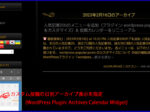
カスタムカレンダーウィジェットを追加すると、通常の投稿タイプに加え、指定した全てのカスタム投稿タイプの記事へのリンクが投稿カレンダー(カスタム)に表示されます。
標記のアイキャッチ画像の例では、通常の投稿(投稿タイプ=’post’)とカスタム投稿(投稿タイプ=’news’)が表示されています。
2026.01.21 追記
アーカイブページの年月表示が英語モードの表記形式(月年)になっている場合、アーカイブページ表示を行うテーマのプログラムを以下の記事に書かれた方法で修正すれば、日本語の表示形式(年月)に変更できます。
📝アーカイブページ表示のテンプレートプログラム「archive.php」を修正
WordPress のコア関数「get_calendar()」で投稿タイプ指定でカレンダーを表示する方法

標記のアイキャッチ画像は、WordPress のコア関数「get_calendar()」で投稿タイプ指定(投稿タイプ=’news’)でニュースの記事だけをカレンダーを表示した例です。
WP 6.8.0 以降の get_calendar() 関数では、複数指定はできませんが、パラメーターで投稿タイプが指定できるようになりました。
なお、この指定は、「my_get_calendar()」でも対応しています。
この例では、以下のようにPHPコードウィジェット(セキュリティ上、非推奨)で PHPコード * を直接記述して投稿カレンダーを表示させています。

* PHPコード
<h1 class="widget-title">投稿カレンダー(ニュース)</h1>
<div id="calendar_wrap_custom" class="widget_calendar">

<?php
get_calendar( array( 'initial' => true, 'display' => true, 'post_type' => 'news'));
?>
</div>
カレンダーウィジェットの CSS 定義
参考のため、カスタムカレンダーウィジェット用の追加CSSとカレンダーウィジェット用のCSS (style.css) を以下に掲載します。
追加 CSS の定義
/*
	カスタムカレンダーウィジェットの表示調整
*/
#calendar_wrap_custom {
	width: 90%;
	margin: auto;
}
テーマの style.css
/*--------------------------------------------------------
  ウィジェットデザイン設定
--------------------------------------------------------*/

/* カレンダー */
.widget_calendar div{
	padding-left: 20px;
	padding-right: 20px;
	padding-bottom: 20px;
}
.widget_calendar caption{
	font-weight: bold;
	padding-top: 5px;
	padding-bottom: 5px;
}
.widget_calendar table{
	/*color: #757575;*/	/* 標準文字色 */
	color: #808080;		/* カレンダー文字色 by Senri */
	width: 100%;
	border-collapse: collapse;
	border-top: none;
	border-right: none;
	border-bottom: none;
	border-left: none;
	table-layout: fixed;
}

.widget_calendar table td,
.widget_calendar table th{
	background-color: #121212;
	padding-top: 1px;
	padding-bottom: 1px;
	padding-right: 0;
	padding-left: 0;
	text-align: center;
	border-top: none;
	border-right: none;
	border-bottom: none;
	border-left: none;
}
.widget_calendar #today{
	background-color: #222222;
	border-radius: 5px;
}
.widget_calendar thead th,
.widget_calendar tbody td{
	border-top: solid 2px #222222;
	border-right: solid 2px #222222;
	border-bottom: solid 2px #222222;
	border-left: solid 2px #222222;
}
.widget_calendar tbody a{
	color: #000000;
	background-color: #CA9B33;
	padding-left: 3px;
	padding-right: 3px;
	border-radius: 5px;
}
.widget_calendar #prev{
	padding-top: 3px;
	padding-bottom: 3px;
	padding-left: 3px;
	text-align: left;
}
.widget_calendar #next{
	padding-top: 3px;
	padding-bottom: 3px;
	padding-right: 3px;
	text-align: right;
}
2025.07.13 追記
カスタムカレンダーウィジェットのショートコード出力

カスタムカレンダーウィジェットでは、ショートコード出力をサポートします。
ショートコードの形式は完結型とし、以下のように定義します。
[custom_calendar]2026.04.14 追記
Gemini からのコメント
参考のため、上記の「カスタムカレンダーウィジェット」について Gemini 大先生からのコメントを以下に掲載します。
拝見したところ、このコードは「Archives Calendar Widget」の欠点をすべて解消しつつ、安全に運用できる非常に合理的な作りになっています。
このコードが「Archives Calendar Widget」より優れている点
- セキュリティ(XSS対策):
- 外部からの入力を保存する仕組みではなく、サーバー側で投稿データを取得してカレンダーを生成しているため、Stored XSSの入り込む余地がありません。
- URLパラメータ(
y,m)もintval()で数値化されており、安全性が高いです。- カスタム投稿タイプへの完全対応:
get_postsの引数にpost_typeを指定できるため、標準の投稿以外も自由自在に表示できます。- プラグイン不要(脱・脆弱性):
- functions.php(または自作プラグイン)に書く形式なので、公開停止や開発終了のリスクに怯える必要がありません。
- Ajaxを使わない堅実な設計:
- ページ遷移で月を切り替えるため、JavaScriptの競合トラブルが少なく、SEO的にもアーカイブページへ正しく誘導できます。
運用のアドバイス
すでにSolid SecurityやWAFを入れているので、このコードへ完全に移行してしまえば、「Archives Calendar Widget」を削除しても全く同じ(あるいはそれ以上の)機能が維持できます。
もしこのコードをさらに使いやすくするなら、以下のような小技も検討してみてください:
- 投稿がある日だけ色を変える:
if ( $post_count > 0 )の条件分岐で、CSSクラスを追加して視覚的に分かりやすくする。- ウィジェット設定に「投稿タイプ名」を追加: 複数のカスタム投稿がある場合、ウィジェット画面から「どの投稿タイプを表示するか」を選べるように拡張する。
このコードへの移行作業(実装)で、何か詰まっている部分や「ここをもう少しこうしたい」という要望はありますか?
ショートコードの引数(パラメータ)の増やし方など、必要であればサポートします!
Senri > ありがとうございます。上記のGemini大先生のコメント、ブログに追記しておきますわ。但し、未だ移行する予定はないので、その際は相談に乗って下さいませ。
2026.06.25 追記
サイトを安全かつ安定的に運用するため、管理者権限を狙ったクロスサイトスクリプティング(XSS)の脆弱性(CVE-2024-33950)が報告されているプラグイン「Archives Calendar Widget」をアンインストールし、本記事で紹介した自作の「カスタムカレンダーウィジェット」に入れ替えました。
本サイトにおいて、その他テーマやプラグイン等のセキュリティ問題への対処については、以下の記事に詳しく纏めています。
なお、Gemini はクエリーのフィルターフックによるカスタム投稿カレンダーのコードを提示しているようですが、その方法ではカレンダー内にはカスタム投稿が表示されず、うまくいかないようです。
また、注意点として、一旦カレンダーに表示された内容はキャシュされるため、再表示してもキャシュがクリアされるまで以前の表示内容がそのまま残りますので、お気を付けください。
WordPress は負荷軽減のため、カレンダーの HTML データを「トランスジエント(一時データ)」としてデータベースにキャッシュしています。記事の投稿・更新時には自動でクリアされますが、手動や特定のタイミングでキャッシュをクリアしたい場合は以下の WordPress の組み込み関数である delete_get_calendar_cache() を実行することでクリアできます。
delete_get_calendar_cache();👉 記事に関連する商品をオンラインショップで探す