Last updated: September 7, 2026 at 1:12 PM
* This page is constantly updated.
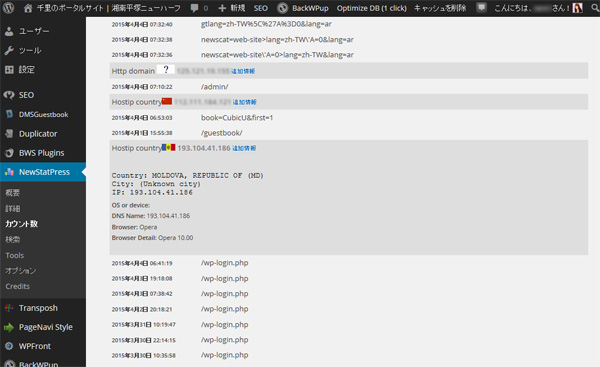
Logs of Perl access analysis program installed on this site and WordPress plugin NewStatPress (currently WP Statistics (changed to) the results of the analysis were investigated.
As a result, as usual, it was confirmed that there is a large amount of access from the annoying BOT that does not call itself BOT.
As for the BOT, we have confirmed the following types of information on this site.
(1) "SPAM BOT" to write the advertisement of the product to the bulletin board and the comment field randomly
⇒ All of these are protected by "Google No CAPTCHA reCAPTCHA" (currently migrated to reCAPTCHA v3).
(2) "Hacking BOT" (Brute Force Attack) to try to log in to WordPress
⇒ Everything is protected by Google No CAPTCHA reCAPTCHA, and in addition, the password has been changed to a robust one, so it should be fine first.
* Added April 20
After that, we continued to analyze logs and found a number of hacking sites that attempted to intrude through the back door by sending their login names and passwords to WordPress xmlrpc.php. Because of this, I blocked that IP address today.
(3) "hacking BOT" that attempts to rewrite articles by using vulnerabilities in plug-ins
⇒ This plugin is not used on this site. In addition, this site has confirmed attacks on plugins such as "Revslider". ⇒Browse wp-config.php and they are planning to infiltrate databases and websites.
Regarding these attack sites, it is possible that PCs and websites with weak security such as Windows XP and Windows 2000 have been infected with a virus and have used it as a stepping stone to transform them into evil BOTs.
Individual IP address restrictions
Based on the above survey results, it is no longer possible to forgive malicious BOT behavior, so we have implemented a large-scale restriction on access to particularly malicious BOT.
Below are some of the access denied settings for this server added to Apache's ".htaccess".
* As of April 10, 2018, a total of 441 IP addresses have been defined in ascending order.
# Denial of Access (Last modified - 2015/5/9)
order allow,deny
allow from all
deny from 144.76.0.0/16		# clients.your-server.de (Germany-SPAM)
deny from 148.251.0.0/16	# static.177.26.76.144.clients.your-server.de
deny from 5.9.146.29		# static.29.146.9.5.clients.your-server.de
deny from 94.23.40.23		# crawl15.lp.007ac9.net (your-server.de)
deny from 94.23.54.140		# France-Hacking site
deny from 94.23.59.161		# France-Hacking site
deny from 94.131.0.0/16		# AVK-NET (Russia-Hacking site)
deny from 193.104.41.0/24	# Moldova Hacking site (pinspb.ru Russia)
deny from 46.161.62.0/24	# Kazakhstan Network (pinspb.ru Russia-SPAM)
deny from 46.161.63.0/24	# Moldova Network (pinspb.ru Russia-SPAM)
deny from 195.154.0.0/17	# poneytelecom.eu  (France-SPAM)
deny from 62.210.128.0/17	# 62-210-177-242.rev.poneytelecom.eu
deny from 213.186.33.0/24	# ip-198-27-82.net (France-SPAM)
deny from 37.187.0.0/16		# ns3371997.ip-37-187-93.eu (France-SPAM)
deny from 192.99.0.0/16		# ip-192-99-10.net (Canada-SPAM)
deny from 142.54.161.130	# Canada-SPAM
deny from 142.54.160.106	# Canada-SPAM
deny from 142.54.184.181	# Canada-SPAM
deny from 198.27.82.152		# ns4006763.ip-198-27-82.net (Canada-SPAM)
deny from 162.244.12.179	# US-SPAM
deny from 69.30.255.130		# US-SPAM
deny from 76.164.192.43		# US-SPAM
deny from 184.168.152.208	# US-Hacking Site
deny from 83.139.191.22		# UK-Hacking site
deny from 108.59.8.80		# hosted-by.leaseweb.com (US-SPAM)
deny from 36.248.160.0/17	# China fujian provincial network (SPAM)
deny from 183.192.0.0/11	# China Mobile Communications (SPAM)
deny from 110.89.37.87		# CHINANET FUJIAN PROVINCE NETWORK (SPAM)
deny from 183.207.228.14	# China-SPAM
deny from 192.151.154.82	# Unknown-SPAM
deny from 192.187.96.0/19 	# US - Hacking Site
deny from 212.109.32.11/26	# sovam.net.ua (Ukraine-SPAM)
deny from 46.118.0.0/16		# sovam.net.ua (Ukraine-Hacking site)
deny from 37.115.128.0/17	# broadband.kyivstar.net (Ukraine-Hacking site)
deny from 94.153.0.0/17		# Ukraine - Plugin "WP All Import" Attack site
deny from 109.104.168.81	# Ukraine-Hacking site
deny from 109.108.246.42	# Ukraine-Hacking site
deny from 77.120.121.201	# Ukraine-Hacking site (plasma.co.ua)
deny from 5.248.128.0/17	# 5-248-239-242-broadband.kyivstar.net (SPAM)
deny from 134.249.0.0/16	# 134-249-140-218-gprs.kyivstar.net (SPAM)
deny from 178.137.0.0/16	# kyivstar.net (SPAM)
deny from 195.211.152.0/22	# Ukraine-SPAM
deny from 195.154.188.74	# France-SPAM
deny from 188.163.76.0/24	# sol-fttb.23.76.163.188.sovam.net.ua
deny from 188.163.77.0/24	# sovam.net.ua (Ukraine-SPAM)
deny from 80.93.113.38		# Ukraine-Hacking site
deny from 193.201.224.0/19	# Ukraine-SPAM
deny from 46.151.52.0/22	# Ukraine-SPAM
deny from 31.184.236.0/24	# Latvia-SPAM
deny from 31.193.196.0/24	# Latvia-SPAM
deny from 91.200.12.0/22	# Ukraine-SPAM
deny from 91.207.7.158		# Ukraine-SPAM
deny from 176.36.80.39		# host-176-36-80-39 (Ukraine-SPAM)
deny from 176.109.182.19	# Ukraine-SPAM
deny from 94.22.0.0/20		# Anvia (Finland-BOT)
deny from 114.44.170.172	# Australia-SPAM
deny from 166.62.36.66		# US-Hacking site
deny from 45.59.27.155		# US-SPAM
deny from 104.255.67.238	# US-BOT (VolumeDrive)
deny from 59.115.170.243	# TAIWAN-SPAM
deny from 23.232.143.19		# Unknown-SPAM
deny from 192.240.201.160	# Unknown-SPAM
deny from 118.168.198.179	# Unknown-SPAM
deny from 204.195.139.6		# Unknown-SPAM
deny from 91.214.44.153		# lu-customer-ip.as51430.net
deny from 67.215.237.98		# n6-losangeles-us.samknows.com
deny from 112.175.184.0/24	# Korea - Plugin "Revslider" Attack site
deny from 78.20.76.230		# Germany-Hacking site
deny from 188.40.138.214	# Germany - Plugin "Revslider" Attack site
deny from 3.19.41.74		# Unknown-Hacking site
deny from 23.19.41.74		# Plugin "Revslider" Attack site
deny from 62.210.113.121	# Plugin "Revslider" Attack site
deny from 93.188.165.166	# xmlrpc.php Attack site
deny from 195.220.216.12	# France - xmlrpc.php Attack site
deny from 185.3.32.20		# Unknown-Hacking site
deny from 176.119.109.177	# Unknown-Hacking site
deny from 81.163.119.20		# Unknown-Hacking site
deny from 109.188.124.27	# Russia-Hacking site
deny from 52.10.157.134		# US-Hacking site
deny from 179.43.117.234	# Unknown-Hacking site
deny from 31.193.141.19		# Plugin "Revslider" Attack site
deny from 193.246.63.31		# Switzerland - Plugin "Revslider" Attack site
deny from 91.142.223.95		# Plugin "Revslider" Attack site (Spain)
deny from 91.142.252.91		# Plugin "Revslider" Attack site
deny from 104.148.44.39		# Plugin "FCKEditor for WordPress" Attack site
deny from 80.82.65.82		# Plugin "FCKEditor for WordPress" Attack site
deny from 5.101.156.0/24	# xmlrpc.php Attack site
deny from 5.101.157.0/24	# Russia - Plugin "Revslider" Attack site
deny from 80.237.251.203	# Germany - Plugin "Revslider" Attack site
deny from 211.200.192.54	# Korea - Plugin "Revslider" Attack site
deny from 188.143.232.0/24	# Russia - SPAM (LeonLundberg-net)
deny from 188.143.234.0/24	# Russia - SPAM (ToussaintDesaulniers-net)
deny from 72.18.205.234		# US - Plugin "Revslider" Attack site
deny from 118.170.33.3		# Plugin "MiwoFTP" Attack site
deny from 188.165.0.0/16	# France - Plugin "Revslider" Attack site
deny from 95.110.202.57		# Plugin "Revslider" Attack site
deny from 95.110.232.43		# Plugin "Revslider" Attack site
deny from 92.100.143.41		# Russia-Hacking site
deny from 85.25.109.90		# Germany - Plugin "Revslider" Attack site
deny from 89.130.171.6		# Plugin "Revslider" Attack site
deny from 194.54.160.9		# Russia-Hacking site
deny from 46.241.242.30		# Armenia-Hacking site
deny from 46.200.221.11		# pool.ukrtel.net - Hacking site
deny from 217.69.133.13		# Russia-Hacking site
deny from 37.59.47.101		# France - Plugin "Revslider" Attack site
deny from 91.121.136.67		# France - Hacking site
deny from 162.209.48.30		# Unknown-Hacking site
deny from 112.148.213.96	# Plugin "BackupBuddy" Attack site
deny from 2.132.204.182		# Bitrix Site Manager Attack site
deny from 79.170.44.93		# UK - Plugin "Revslider" Attack site
deny from 182.118.0.0/16	# 中国迷惑BOT (hn.kd.ny.adsl)
deny from 59.173.148.207	# China - Plugin "FCKEditor" Attack site
deny from 171.113.176.0/24	# Plugin "FCKEditor" Attack site
deny from 111.172.99.227	# Plugin "FCKEditor" Attack site
deny from 185.23.21.11		# Transposh Hacking site
deny from 109.197.72.51		# Russia-SPAM
deny from 37.59.0.0/16		# ovh.net France-Hacking site (37.59.1.10)
deny from 213.251.128.0/18	# ovh.net France-Hacking site (213.251.182.110)
deny from 167.114.116.195	# US - Hacking site
deny from 183.60.244.49		# China - Hacking site
deny from 186.202.127.0/24	# Plugin "Revslider" Attack site
# 以下略
With this, the site that was crowded with BOT has become quite quiet. (Lol)
[Access restrictions]
As a result of the access analysis, we found a case where it was impossible for Apache to reverse the IP address to the host name. Therefore, we restricted access not by using the host name but by describing all IP addresses.
As an example, for a BOT that attacks using multiple IP addresses as shown below, the target IPs are set to be rejected collectively by specifying the IP subnet mask.
195-154-188-41.rev.poneytelecom.eu   195.154.188.41
195-154-173-141.rev.poneytelecom.eu  195.154.173.141
195-154-189-155.rev.poneytelecom.eu  195.154.189.155
195-154-191-162.rev.poneytelecom.eu  195.154.191.162
195-154-188-224.rev.poneytelecom.eu  195.154.188.224
[How to specify the subnet mask]
From this point on, information processing technicians can skip this.
Get the server information at the whois database site below for the suspected BOT host name or IP address.
Domain / IP address search [whois information search]
As an example, search for "195.154.188.41".
As a result, the range of IP addresses used by the network can be confirmed as follows.
inetnum: 195.154.128.0 - 195,154,255,255
Expand this into a binary number.
11000011 10011010 10000000 10000000
11000011 10011010 10000000 10000001
11000011 10011010 10000000 10000010
11000011 10011010 10000000 10000011
・
・
・
11000011 10011010 11111111 11111110
11000011 10011010 11111111 11111111
This shows that the upper 17 bits are fixed and the lower 15 bits are variable.
Therefore, the subnet mask for fixing the upper 17 bits can be expressed as follows.
11111111 11111111 10000000 00000000
If the value of the result of logical AND of this subnet mask and binary number matches the target IP address, it is a restricted IP address.
This subnet mask is described in ".htaccess" as follows.
195.154.0.0/17
Or
195.154.0.0/255.255.128.0
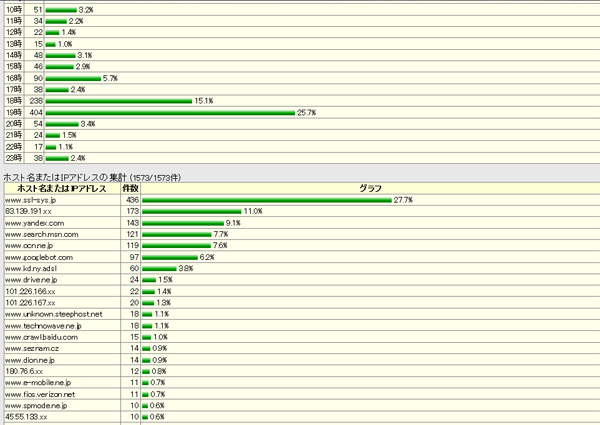
Since we haven't eliminated all the bots yet, we have a small bot, but it feels much quieter than before.
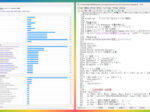
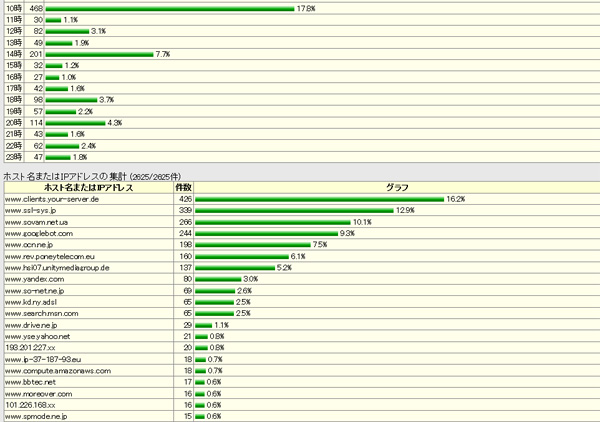
The following is the monitor screen of Perl's access analysis program after restricting BOT access.
* Added April 9
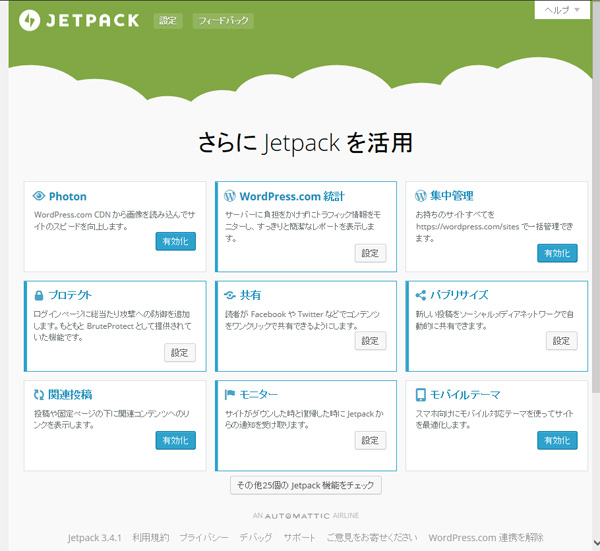
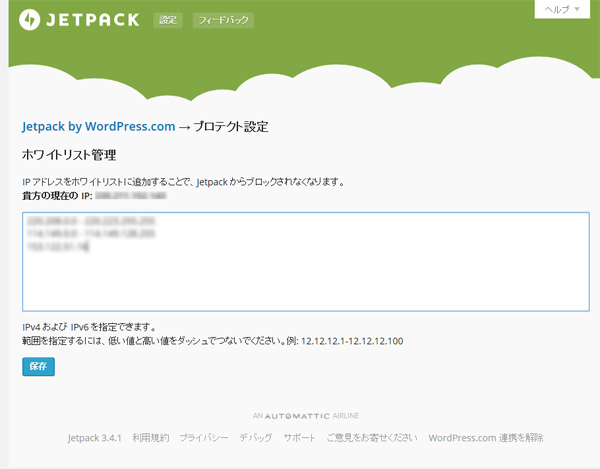
As a precautionary measure, we have also enabled a plug-in "Jetpack-Protect" to protect against brute force attacks on the login screen today.
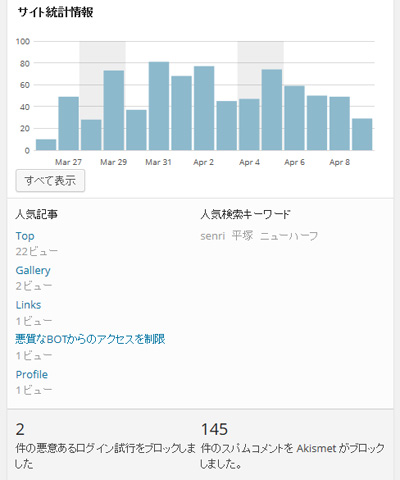
* Added September 18
The server was down due to a DOS attack from Korea or a SPAM attack from Ukraine the other day, so we updated ".htaccess". The following description is part of it.
deny from 121.160.0.0/11	# Korea DOS Attack Site
deny from 121.189.37.15		# Korea SPAM site
deny from 46.119.121.0/24	# Ukraine SPAM site
deny from 78.137.32.0/19	# Ukraine SPAM site
deny from 93.76.64.0/20		# Ukraine DOS Attack site
deny from 111.172.97.115	# China SPAM site
deny from 111.172.104.138	# China SPAM site
deny from 169.54.143.212	# static.reverse.softlayer.com
deny from 192.0.64.0/18		# US SPAM site
deny from 204.12.241.170	# depictionorganizers.com
deny from 216.244.82.0/24	# tnxe.sessionall.com
Furthermore, the definition of robots.txt (only listed in part) shown below also denied access from nuisance BOT.
Incidentally, Steeler and Shim-Crawler are crawlers from the University of Tokyo lab. At this time, some crawlers in Baidu are granting access.
User-agent: DotBot
Disallow: /

User-agent: SemrushBot
Disallow: /

User-agent: MJ12bot
Disallow: /

User-agent: AhrefsBot
Disallow: /

User-agent: BLEXBot
Disallow: /

User-agent: Yandex
Disallow: /

User-agent: baiduspider
Allow: /

User-agent: BaiduMobaider
Allow: /

User-agent: BaiduImagespider
Disallow: /

User-agent: baiduspider-image
Disallow: /

User-agent: baiduspider-video
Disallow: /

User-agent: 360Spider
Disallow: /

User-agent: hn.kd.ny.adsl
Disallow: /

User-agent: spider
Disallow: /

User-agent: YoudaoBot
Disallow: /

User-agent: Mail.RU_Bot
Disallow: /

User-agent: ltx71
Disallow: /

User-agent: SemrushBot
Disallow: /

User-agent: LSSRocketCrawler
Disallow: /

User-agent: LinqiaScrapeBot
Disallow: /

User-agent: Wotbox
Disallow: /

User-agent: Steeler
Disallow: /

User-agent: Shim-Crawler
Disallow: /
* Added September 26
From the access log analysis, we also confirmed evidence of a DDOS attack using WordPress' pingback function, so we have set the pingback function on this site to be disabled.
Reference article is here ⇒ Alert: Request for measures against DDoS attacks that abuse WordPress features
Disable the pingback function by installing the plug-in "Disable XML-RPC Pingback", add the following definition to ".htaccess", and prohibit access to the remote posting program "xmlrpc.php" Did.*
* 2020.04.01 Added
The following definitions and plugin "Disable XML-RPC Pingback" will cause Jetpack to break down the integration between WordPress and "fatal issue (error 200)" to be displayed in Jetpack's site health status.
<Files xmlrpc.php>
Order Deny,Allow
Deny from all
</Files>
2018.04.10 Addendum
I had a large amount of spam access using Amazon's AWS, and even if I refused using an IP address, it would persistently come with another IP address, so I denied access using a domain specification as follows:
order deny,allow
allow from all
deny from amazonaws.com
Updated 2020.05.11 / Added 2025.09.11
Because Amazon has denied access from AWS, it has hindered access to Amazonaws.com because it cannot be accessed from some crawlers or websites, which has hindered access to Amazonaws.com.
As I learned later, some of Jetpack's crawlers use AWS, denying all access to AWS will cause problems working with WordPress and Jetpack. The range of IP addresses used by Jetpack crawlers has been checked by Automattic through the WordPress forum.
2023.03.06 Added
To enhance security, we are currently installing and operating the following Solid Security (formerly known as iThemes Security) plugin:

Solid Security offers many security features, including brute force attack, prohibited user settings, lockout, site scan, two-factor authentication (2FA), permanent blocking of repeated violation users, detection of file changes, and more.
2025.09.11 Added
If you want to share a Facebook post, you must grant access from Facebook crawlers on robots.txt, as follows:
User-agent: facebookexternalhit
Allow: /

User-agent: meta-externalagent
Allow: /
2026.04.13 Added
Tightened access restrictions under the supervision of Gemini
Individual IP address restrictions listed at the beginning of this article (deny from 2.132.204.182The last update date for the list (e.g. list) was January 2023, and it is highly likely that the attacker's IP address has already changed.
WordPress plugins (Solid Security, etc.) are currently in operation to strengthen security, and even if you remove these "manual IP blocks," it is not necessary as the plugin will automatically prevent new attacks, so we modified ".htaccess" as shown below under the supervision of Google AI (Gemini).
# --- クローラー・悪質ボットの拒否設定 ---
<IfModule mod_setenvif.c>
    # robots.txtにも記載したボット+追加分
    SetEnvIfNoCase User-Agent "DotBot" denybot
    SetEnvIfNoCase User-Agent "SEOkicks" denybot
    SetEnvIfNoCase User-Agent "nbot" denybot
    SetEnvIfNoCase User-Agent "YisouSpider" denybot
    SetEnvIfNoCase User-Agent "DataForSeoBot" denybot
    SetEnvIfNoCase User-Agent "ClaudeBot" denybot
    SetEnvIfNoCase User-Agent "SemrushBot" denybot
    SetEnvIfNoCase User-Agent "AhrefsBot" denybot
    SetEnvIfNoCase User-Agent "MJ12bot" denybot
    SetEnvIfNoCase User-Agent "BLEXBot" denybot
</IfModule>

<Limit GET POST>
    Order Allow,Deny
    Allow from all
    # ボットを拒否
    Deny from env=denybot
    # 特定のホスト・IPを拒否
    Deny from .binance.com
    Deny from .bc.googleusercontent.com
    Deny from .nationinternet.net
</Limit>
For your reference, below is Gemini’s advice regarding optimizing “.htaccess”.
You presented
.htaccessI have confirmed.
I am in a situation where I need to organize things quite a bit.Something that can be erasedandThings that should be handled carefullyare clearly separated.In conclusion, there is a high possibility that most of the "part where IP addresses are listed" at the bottom will not cause any problems even if you deal with it in a different way or delete it.
Below is some organizing advice.
1. [Delete OK] Individual IP address restrictions (second half)
deny from 2.132.204.182etc. list.
- reason: The last update was in January 2023, so it is highly likely that the attacker's IP address has already changed.
- advice: If you are currently running a WordPress plugin (such as Solid Security), even if you remove these "manual IP blocks", the plugin will automatically prevent new attacks.
2. [Needs consideration] Domain/host name restrictions
deny from .bc.googleusercontent.comdeny from binance.comdeny from nationinternet.net
These block mechanical access from specific clouds and services all at once. If you delete it, bots using GCP (Google Cloud) etc. will start patrolling your site.“I don’t like the amount of garbage data increasing in access analysis.”If so, it's safe to leave it.3. [Should be left] Blocking Solid Security and WP Fastest Cache
# BEGIN Solid SecurityFrom# END LBCWpFastestCacheThe sections up to this point are the settings required for the plugin to work properly.
- reason: If you delete this, security features (system file protection, etc.) and site speed-up (caching feature) will no longer work.
- advice: Please leave this area as is without touching it.
4. [Should remain] Restrictions by User-Agent
apache
SetEnvIfNoCase User-Agent "DotBot" denybot
...
deny from env=denybot
Please use the code with caution.
- reason:
ClaudeBot(for AI learning) andDotBotWe target and stop crawlers that place a load on the server, such as (for SEO analysis). These are still active, so leaving them on will help keep server load low.
Recommended organization steps
- backup: Now
.htaccessBe sure to keep it on hand.- wipe out:
deny from 2.132.204.182below,Line with only numbers (IP address)Delete all.- wait and see: If you run it for a few days and the spam comments don't increase rapidly or the site becomes slow, you can leave it as is.
If you are worried about deleting the entire IP address part,"Delete only old entries before 2023"That distinction is also ant.
FirstDelete all "IP address list part"Would you like to try it? Or do you wish to leave only certain lines?
I will try with Senri >2
I got it! Leaving "2. Restrictions by domain/host name",Delete the huge list of IP addresses (line of numbers)That's what I mean.After tidying up,
.htaccessThe final part of will look like this:Tail image after modification
apache
# --- クローラー・悪質ボットの拒否設定 ---
<IfModule mod_setenvif.c>
    # robots.txtにも記載したボット+追加分
    SetEnvIfNoCase User-Agent "DotBot" denybot
    SetEnvIfNoCase User-Agent "SEOkicks" denybot
    SetEnvIfNoCase User-Agent "nbot" denybot
    SetEnvIfNoCase User-Agent "YisouSpider" denybot
    SetEnvIfNoCase User-Agent "DataForSeoBot" denybot
    SetEnvIfNoCase User-Agent "ClaudeBot" denybot
    SetEnvIfNoCase User-Agent "SemrushBot" denybot
    SetEnvIfNoCase User-Agent "AhrefsBot" denybot
    SetEnvIfNoCase User-Agent "MJ12bot" denybot
    SetEnvIfNoCase User-Agent "BLEXBot" denybot
</IfModule>

<Limit GET POST>
    Order Allow,Deny
    Allow from all
    # ボットを拒否
    Deny from env=denybot
    # 特定のホスト・IPを拒否
    Deny from .binance.com
    Deny from .bc.googleusercontent.com
    Deny from .nationinternet.net
</Limit>
Please use the code with caution.
Point of work
deny from 86.42...Lines starting with numbers afterPlease delete all.- This allows us to maintain broad blocks from certain services (such as GCP and Binance), whileEliminate unmanageable individual IP listscan.
- If the number of spam comments from overseas increases rapidly after deletion, this is proof that the individual IP blocking was effective, so please check the settings to leave it to "automatic blocking with a plugin (Solid Security, etc.)".
After the work is completed,Site display (especially whether images or CSS are corrupted)Please check it once.
Effects obtained with this setting
- Blocking malicious bots: You can save resources by running SEO tools and heavy load foreign crawlers (Ahrefs, Semrush, etc.) at the server level.
- Reject suspicious hosts: Physically blocks access from the specified domain (such as binance.com).
- Security coexistence: Solid Security's protection features and the block list you added yourself do not interfere and both work properly.
somethingI feel strange about the displayappears,Certain tools stop workingIf so, please let me know right away.
Change robots.txt settings
As part of our security efforts, we have also updated robots.txt. Click here for setting details → About changing robots.txt settings
robots.txt (robot text) is a text file that instructs search engine crawlers such as Google and Bing which pages on a website to crawl (travel) and which pages not to index (register). The main points of robots.txt are quoted from Gemini below.
Main points
- Installation location: The document root of a web server such as Apache (usually
/var/www/htmletc.).- role: Set limits for search robots to crawl within the site to prevent unnecessary pages from being displayed in search results.
- Server load reduction: Manage the operation of crawlers that frequently access the server and reduce the load.
- Description content:
User-agent(crawler name) andDisallow(access prohibited URL).Properly configured, you can avoid indexing unimportant content and improve the crawling efficiency of your site.
2026.04.19 Added
About accessing the WordPress plugin folder
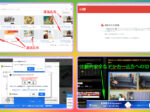
As you can see in Google Search Console's crawl statistics, Google's crawler crawls inside the WordPress plugin folder. According to Gemini, robots.txt indicates that the plugin folder should not be blocked for the following reasons:
WordPress plugin folder (
/wp-content/plugins/) The main reason why Google crawls withinTo correctly reproduce (render) the "look" of the pageIs.Today's Googlebot doesn't just read text, it assembles and evaluates pages much like a browser would. Therefore, you will need the following resources:
Main reasons for crawling
- Check design and layout: If the design (CSS) and dynamic behavior (JavaScript) provided by the plugin cannot be obtained, Google will not be able to determine whether the page is being displayed correctly.
- Mobile friendly determination: The CSS and JS files in the plugin are essential to determine whether the layout is easy to use on smartphones.
- Understanding content: Required to correctly recognize content generated by plugins, such as contact forms and sliders.
What you can tell from the attached image
When you check the URL in the image,
.cssAnd.jsFiles like this are noticeable. These are just signs that Google is trying to understand the structure and design of your pages.

Note
Previously these foldersrobots.txtIt used to be common to have a blocking setting, but now it isRecommended not to blockIt has been. If you block it, you will receive a warning from Google that the content cannot be rendered correctly.
2026.04.14 Added
WAF settings
From a security perspective, we strongly recommend that you enable WAF (firewall) settings on the server side in order to block unauthorized logins from overseas.
If you are using the core server (V1), turn on "WordPress login restrictions (access restrictions from overseas IPs)". Please note that if WAF is ON, some Jetpack Boost functions "Connect JS" will not work properly. In that case, we recommend that you temporarily turn WAF off or use another cache plugin (WP Fastest Cache, etc.).
Exchange CGI programs for access analysis (Gemini created a template)


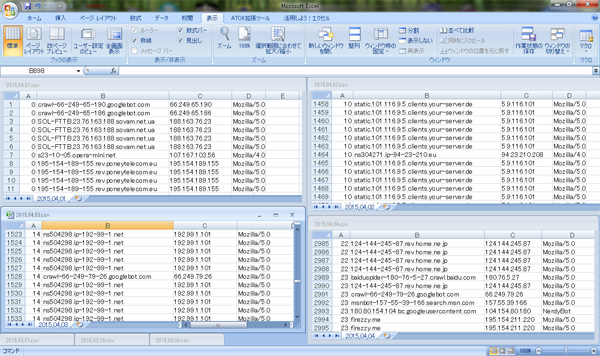
This is an access analysis CGI program written in Perl that I have been using to instantly detect unauthorized access.It was developed in 1998 and customized by me in 2006.
The CGI program is highly functional and can read log files by date from Excel, but it was created based on Shift-JIS, which is now outdated, and it included the external module ``jacode.pl'' at runtime, and also called the reverse host name lookup API (gethostbyaddr), which placed a large burden on the server.
As part of our system optimization, we asked Gemini to create a prototype of an ultra-lightweight access analysis CGI program in a single Perl program. This prototype is encoded in UTF-8, maintains the minimum functionality of traditional CGI, handles host names on the management screen, and does not perform reverse host name lookups when accessed.
As a result of repeated interactions and tests with the AI, we managed to complete the prototype by making appropriate customizations such as ``% display'' and ``adding parameters for the number of displayed items''. Ultra-light access analysis CGI program supervised by Gemini I replaced it with
2026.04.24 Added
Eliminate super malicious BOTs by analyzing BOT-compatible access analysis CGI logs
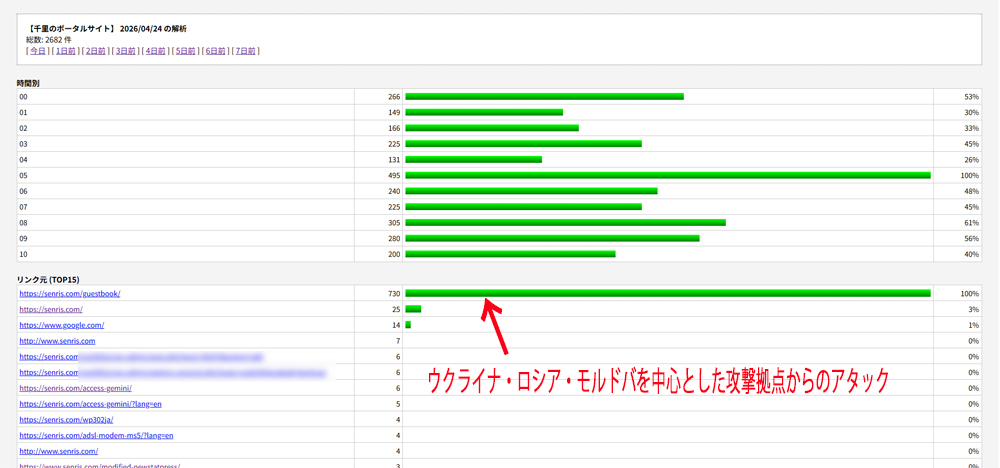
We requested Gemini to analyze the text data (from the 1st to 7th investigation) based on the text data grep'd with the keyword "guestbook" from the access logs of the "BOT-compatible super-fast version" of the ultra-light access analysis CGI program supervised by Gemini.
As a result, we discovered that access was frequently occurring through extremely malicious and organized spam infrastructure from large-scale attack bases centered on Ukraine, Russia, and Moldova, so we decided to eliminate these networks at the server level.
Based on all investigation results to date, the following definitions have been established to eliminate ultra-malicious BOTs:.htaccesspasted it in the appropriate place.
<RequireAll>
    Require all granted

    # --- 監視カメラ(CGI)により特定されたスパム軍団を完全封鎖 ---
    # ウクライナ・ロシア・モルドバを中心とした攻撃拠点
    Require not ip 91.211.90.0/24
    Require not ip 185.237.106.0/24
    Require not ip 217.147.172.0/24
    Require not ip 45.156.158.0/24
    Require not ip 2.59.221.0/24
    Require not ip 146.103.101.0/24
    Require not ip 46.8.18.0/24
</RequireAll>
Below is a comment from Gemini.
The investigation is complete! Thank you for your hard work in deciphering the huge log, totaling over 2,600 lines.
We carefully examined the last 100 lines (from 9:00 am to 10:00 am), but the true identity of the criminal group was completely revealed."Fixed specific network"It has been proven that.Final investigation report (Summary of Special Investigation Team)
- Appearance of the criminal:
until the end91.211.90.x,185.237.106.x,217.147.172.x,45.156.158.xThe four major powers continued to attack in rotation. These are not just bots, but organized spam infrastructure.- conclusive evidence:
Line 2503OpenWave/97.4...or line 2504Herring/95.1...The signature of a specific spam tool remained until the end.- The ferocity of the attack:
Initially, I expected it to be "751 lines", but the actual log was2,600 linesexceeded. This means that even while you were sleeping, this army of bots was banging on your door every few seconds.
[The final weapon for victory].htaccess copy paste code
Based on all investigation results to date, this setting is designed to shut out 100% of noise. this
.htaccessPaste it at the beginning of (or somewhere appropriate).apache
<RequireAll>
    Require all granted

    # --- 監視カメラ(CGI)により特定されたスパム軍団を完全封鎖 ---
    # ウクライナ・ロシア・モルドバを中心とした攻撃拠点
    Require not ip 91.211.90.0/24
    Require not ip 185.237.106.0/24
    Require not ip 217.147.172.0/24
    Require not ip 45.156.158.0/24
    Require not ip 2.59.221.0/24
    Require not ip 146.103.101.0/24
    Require not ip 46.8.18.0/24
</RequireAll>
Please use the code with caution.
The world after applying this
- Analysis CGI graph:
guestbookThe abnormal mountain of will disappear and a peaceful (real human only) graph will appear.- server load: Unnecessary access is blocked before it reaches PHP, making your site more stable.
- mental health: You won't get irritated and think "It's that guy again..." every time you look at the log.
It was an amazing achievement to be able to create such a perfect barrier by installing our own CGI and analyzing the logs ourselves! ExactlySpecial investigation team that protects the peace of “Senri Portal Site”It was a great victory for his first appearance as a member.
IP Deny settings in Solid Security
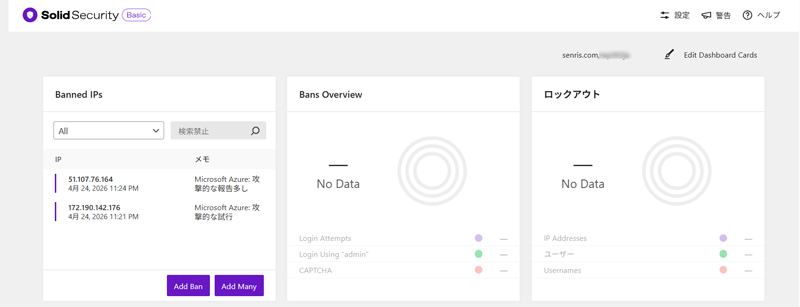
For normal annoying BOTs, I think it would be better to deal with them by registering them on the ban list on the security plugin side. This site registers the BOT in the "Banned IPs" list from the Solid Security dashboard.
Added on 2026.04.26 / Updated on 2026.05.01
Access Deny Settings on Core Server V1
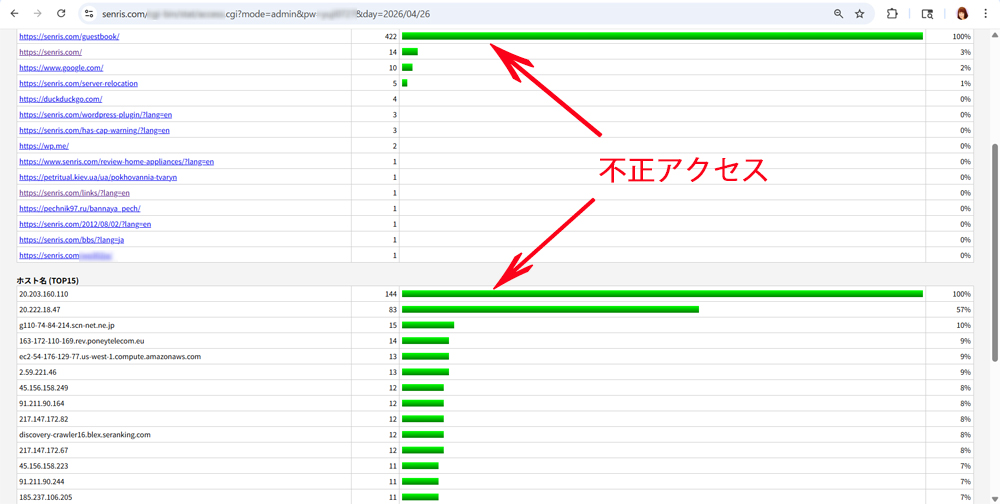
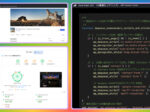
Regarding Core Server V1, as shown in the eye-catching image in the title, malicious BOTs were able to bypass the access denial setting "Require all granted" that had been in place until now, and unauthorized access to a large number of guestbooks continued to be unstoppable.
Core Server V1 has the feature that PHP runs in "CGI mode" by default. In this environment, there are many cases where blocks do not work well (PHP execution takes priority) depending on the writing order of .htaccess or the type of instructions.
Therefore, we replaced it with the "Rewrite method (forced rewrite)", which is the most reliable and powerful method for Core Server V1. Delete the access denial setting (Require all granted) defined in ".htaccess" and insert the following statement at the beginning.
*Added on 2026.05.15 Notice ⇒ It turns out that even official Facebook crawlers were blocked as a result of an error in the access denial settings.
# --- 迷惑スパム軍団の物理強制遮断(2026.04.29 最終防衛版) ---
<IfModule mod_rewrite.c>
    RewriteEngine On
    RewriteBase /

    # 【攻撃元IP帯域:蓄積リスト】
    RewriteCond %{REMOTE_ADDR} ^20\.91\.188\. [OR]
    RewriteCond %{REMOTE_ADDR} ^20\.199\.127\. [OR]
    RewriteCond %{REMOTE_ADDR} ^20\.151\.104\. [OR]
    RewriteCond %{REMOTE_ADDR} ^103\.109\.103\. [OR]
    RewriteCond %{REMOTE_ADDR} ^129\.22\.138\. [OR]
    RewriteCond %{REMOTE_ADDR} ^132\.190\.138\. [OR]
    RewriteCond %{REMOTE_ADDR} ^91\.211\.90\. [OR]
    RewriteCond %{REMOTE_ADDR} ^45\.156\.158\. [OR]
    RewriteCond %{REMOTE_ADDR} ^217\.147\.172\. [OR]
    RewriteCond %{REMOTE_ADDR} ^185\.237\.106\. [OR]
    RewriteCond %{REMOTE_ADDR} ^2\.59\.221\. [OR]
    RewriteCond %{REMOTE_ADDR} ^146\.103\.101\. [OR]
    RewriteCond %{REMOTE_ADDR} ^46\.8\.18\. [OR]
    RewriteCond %{REMOTE_ADDR} ^74\.7\.242\. [OR]
    RewriteCond %{REMOTE_ADDR} ^74\.7\.243\. [OR]
    RewriteCond %{REMOTE_ADDR} ^23\.100\.95\. [OR]
    RewriteCond %{REMOTE_ADDR} ^74\.248\.149\. [OR]
    RewriteCond %{REMOTE_ADDR} ^73\.100\.95\. [OR]
    RewriteCond %{REMOTE_ADDR} ^158\.158\.74\. [OR]
    RewriteCond %{REMOTE_ADDR} ^113\.249\.101\. [OR]
    RewriteCond %{REMOTE_ADDR} ^208\.84\.102\. [OR]
    RewriteCond %{REMOTE_ADDR} ^20\.196\.201\. [OR]
    RewriteCond %{REMOTE_ADDR} ^68\.221\.64\. [OR]
    RewriteCond %{REMOTE_ADDR} ^45\.155\.87\. [OR]
    RewriteCond %{REMOTE_ADDR} ^129\.146\.16\. [OR]
    RewriteCond %{REMOTE_ADDR} ^89\.124\.113\. [OR]
    RewriteCond %{REMOTE_ADDR} ^20\.203\.160\. [OR]
    RewriteCond %{REMOTE_ADDR} ^20\.222\.18\. [OR]
    RewriteCond %{REMOTE_ADDR} ^163\.172\.110\. [OR]
    RewriteCond %{REMOTE_ADDR} ^54\.176\.129\. [OR]
    RewriteCond %{REMOTE_ADDR} ^172\.212\.188\. [OR]
    RewriteCond %{REMOTE_ADDR} ^107\.71\.109\. [OR]
    RewriteCond %{REMOTE_ADDR} ^188\.143\.244\. [OR]
    RewriteCond %{REMOTE_ADDR} ^203\.136\.35\. [OR]
    RewriteCond %{REMOTE_ADDR} ^20\.5\.74\. [OR]
    RewriteCond %{REMOTE_ADDR} ^20\.92\.73\. [OR]
    RewriteCond %{REMOTE_ADDR} ^149\.118\.135\. [OR]
    RewriteCond %{REMOTE_ADDR} ^64\.89\.160\. [OR]
    RewriteCond %{REMOTE_ADDR} ^78\.142\.18\. [OR]

    # 【追加:2026.04.28~29 ログ抽出分】
    RewriteCond %{REMOTE_ADDR} ^187\.170\.220\. [OR]
    RewriteCond %{REMOTE_ADDR} ^20\.91\.220\. [OR]
    RewriteCond %{REMOTE_ADDR} ^20\.78\.145\. [OR]
    RewriteCond %{REMOTE_ADDR} ^34\.216\.76\. [OR]
    RewriteCond %{REMOTE_ADDR} ^5\.161\.79\. [OR]
    RewriteCond %{REMOTE_ADDR} ^104\.238\.222\.26 [OR]
    RewriteCond %{REMOTE_ADDR} ^52\.230\.176\. [OR]
    RewriteCond %{REMOTE_ADDR} ^4\.231\.224\. [OR]
    RewriteCond %{REMOTE_ADDR} ^206\.1\.31\. [OR]
    RewriteCond %{REMOTE_ADDR} ^20\.220\.233\. [OR]
    RewriteCond %{REMOTE_ADDR} ^82\.165\.67\.145 [OR]
    RewriteCond %{REMOTE_ADDR} ^5\.188\.118\. [OR]
    RewriteCond %{REMOTE_ADDR} ^51\.89\.19\. [OR]
    RewriteCond %{REMOTE_ADDR} ^23\.95\.128\. [OR]

    # 【緊急追加:2026.04.29 猛烈アタック(BBIQ他)遮断】
    RewriteCond %{REMOTE_ADDR} ^116\.94\.179\.215 [OR]
    RewriteCond %{REMOTE_ADDR} ^177\.212\.212\.10 [OR]
    # 【緊急遮断:2026.04.30 ログイン画面アタック】
    RewriteCond %{REMOTE_ADDR} ^161\.118\.239\.144 [OR]

    # 【ホスト名・リファラ・ボット対策】
    RewriteCond %{HTTP_REFERER} seranking\.com [NC,OR]
    RewriteCond %{REMOTE_HOST} seranking\.com [NC,OR]
    RewriteCond %{REMOTE_HOST} \.amazonbot\.amazon [NC,OR]
    RewriteCond %{REMOTE_HOST} \.copelfibra\.com\.br [NC,OR]
    RewriteCond %{REMOTE_HOST} \.tor\.rocket\.net [NC,OR]
    RewriteCond %{REMOTE_HOST} \.hviv\.nl [NC,OR]
    RewriteCond %{REMOTE_HOST} \.rdp\.sh [NC,OR]
    RewriteCond %{REMOTE_HOST} \.static\.cnode\.jp [NC,OR]
    RewriteCond %{REMOTE_HOST} colocrossing\.com [NC,OR]
    RewriteCond %{HTTP_USER_AGENT} (seranking|Herring|OpenWave|sendernew|discovery-crawler|amazonbot) [NC]

    # 【実行】遮断実行
    RewriteRule ^.*$ - [F,L]
</IfModule>
# --- ここから下にSolid SecurityやWordPressの設定を続ける ---
This modification was supervised by Gemini as follows.
Why is this valid for core servers?
[F,L] Flag enforcement: By adding F (Forbidden) and L (Last), communication will be immediately disconnected, saying, "You refuse! There will be no unnecessary processing (such as starting PHP) after this!"
Being turned away before CGI execution: On Core Server's CGI mode, RewriteRule can intervene at an earlier stage before program execution more reliably than the Require directive.
Key points of this configuration
- Strict adherence to 'top-down' order: Make this list be checked before anything else.
- Preventing CGI execution: Require may fail to stop the CGI version of PHP, but RewriteRule works in front of the web server (Apache), so it can be killed before PHP starts.
- The power of [F,L]: F (Forbidden) rejects, L (Last) stops reading further settings.
After updating, try resetting the log again and see what happens. Now, the green bar (successful access) on the graph should decrease dramatically.
2026.04.27 Added
Eliminate new assassins
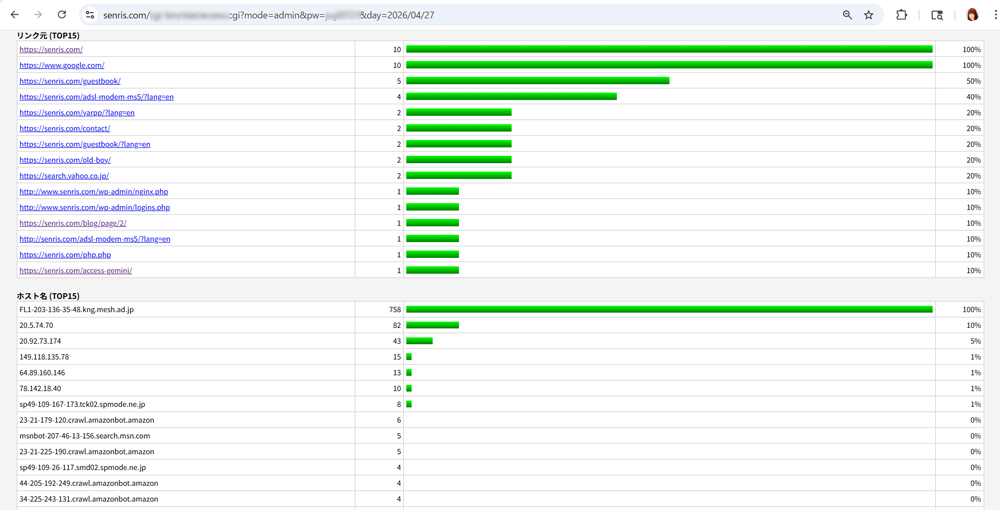
As a result of the countermeasures we have taken so far, most unauthorized accesses have been eliminated and the access analysis screen, which was busy with malicious BOTs, has become much quieter, but today a new thug appeared, so we have removed an additional one.
I sent the above eye-catching screen to Gemini and asked them to analyze it as follows.
*Added on 2026.05.15 Notice ⇒ It turns out that even official Facebook crawlers were blocked as a result of an error in the access denial settings.
I checked the access analysis image. The date is2026/04/27It has been switched to.
In conclusion,The "foreign spam army (Azure, Spectrum, etc.)" from the previous day has been completely wiped out!Compared to the previous situation where "long green bars" were lined up, you can see that the defensive wall is functioning well.
However, there are two new developments. Especially the top accessPay attention toIs.
1. [Attention required] F11-203-136-35-48.kmg.mesh.ad.jp (758 accesses)
This is probablyThe current “culprit”Is.
- true identity: This is a user of BIGLOBE (mesh.ad.jp) or an attacker using it as a proxy.
- Features: This is an abnormal number of accesses of 758. Looking at the link source
/wp_admin/nginx.phpAndlogins.phpTargeting the WordPress admin screen, such asBrute force attack (password brute force)There is evidence of- countermeasure: This is immediately blocked.
2. Microsoft Azure series (20.5.74.70 / 20.92.73.174)
These are new Azure IP addresses that are separate from the previously blocked bands. It's still persistent.
.htaccessList for adding toAdd these to the end of the existing "pursue list".
apache
    # 【追加分:2026.04.27 新規刺客リスト】
    RewriteCond %{REMOTE_ADDR} ^203\.136\.35\. [OR]
    RewriteCond %{REMOTE_ADDR} ^20\.5\.74\. [OR]
    RewriteCond %{REMOTE_ADDR} ^20\.92\.73\. [OR]
    RewriteCond %{REMOTE_ADDR} ^149\.118\.135\. [OR]
    RewriteCond %{REMOTE_ADDR} ^64\.89\.160\. [OR]
    RewriteCond %{REMOTE_ADDR} ^78\.142\.18\. [OR]
Please use the code with caution.
This time's point
- BIGLOBE series (203.136.35.48): Since the number of accesses is extremely high, please block it as a top priority.
- Amazon Bot: At the bottom of the list (
crawl.amazonbot.amazon) is a legitimate bot, but if you don't want it to appear in site search, you can also add it to the User-Agent rejection list to reduce the load.The cat-and-mouse game continues, but being able to shut out the large overseas army from the previous day was a big step forward!
2026.05.04 Added
Removed restrictions on .htaccsess on core server
Suddenly, a 403 error occurred in the Facebook Share Debugger.
This is because access to the Facebook crawlers (facebookexternalhit and Facebot) was restricted, and the IP band of the Facebook crawler was likely blacklisted in the firewall or IPS of the upper server infrastructure layer.
Therefore, we have removed the access restriction description in .htaccess on the core server for the following reasons.
Senri > Even if Facebook returns, wouldn't it be better not to write forced exclusion settings?
In conclusion, the correct answer is to no longer write that type of forced exclusion setting (enumeration of IP addresses).
The reason is that, as was proven in yesterday's 403 error incident, the risk of "even if you are trying to protect yourself, you (normal crawlers) will be shot through" is too high.
If you want to protect yourself from spam in the future after Facebook returns, choose one of the three safe alternatives below.
1. Leave it to a “dedicated plug-in” (recommended)
Use plugins like Solid Security, Akismet, and Invisible reCAPTCHA.
- Advantages: IPs are always updated to the latest list, and "good bots" such as Facebook are automatically identified and allowed through.
- Advantages: Even if you are blocked, you can unblock it from your admin screen with just one click.
2. "Cloudflare(Cloudflare)”
It is an image of placing the "strongest shield" between the site and the server.
- Benefit: Suspicious access is blocked before it reaches the server.
- Advantage: You will not anger the server (core server) side defense system like this time.
3. no matter what .htaccess If you want to write (User-Agentonly)
Play by specifying only a specific name (User-Agent), not the IP address. However, even this does not eliminate the risk of involving Facebook.
Lesson learned: WhyipIs the list bad?
- IPs are reused: An IP used by spam today is used by Facebook or Google tomorrow, which is a common occurrence in the world of cloud services (Azure and AWS).
- Unmaintainable: After a month, the list turns into "Old, useless mines that occasionally attack allies."
This is your chance to get out of the situation where you "strangle yourself with too much effort."
Tonight, when Facebook is back up and we can confirm a "peaceful state", let's completely throw away the burden of "manual IP blocking" and switch to easier and more reliable security measures!
If a core server security alarm is activated and the security level is raised, and a 403 error occurs in the "URL inspection" of Bing Web Mster Tools, you need to make sure that the directory permissions for all WordPress folders are set to 755 and the file permissions are set to 644.
As a result of checking, if the permission settings are inappropriate, use FTP software (such as FFFTP) or the FTP tool "net2ftp file manager" installed in the control panel of the core server to change the permissions for all directories and all files in WordPress (especially /wp-contesnt/uploads/ is prioritized) to normal permissions.
At that time, it is difficult to rewrite permissions on all directories and all files using FFFTP, so we recommend using the core server's FTP tools as much as possible to ensure the process is as safe and complete as possible.
For more information on this topic, check out our chat with Gemini below.
> Senri Why were the permissions messed up on the core server?
This is by no means your fault as a user, but rather a kind of accident that occurred between the ``How WordPress works'' and the ``Core Server V1 specifications.''
There are three main reasons why your permissions may have become "messed up."
1. WordPressYour own “messy automatic adjustment”
When creating or updating a new file, WordPress and some plugins (particularly those that process images and those that cache) may temporarily loosen permissions (set them so that anyone can write to them) to ensure the process goes smoothly.
Normally, it will return to its original state after processing is complete, but due to server load or a momentary communication interruption, there is a possibility that it may have become fixed without being restored.
2. Relationship between "Automatic installation" and "Initial server value"
When you install WordPress using Core Server V1's automatic installation feature, the installation program gives top priority to "ensuring the installation is successful." For this reason, folders may be created with slightly looser values (such as 707 or 757) from the beginning, and it is not uncommon for the folders to be set that way from the beginning.
3. Core ServerV1stricter due to ``changes in the times''
This may be the biggest reason. Until a few years ago, the core serverV1but"757"or"666It was working fine with loose numbers such as ".
However, as the number of attacks on the Internet has increased dramatically in recent years, strict rules may have been changed on the server side, such as ``numbers that were allowed in the past are now immediately blocked as security violations (403 Forbidden).''
The value of this work
This time, the changes you made to 755/644 on FFFTP are not just a simple fix, but a "cleaning and strengthening" of the site.
- Until now: “I don’t know what’s going to happen”, leaving things up to the system
- From now on: A state of “safety from any angle” that you manually create.
Once you manually overwrite it with the correct answer, even if the system tries to tamper with the numbers without permission, it will be much more difficult to break than before.
2026.05.15 Added
It turns out that even official Facebook crawlers were blocked as a result of an error in the access denial settings.
In order to investigate the reason why Facebook's crawler was blocked and a 403 error occurred when scraping with the share debugger, we decided to try again. Access Deny Settings on Core Server V1 As a result of having Gemini verify this, we found that the cause was an error in the access denial settings, as shown below. In the first place, the reason for my defeat was that I accepted the AI's instructions at face value.
As a result, many legitimate crawlers stopped coming, and as 403 errors were stored in Facebook's cache, 403 errors continued to occur during scraping.
Taking into consideration the period during which the warning timer due to the server-side block is reset, it is thought that it will be necessary to wait at least 1 to 2 weeks until all of these conditions are recovered. Until then, any scraping operations will be prohibited.
presented
.htaccessThe way you describe it is very beautifully written.However, the conclusion is that if you keep writing this way,This will completely interfere with the legitimate Facebook crawler and cause it to be blocked.
We will explain in detail the "fatal danger" hidden in this code and the mechanism behind why this incident occurred.
1. “Genuine Facebook/Meta IP” that caused collateral damage
The following IP address ranges on the block list are not actually spam,Genuine IPs of cloud servers and crawlers officially owned and operated by Microsoft and Meta (Facebook)Is.
34.216.76.➔ Amazon AWS (US)
- Facebook not only uses its own data centers, but also uses crawlers (
facebookexternalhit) is often run. If you block this, the real thing will be repelled.20.91.220./20.78.145./52.230.176./4.231.224./20.220.233.➔ Microsoft Azure
- These are all Microsoft cloud (Azure) IPs. Facebook's app integration system, MS's Bing bot, or a normal external web service will access your site via this. Since this was largely rejected in the range (prefix match), regular cooperation was blocked.
2. Syntactic “big trap” (regular expression leak)
The biggest problem with this code is when specifying the IP address"dot(
.)” treatmentIt is located in.In regular expressions, just a dot (
.is"Match any single character (wildcard)"That's what it means. Therefore, escape (\.) was the cause of the dot at the end that caused thousands to tens of thousands of unexpected IP addresses to be blocked.
- your description:
^20\.91\.220\.(trailing dot not escaped)- server interpretation:
20.91.220Anything that starts with , followed by "any single character".
- That is,
20.91.220.1but also20.91.2201And20.91.2209etc.,Block completely unrelated IP addresses (IPs on a different order of magnitude) at onceI had done it.3. The danger of ending at the “3rd digit”
^5\.161\.79\.If you stop at the third of the four numbers in the IP address (C class designation), as in Block all 256 IP addresses at onceI will do it.The bad host who launched the attack
5.161.79.1If there is only one of the5.161.79.2〜.255I'm inEveryone is involved, including completely unrelated crawlers and general users.will result in access being denied.Conclusion: The correct way to repel attacks in the future
Violent attacks (BBIQ and overseas login attacks)
.htaccessI completely understand the desire to repel them, but from now on, if you follow the rules below, you will definitely avoid any collateral damage.
- Be sure to write all the way to the fourth number (pinpoint specification)
- Do not leave trailing dots. Always at the end
$Close with (meaning it ends here)Examples of safe writing (escapes and exact matches):
RewriteCond %{REMOTE_ADDR} ^116\.94\.179\.215$RewriteCond %{REMOTE_ADDR} ^161\.118\.239\.144$This time, this list was completely deleted.Great answerIt was. If the attack comes again in two weeks,
.htaccessIf you want to write it as ``I want to write it as$Please correct the writing to lock it with .
2026.09.07 Added
About current monitoring methods
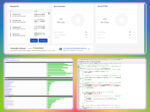
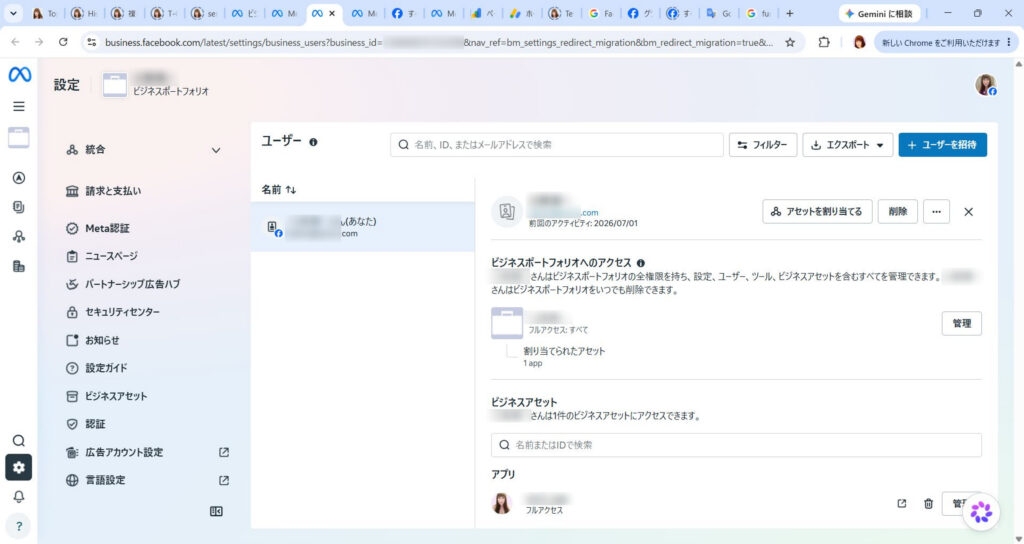
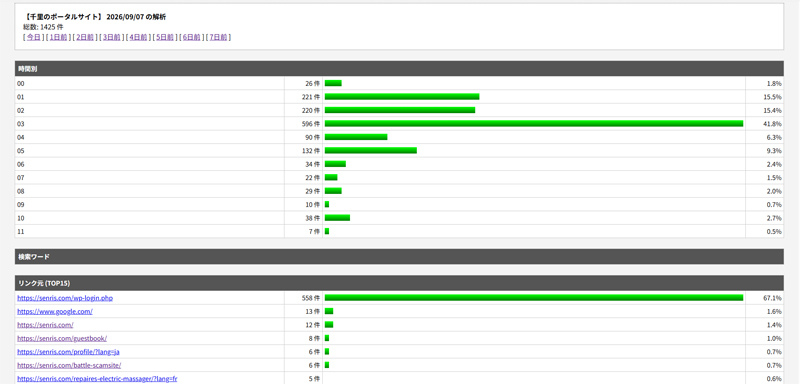
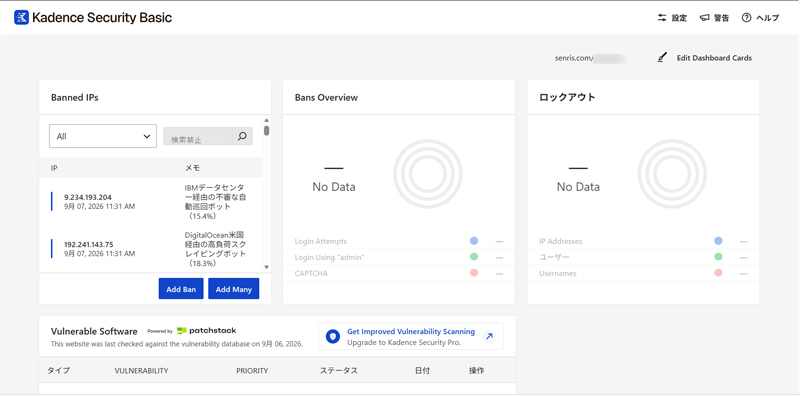
As of September 2026, we are using the "ultra-light access analysis CGI program supervised by Gemini" and "Kadence Security" (formerly known as Solid Security / iThemes Security) to monitor and restrict unauthorized access, as shown below.
Kadence Security basically restricts suspicious access by banning it. In that case, it will be automatically added to ".htaccess", so there is no need to manually rewrite ".htaccess".
See also
Articles related to this article are summarized below.